A Retrospective Review and Benchmarks on a GPU that shouldn’t exist
- RRP: £73.30 (for a standard X1300 – this would have been part of a pre-built IBMsystem)
- Release date: October 5th 2005
- Purchased in February 2025
- Purchase Price: £7.50
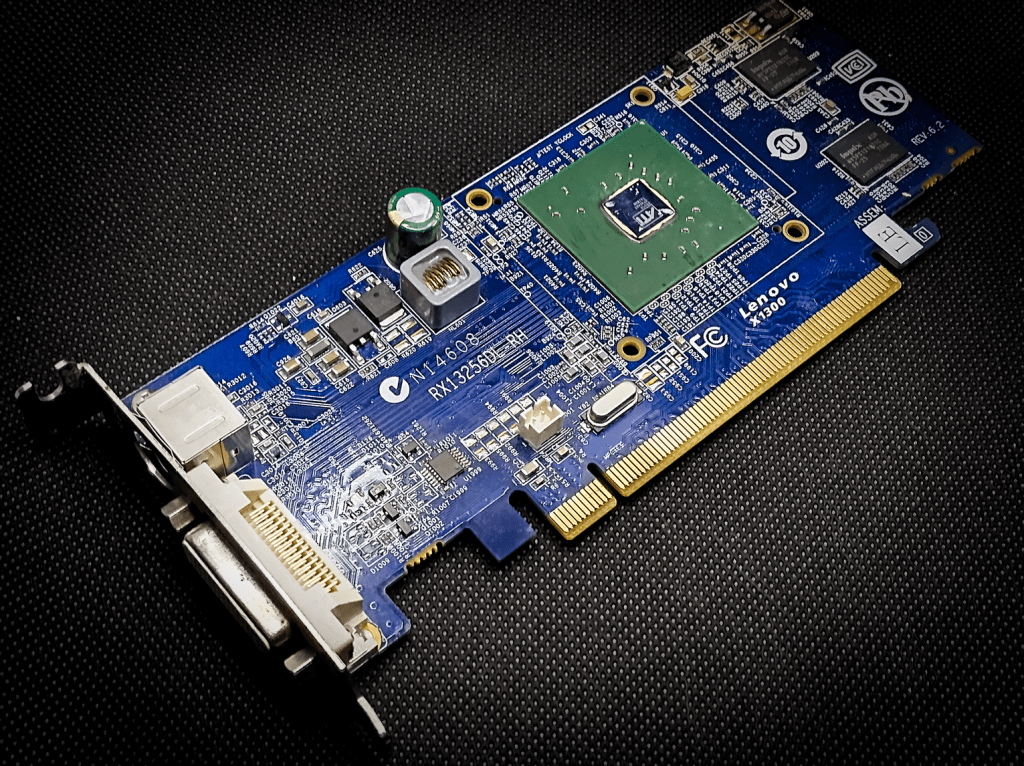
RV515 & RV516
The ATI Radeon X1300 series, launched on October 5, 2005, was the budget end of ATI’s Radeon X1000 series of graphics cards.
The X1300 series was built on a 90 nm manufacturing process and featured the RV515 and later RV516 graphics processor.
The family did extend on providing a budget option even when successor series of chips were released.
Key specifications included:
- 4 pixel shaders and 2 vertex shaders (except the XT)
- 4 texture mapping units (TMUs) and 4 render output units (ROPs)
- Core clock speeds ranging from 450 MHz to 600 MHz,
- Support for DirectX 9.0c and Shader Model 3.0
- Memory configurations of 128 MB or 256 MB, with DDR or DDR2 memory types
- Memory bus width of 128-bit for standard models, 64-bit for some variants
- Low power consumption (TDP around 31W for the Pro)
These cards would be competing with the lower-end GeForce 6000 and 7000 Series cards of the time.
The RRP for a new X1300 on release were reportedly $79 for the cheapest HyperMemory edition up to $150 for the X1300 Pro.
In 2006, the X1300XT was released, a more serious contender. It had a lower clock speed but with an increase right up to 12 Pixel Shaders and 5 Vertex Shaders, this with an RRP of $89. I really want to own one but, they don’t seem to show up on eBay often.
The final card in the family was the X11550XT released in 2007 slightly different silicon. This was sold as an ultra-budget option with an RRP of $65.
The Card
I wanted to test a standard X1300 against the Pro edition I had looked at previously. The card was advertised as such — it even says so on the PCB — so I dropped it in and started testing.
However, a lesson was quickly learnt: this is actually an OEM card, manufactured by Lenovo for IBM and their ThinkCentre line of pre-built desktop PCs. I initially expected an OEM card to have cut-down specs, but that wasn’t the case here.
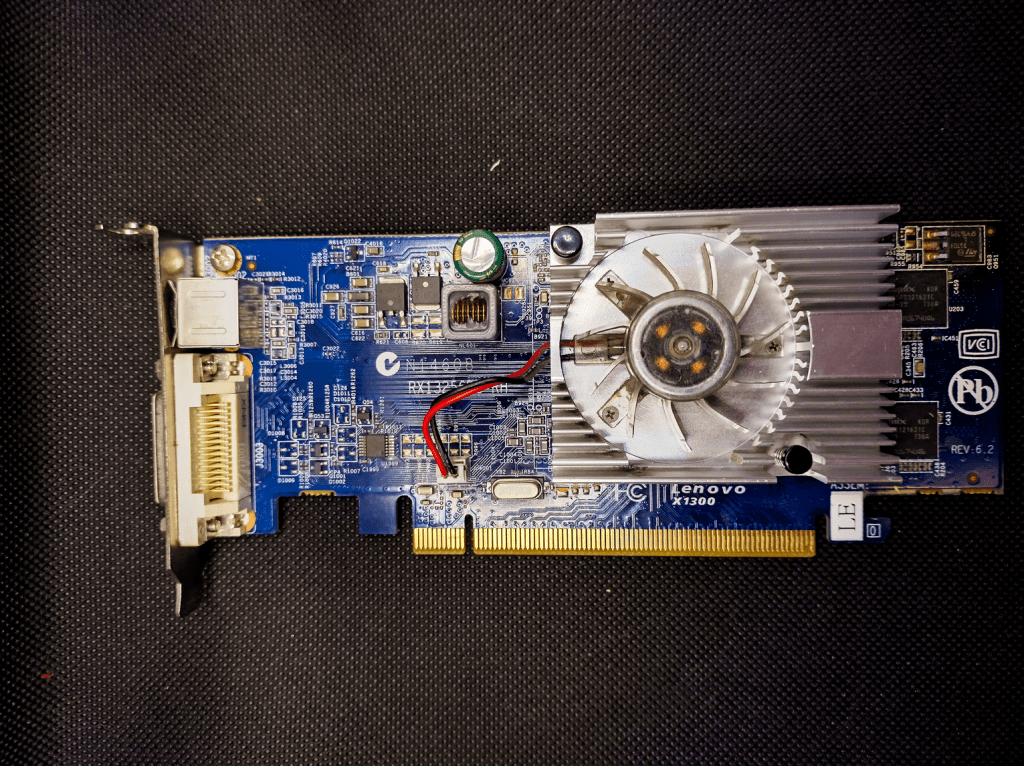
In fact, this card is equipped with 400 MHz DDR2 RAM, rather than the expected 250 MHz, offering a surprising boost. Most X1300s I’ve seen make do with only a small heatsink, but this one comes with an oversized, ugly heatsink and fan combo — easily one of the worst-looking I’ve ever seen.
Unfortunately, there are no temperature sensors to monitor whether this beefier cooling solution makes any real difference.
You’ll notice also that the release date is 2007 and the actual GPU chip is RV516 and not RV515 as used by the X1300’s.
You may also notice that, despite this being a RV516, it is based on a 90nm process, the internet tells us that it should be 80mm as one of the few improvements between the two.
So here we have a card that can only exist in the world of OEMs, should it be compared against other 2005 cards? Maybe not in retrospect but I only noticed this omission way to late.
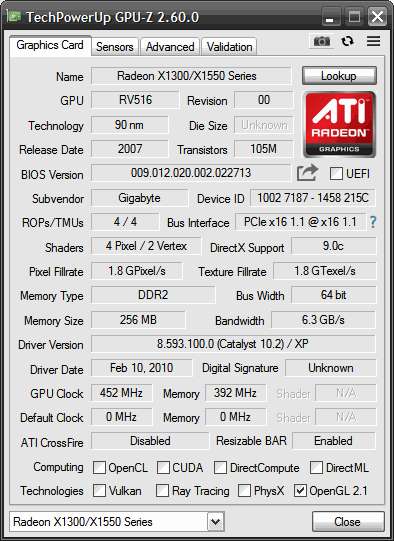
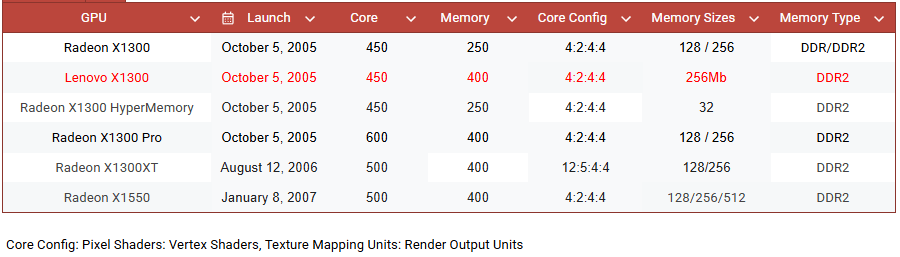
In comparison to officially listed stats, this card matches the specs of the X1300 Pro with everything except the clock speed and lower 64bit bus:
RV515 vs RV516
RV515 was the original chip used in entry-level cards like the Radeon X1300. It was built on a 90nm process at TSMC and featured 4 pixel shaders, 2 vertex shaders, and support for DirectX 9.0c (Shader Model 3.0). It was ATI’s first foray into 90nm territory for budget GPUs.
RV516, on the other hand, is essentially a die-shrink and manufacturing shift of the RV515. It retained the same architecture and specs—still 4 pixel shaders, 2 vertex shaders, and DX9.0c support—but was produced at UMC instead of TSMC. This change allowed ATI to optimize yields and potentially reduce costs without altering the chip’s functionality.

Well, the games are tested, and I do like an odd card in the collection, let’s see how this gets on.
The Test System
Details are as follows:
- CPU: AMD Phenom II X4 955 3.2Ghz Black edition
- 8Gb of 1866Mhz DDR3 Memory (showing as 3.25Gb on 32bit Windows XP and 1600Mhz limited by the platform)
- Windows XP (build 2600, Service Pack 3)
- Kingston SATA 240Gb SSD
- ASRock 960GM-GS3 FX
- The latest supported Catalyst Driver 10.2
Moto Racer 3 (2001)
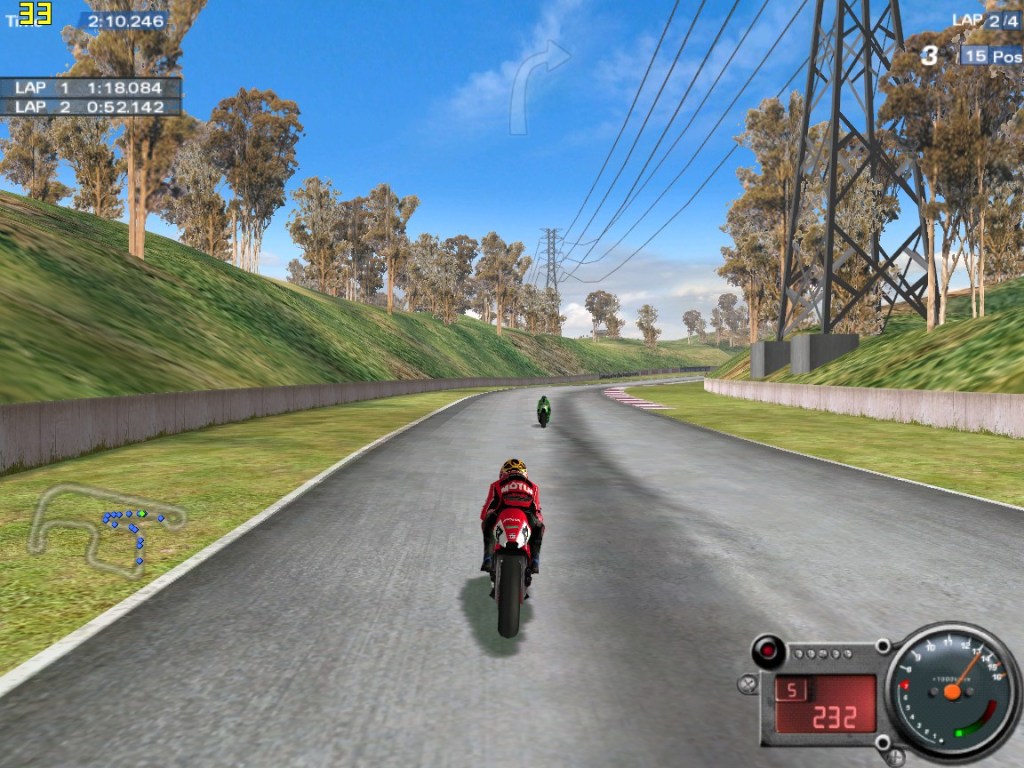
The Pro hit the 33 fps frame cap with no trouble, and unsurprisingly, the X1300 also reached this low bar — even at the maximum supported resolution of 1152 x 864 with all settings maxed out.
Mafia (2002)
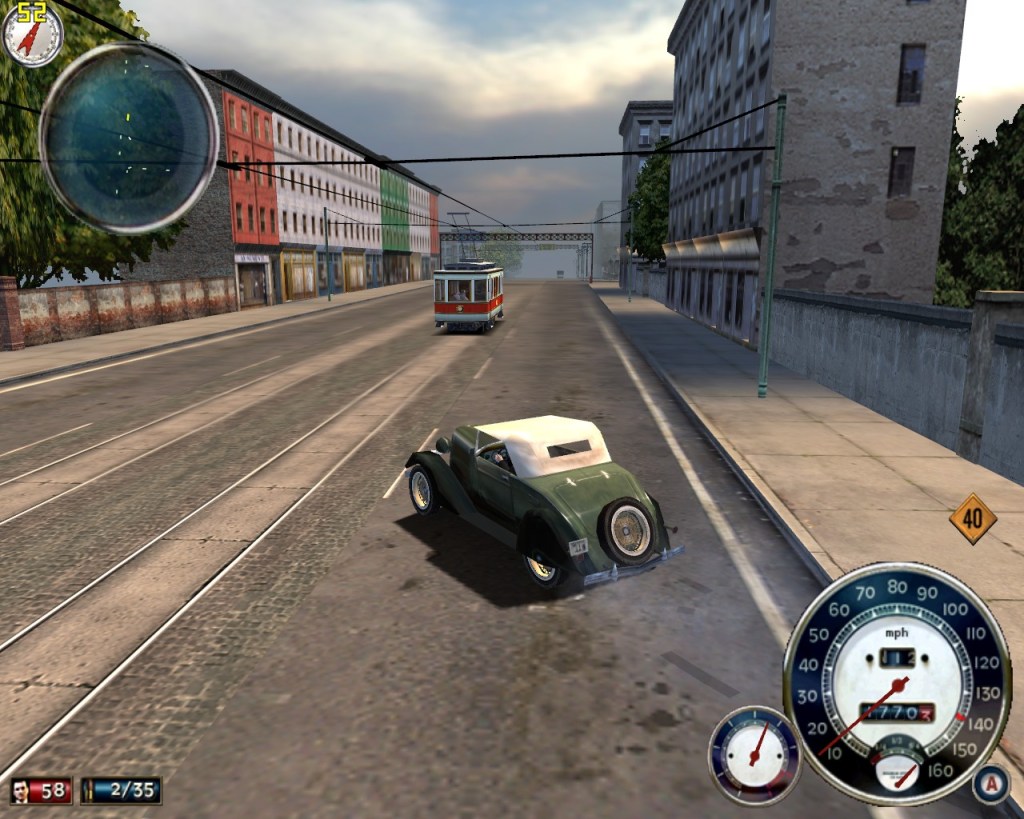
This game is capped at 63fps but I did use Fraps to count the frames with the Pro card, so we have something to compare the average and 1% low figures with, both reached the cap on some occasions
The resolution was 1280 x 1024 with everything maxed out including 4xAA.

Well, what a difference a 64bit memory bus and slower clock speed makes. The average framerate will be skewed by the frame cap but the 49% lower 1% low figure highlights how big the difference would otherwise be.
Still playable, I did a fair few missions from the story on this card. It didn’t actually feel any worse to be fair to it.
Freelancer (2003)

This game sat firmly at the 60fps cap with the X1300Pro so there were no results to record, even with everything on at the 1024 x 768 resolution.
Expecting a dip I did fly around and with the Lenovo X1300 and took down the first wave of enemies in the story mission with Fraps running.
Despite the inferior specs, the average framerate was 59.965 and 1% low of 56fps so not worth recording, just a big tick for being able to play Freelancer.

FarCry (2004)
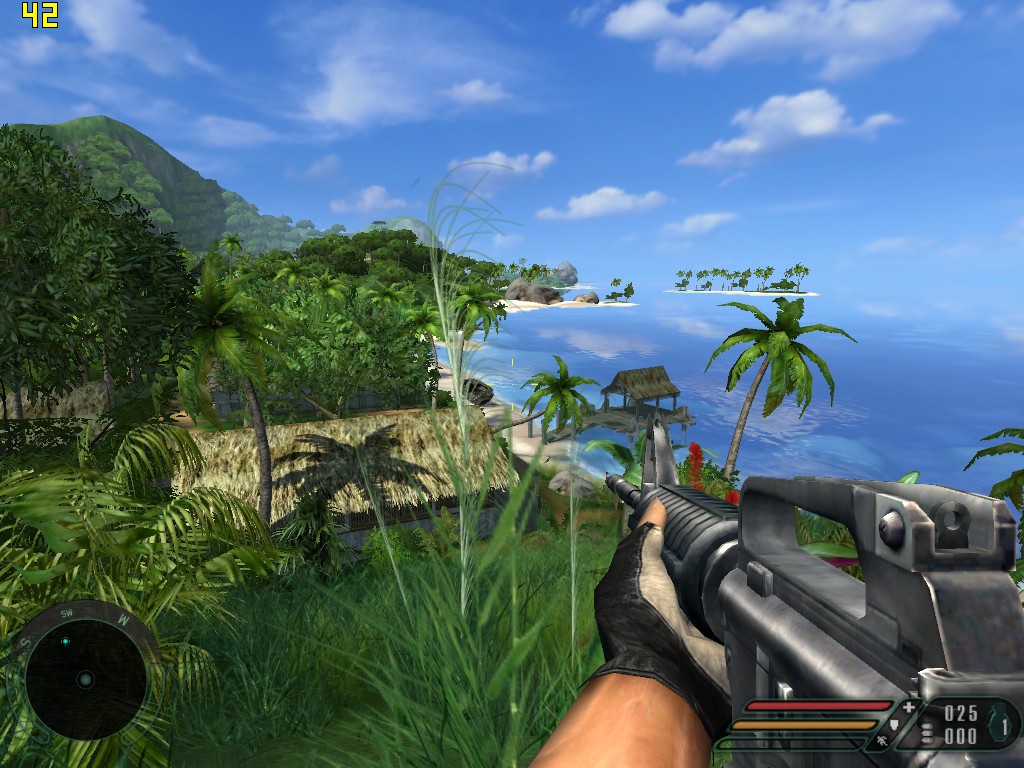
This test brought a big step up in requirements, and while the X1300 Pro previously handled it admirably, the Lenovo X1300 couldn’t keep up.
A lower quality preset and/or resolution would be needed to make the game playable.

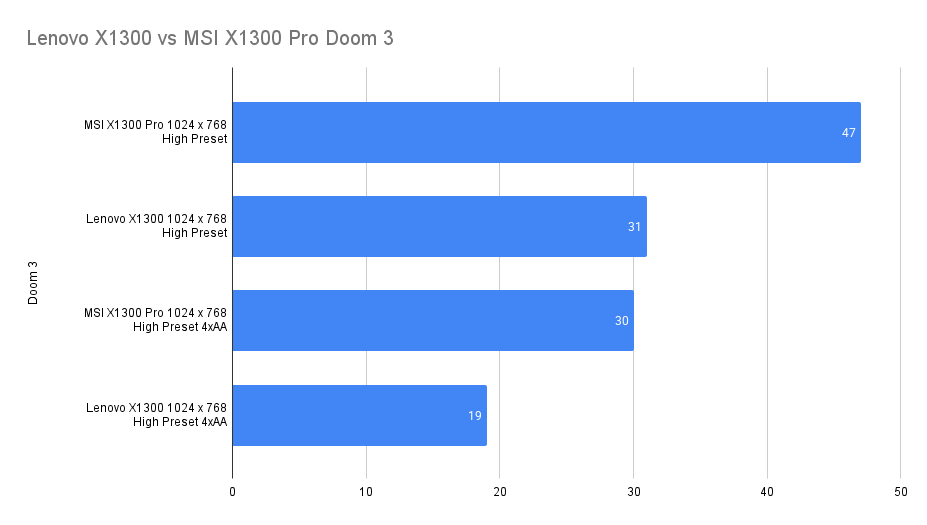
Doom 3 (2004)
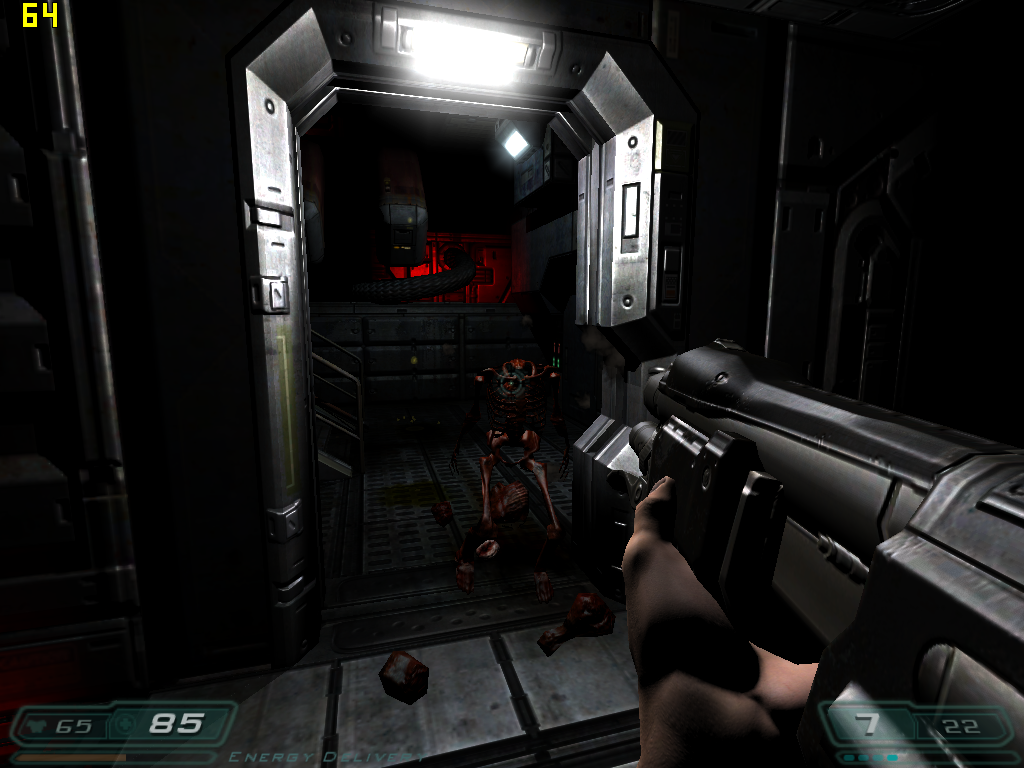
No Fraps here as the game is capped, it does have an internal benchmark though which was utilised.
The settings used was the High preset at 1024 x 768. Two tests were run at these settings, one included 4 AA.
The results again show a big old drop (c36%) for the non-pro card:

Need for Speed: Most Wanted (2005)
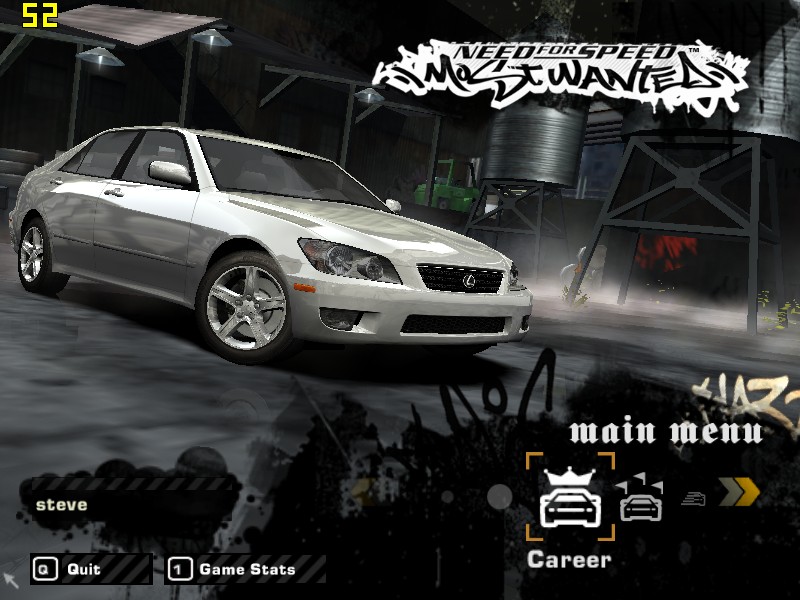
With the low settings the non-pro version was not much slower than it’s more gifted sibling. Both just awful at any sort of resolution that makes this game look half decent.


Medieval II: Total War (2006)
Using the Agincourt introduction again, the Lenovo card gives a 35% lower framerate at Medium Settings with no AA than the pro card. High settings knocked things well down to single digits.
The difference between playable and not playable unfortunately, this would need to drop to the low present or a lower resolution.


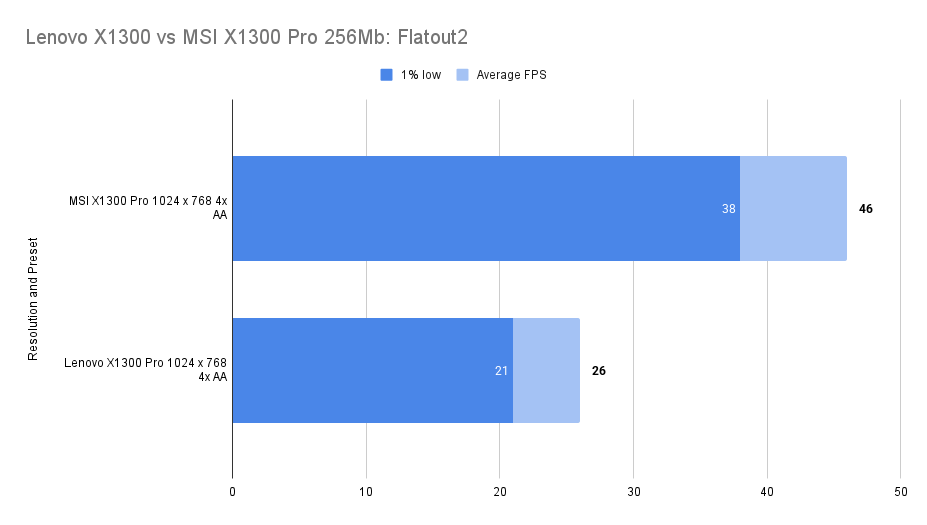
FlatOut 2 (2006)

In Flatout 2 there was a 43% drop in performance at the same settings. Things were smoother than this would seem but still, you’d want to drop down the resolution or settings.
The Elder Scrolls IV: Oblivion
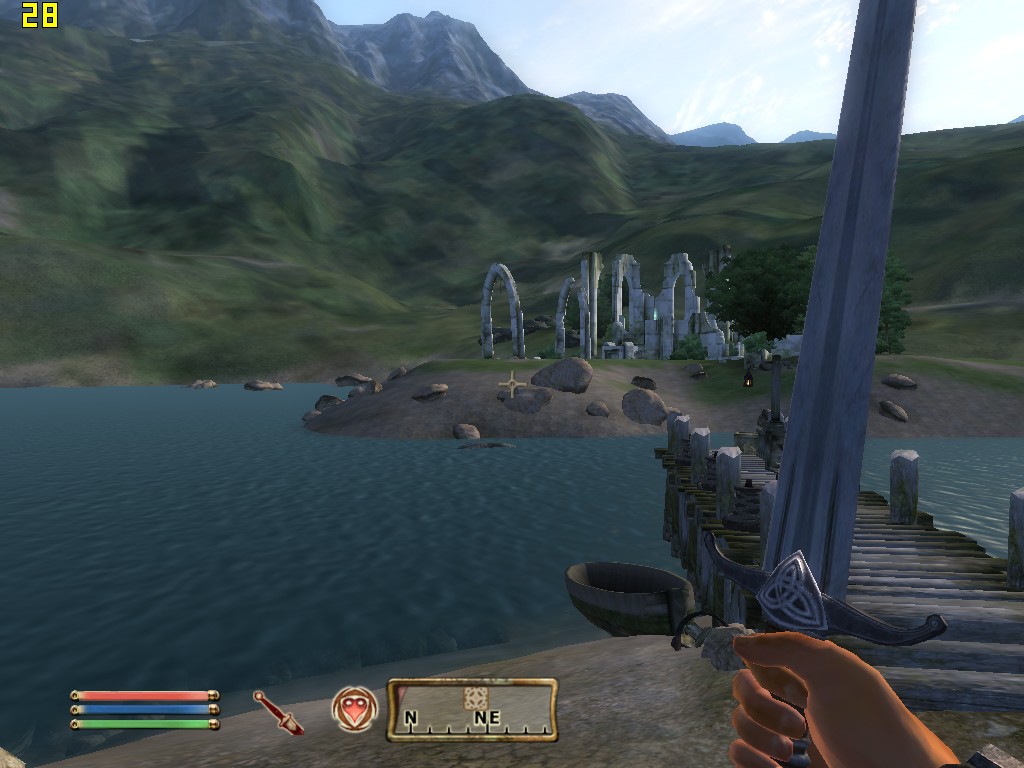
Pretty hard to look at, even at medium settings, not a big success but, playable really, if not a smooth experience.
An average drop over both resolutions of just over 35%
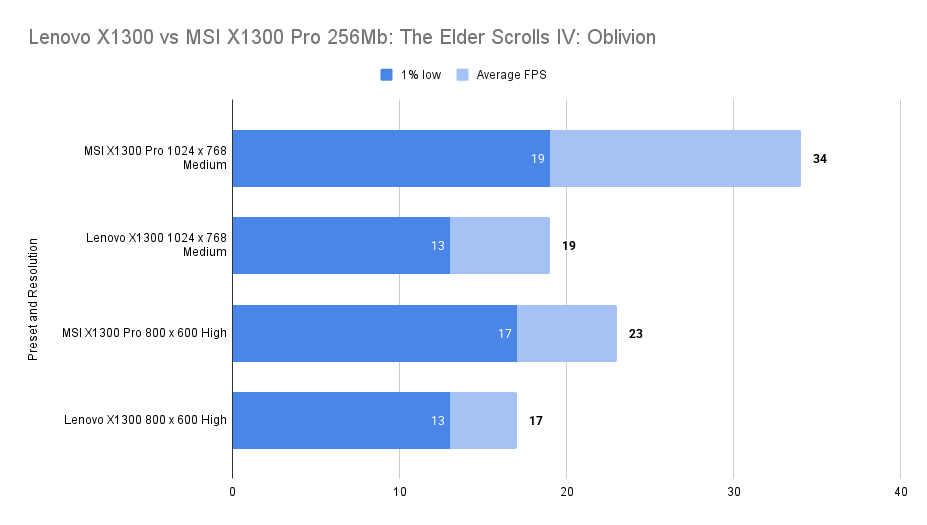
There is probably a need to drop right down to 800 x 600 Low to get a somewhat playable experience on this Lenovo card.
Just Cause (2006)

Limited to 60fps which could be reached on medium settings so settings have been boosted here to get measurable results:

With a mix of Medium and High, the results were as follows:

Both of these cards would be able to play the game at lower resolutions and settings.
S.T.A.L.K.E.R.: Shadow of Chernobyl (2007)
Another game capped at 60fps.
To get a reading I had to play with the settings a little, even at 1024×768 max settings we were hitting the cap consistently.
Changing the render from static lighting to the other two options caused a crash and a message saying that these are not supported.

I found a 40% reduction in average framerate in this title.


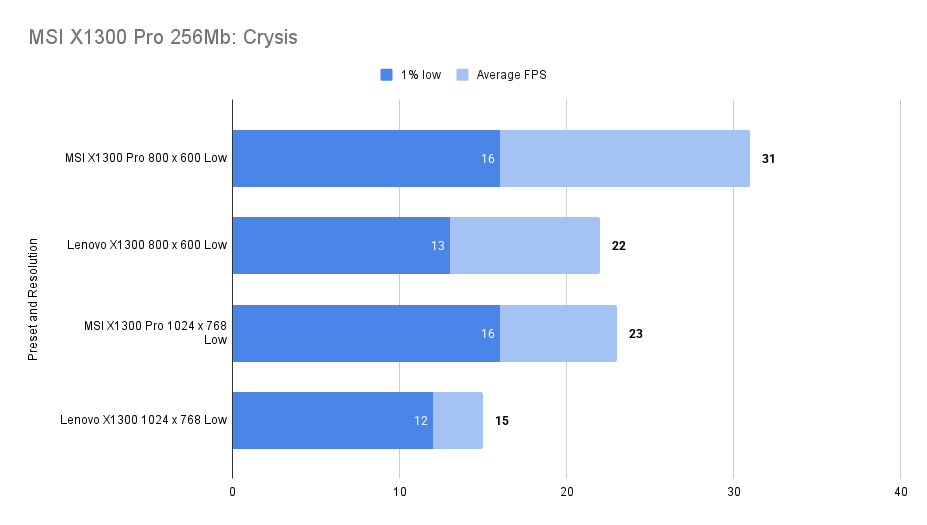
Crysis (2007)
A painfully slow benchmarking experience, just under 32% worse performance than the pro card making this even more unplayable.

Assassin’s Creed (2007)
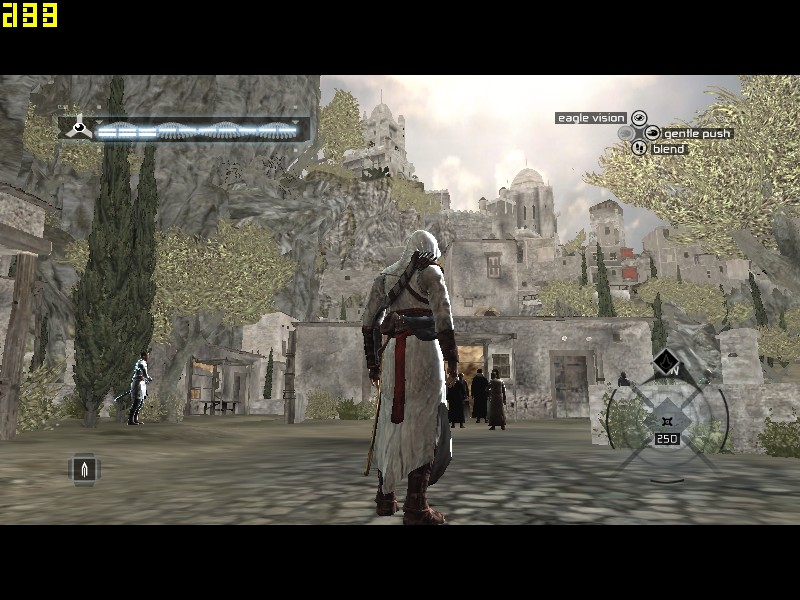
Not a big success with the X1300 pro and just under a 25% worse experience with the X1300.
Perhaps playable if you dropped the settings further to 640 x 480 but it’s ugly enough as these settings.

Synthetic Benchmarks
3d Mark 2001SE
I didn’t record the detail for the MSI X1300 XT in 3dMark 2001 frustratingly.
| MSI X1300 Pro | Lenovo X1300 | |
| 3d Marks | 19,417 | 11,013 |
The 3d Mark score is 76% Higher on the pro card than this X1300.

3d Mark 2003

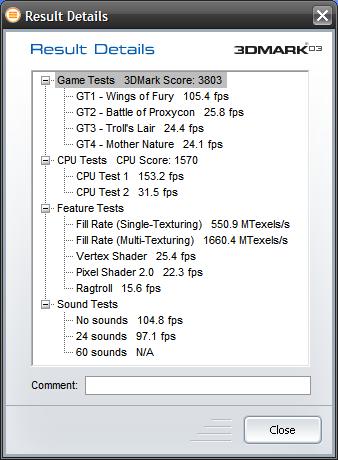
| MSI X1300 Pro | Lenovo X1300 | |
| 3D Marks | 6,255 | 3,803 |
| Fill Rate (Single- Texturing) | 1,057.0 | 550.9 MTexels/s |
| Fill Rate (Multi- Texturing) | 2,237.3 | 1660.4 MTexels/s |
| Vertex Shader | 30.6 | 25.4 |
| Pixel Shader 2.0 | 35.7 | 22.3 |
3d Mark 2006
The MSI card benefits from 54% better performance in this test

| MSI X1300 Pro | Lenovo X1300 | |
| 3D Marks | 1,909 | 1239 |
| Shader Model 2.0 Score | 635 | 402 |
| HDR/ Shader Model 3.0 | 695 | 454 |

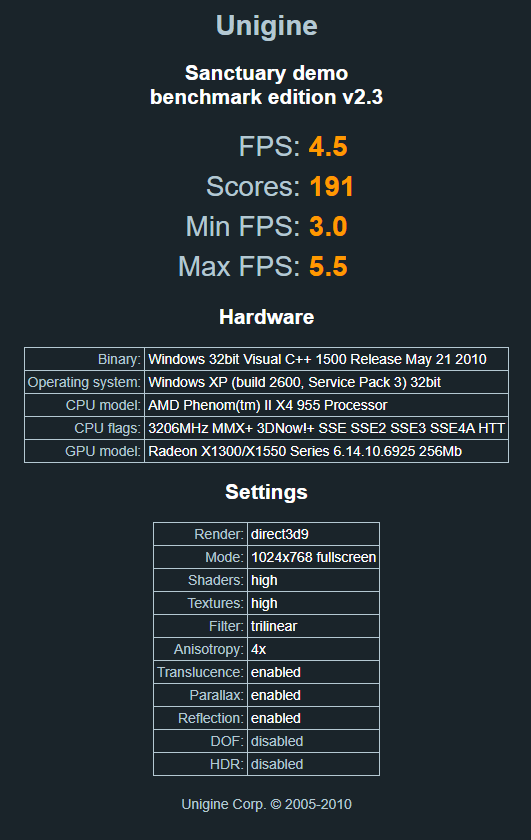
Unigine Sanctuary
The MSI card proved itself to be 100% faster than our Lenovo X1300, ouch.
| MSI X1300 Pro | Lenovo X1300 | |
| Score | 383 | 191 |
| FPS | 9.0 | 4.5 |
Conclusions
It’s a bit of a shame that this wasn’t the standard X1300 after all, but rather an enhanced OEM version with performance improvements, putting it somewhere between the standard and Pro models.
Still, it remains a capable option for pre-2005 games, handling older DirectX titles with ease. While not as frame-limited as the Pro, it still runs most older games smoothly and comfortably.
Anything newer, though, quickly pushes it to unplayable levels.
Let’s throw in an Nvidia card for comparison in part III.
 Ash's Retro Hardware Reviews
Leave a comment