Too Modern for XP Gaming?
Release Date: October 2013 RRP £105
Purchased: March 6 2025 £12.89 + p&p
Introduction
I had good results with the FM1 APUs I tested previously — they turned out to be surprisingly solid choices for Windows XP. Performance was respectable across the board, with most games running well and falling roughly within the 2000s timeline.
Everything I tested was playable, sometimes with reduced settings, though I did encounter a few odd behaviours in certain titles.
It got me thinking: could a later APU still support XP and offer everything a retro gamer might need, eliminating the need for a discrete GPU?
I didn’t venture too far into the 2010s — just far enough to experiment with an FM2 system from around 2013, which I hoped would still cooperate with XP, despite the OS already being twelve years old at that point.
My assumption was that if the FX processors were supported, then surely FM2 would be as well… right? In hindsight, I probably should have looked into it more thoroughly.
Since FM2 uses a different socket, I had to start hunting for a compatible motherboard — and that led me to the listing below on eBay:

Far more feature‑rich than that crappy Biostar FM1 board I used previously.
Those two PCI‑E slots might be useful in the future — CrossFire with a pair of HD6670s, maybe? That could be a fun experiment.
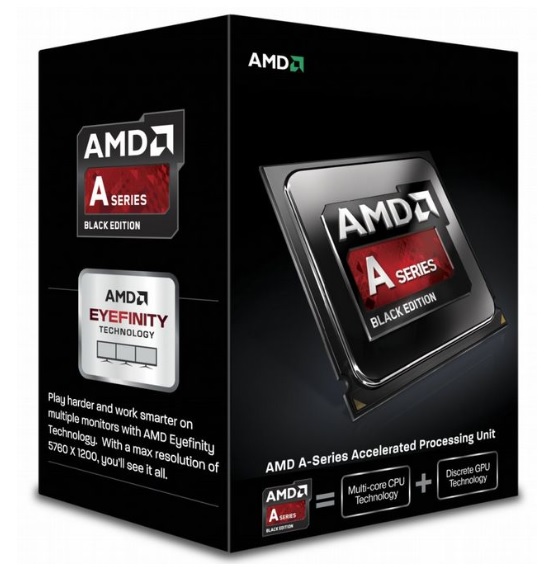
For a cheap APU to test, I went back to AliExpress. Delivery was quick enough and as easy as I’ve always found it.

This A10 example is fairly high‑end, though not the best of its generation, which would have been able to support DDR3‑2133.

I actually didn’t spot that the A10‑6800K supported faster RAM, otherwise I would have spent a little more to get some. Since the system RAM doubles as VRAM on an APU, faster memory can only be a good thing.
Still, at least I have that nice kit of Kingston HyperX Fury 1866 MHz that I used on the FM1 system, which I can just drop straight in.
The GPU side
The HD8670D was the strongest of the APU‑integrated graphics processors, with the highest clock speeds and the most shaders. To be honest, it looks like the top three only differ in their clock speeds.

Compared to the FM1 APUs I tested previously, the improvements weren’t particularly exciting, aside from the addition of six new compute units — though these were still based on the older Terascale architecture rather than true GCN compute units, so they’re not quite as futuristic as they might sound.

FM2 APUs introduced these modular Compute Units, each packing 64 shader processors, which was a nice step up from the older clusters. They’re great for modern software that knows how to use them, but would Windows XP or DirectX 9 even know what to do with all this newer technology?
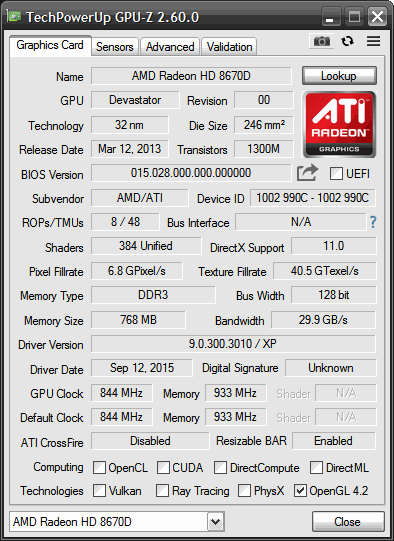
Here’s a GPU‑Z screenshot of my example, showing everything is as expected. It’s helping itself to 768 MB of system RAM, up from the 512 MB used by the FM1 APUs. I do wonder whether this comes out of the 3.5 GB available to 32‑bit XP, or from the full 8 GB that’s physically installed in the system.
Installation and Setup
wasn’t expecting too much trouble getting XP running on this system and… things were a little more challenging. It seems that the 6000‑series APUs were the first that didn’t actually support Windows XP. Oops.
Still, Windows XP Integral Edition did its thing and installed itself. I then downloaded the latest APU drivers from the AMD website and installed them along with Catalyst Control Center. After a restart, I logged in to see four colours and a 640×480 resolution — not ideal.
Using the extremely limited display, I managed to get Snappy Driver Installer up and running, which offered a newer driver. I installed that, rebooted, and everything returned to a glorious 1280×1024 with 32‑bit colour. A little strange, I thought, but it all worked now… right?
Well, the sound chip was also a pain to get working. The most official‑looking driver on the Gigabyte website didn’t work, but I had the Realtek chip number from the motherboard, so I Googled that again. (When did getting drivers from the internet become so painful?)
In the end I did get it installed, but even when working there was some hissing in the background, which was not ideal.
I dropped in an old PCI Sound Blaster Live. I wanted to keep this system semi‑permanently for playing games, and having proper accelerated sound is one of the reasons to love XP — it was discontinued in later Windows versions, as I understand it.
I noticed in the BIOS (which I flashed to the latest non‑beta version, F5) that the boost clock was disabled, so I enabled it. The 4.0 GHz processor should boost to 4.3 GHz. Sadly, Windows XP couldn’t handle such an exciting concept, and the system would crash without fail shortly after reaching the desktop. So 4.0 GHz it is, which is still pretty speedy by any measure, especially for running XP.
All finally up and running then — or so I thought.
Clearly this was at the edge of compatibility, but Windows was flying along, and I left the Sanctuary benchmark running for some time to ensure stability.
All fine‑ish, then.
The Test System
I recently found a version of MSI Afterburner that runs on Windows XP! I’ll be using this for all future benchmarking, as it’s so much more convenient than Fraps.
I’m sure the two pieces of software introduce slightly different overheads while the system is running them. It’s perhaps not ideal to use two different monitoring tools when comparing hardware, but realistically, who is using these articles as buying guides for old and very cheap hardware?
The specs of the system are as follows:
- AMD A10-6970K APU incorporating Radeon HD8670D
- Gigabyte GA-FSA75M-D3H
- 2 x 4Gb DDR3 1866Mhz Ram (showing as 3.5Gb on 32 Bit XP)
- Windows XP (build 2600, Service Pack 3)
- 2x 120Gb SSD’s (Ali Express Unbranded)
- AMD GPU Drivers 9.0.300.3010.
Here are the benchmarks:
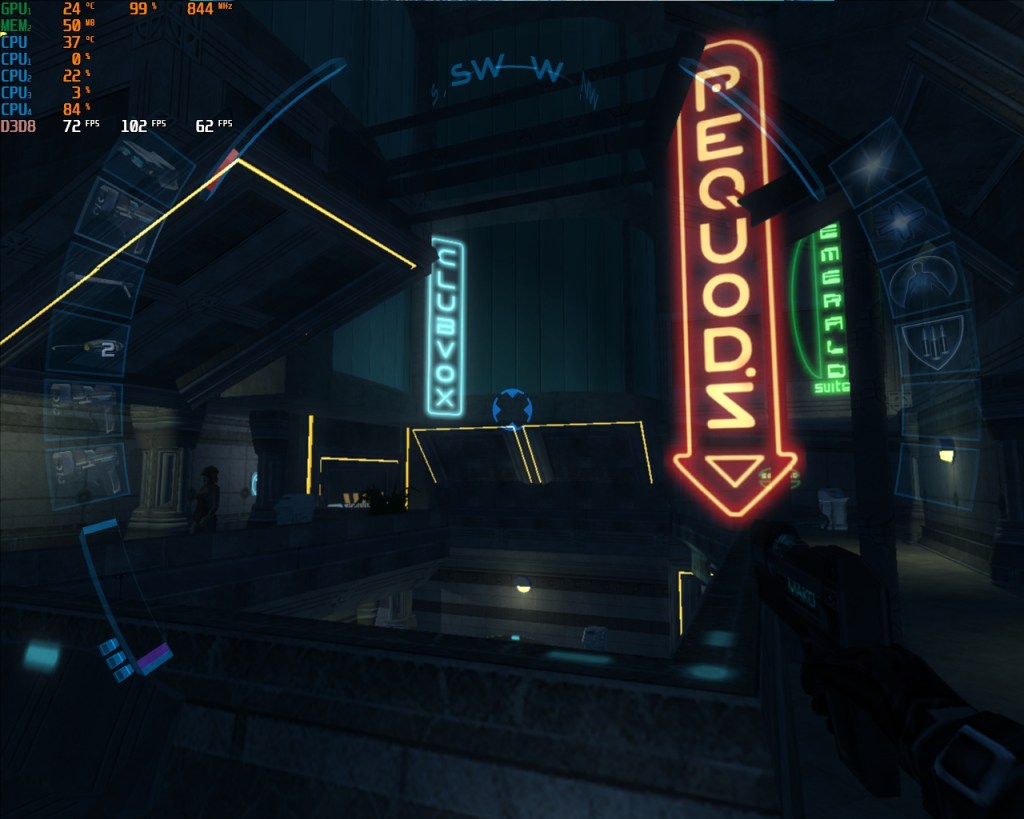
Deus Ex: Invisible War (2003)


Well, a disappointing start really, sure it’s faster but probably just due to the increase in the clock speed of the GPU.
This is an old DirectX 8 game though, so no surprise that it is unable to take advantage of newer graphical features.. perhaps that’s true for anything running on Win XP.
The 1% Low figure was hitting the maximum refresh rate of the monitor so I increased the resolution. The hit to performance was minimal and things did look a lot better.
Far Cry (2004)

This was a bit of a disaster on the older FM1 APUs. I wasn’t sure whether it was something wrong with the system I built at the time — perhaps a driver issue or something not set up correctly.
So it was with mixed feelings that I discovered exactly the same behaviour here: awful performance with the higher presets, but great performance on medium and below.
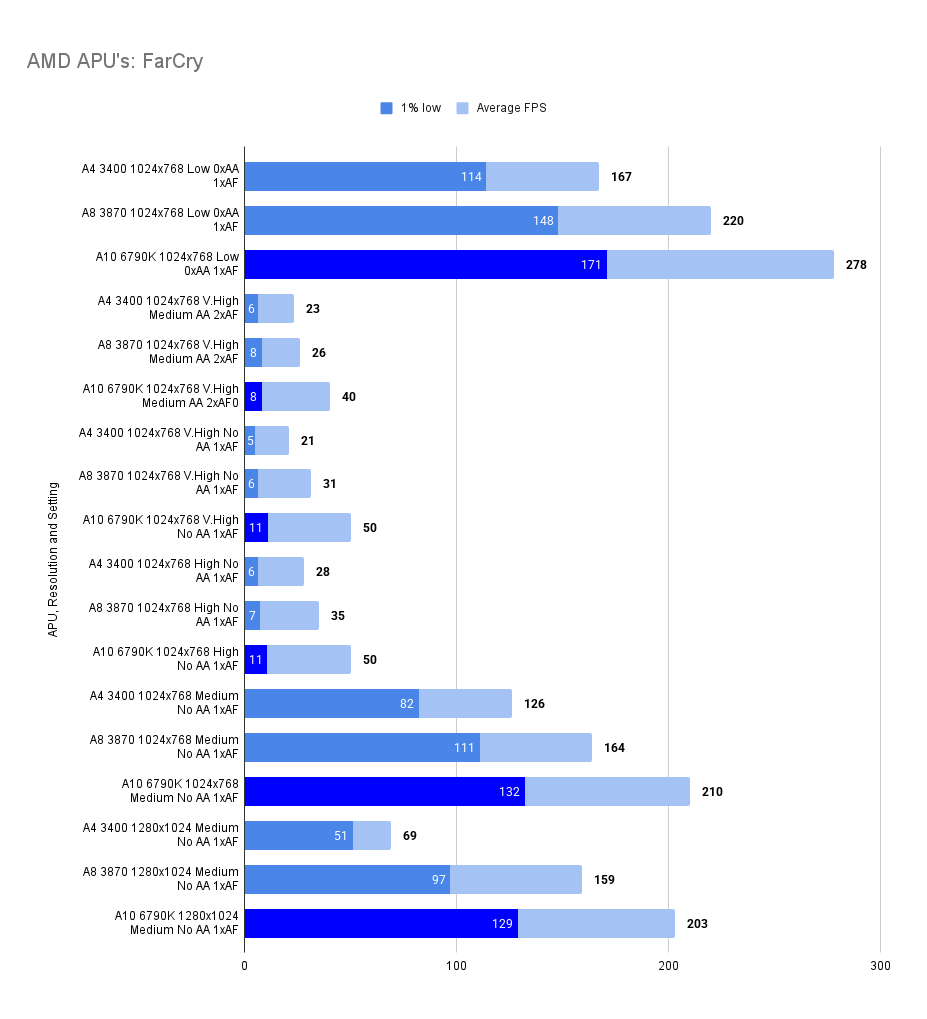
Everything in this system is different except for the RAM (which was the same for the A8, though a different kit was used on the A4).
I did try running things with the High preset but with ‘Environmental’ set to Low, thinking the thick grass might be the issue, but I had the same results.
Strange and frustrating. The old X1300 cards were doing better with their (admittedly on‑card) DDR2 memory.
Rome: Total War – (2004)
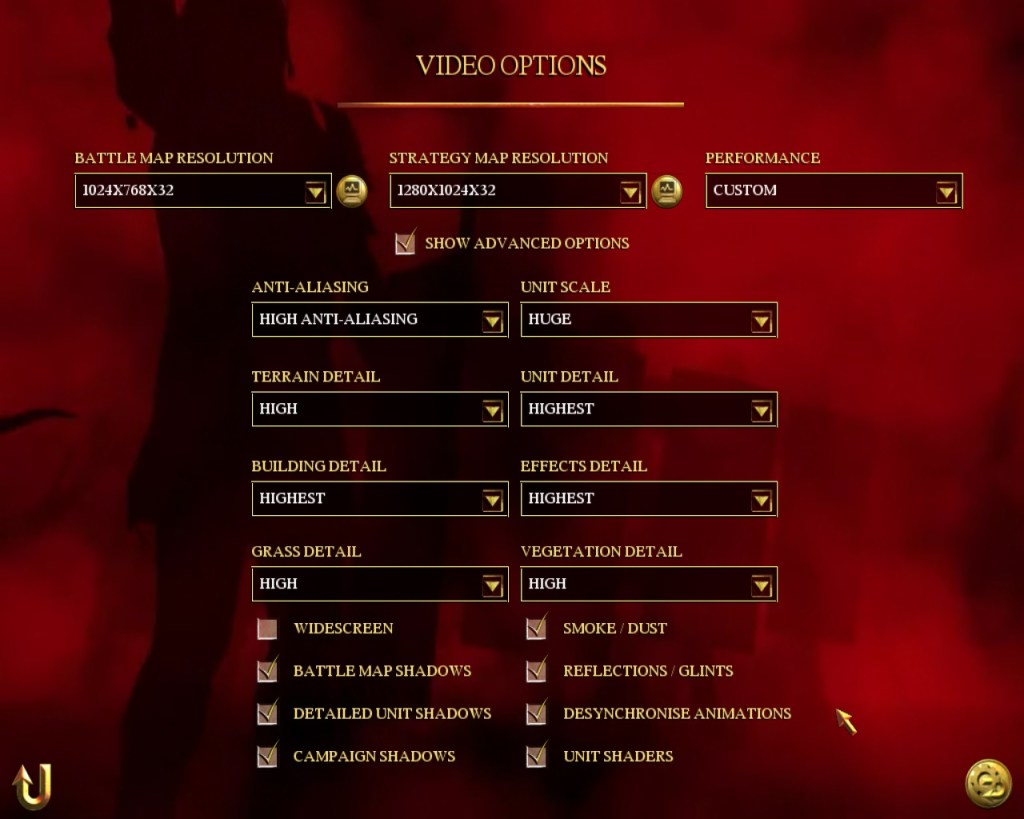
Back to Rome: Total War. Note how the screenshot below shows that this is actually a DirectX 8 title. Apparently it just uses a few DX9 features, which was news to me.
Performance is largely similar to the older A8 APU, with actually worse 1% lows.
I pushed things to 1280×1024 just to see what would happen. Nothing good, it seems!

Afterburner was acting strangely in this title, with the GPU showing 1% utilisation and an improbably cool 10 degrees, which is very unlikely.
Despite this odd behaviour, the results themselves seem to stack up.

Hitman: Contracts – (2004)
Left as a title here as I tested the A4 and A8 FM1 processors. The A8 was hitting the 60fps frame cap with everything switched on at 1280 x 1024 – it didn’t seem like a good use of time to test again on later hardware.
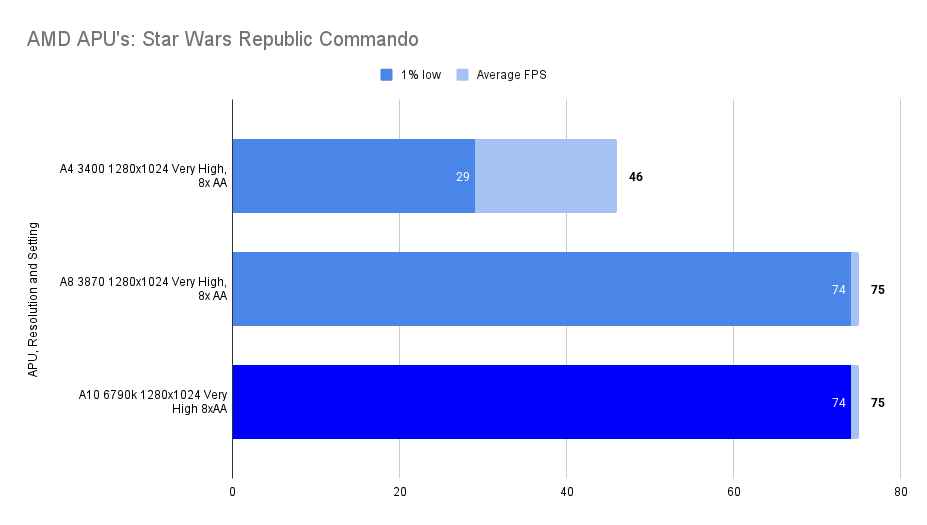
Star Wars Republic Commando (2005)
Hitting the cap with the A8 and the same with the A10, no suprises here.

F.E.A.R Extraction Point (2005)
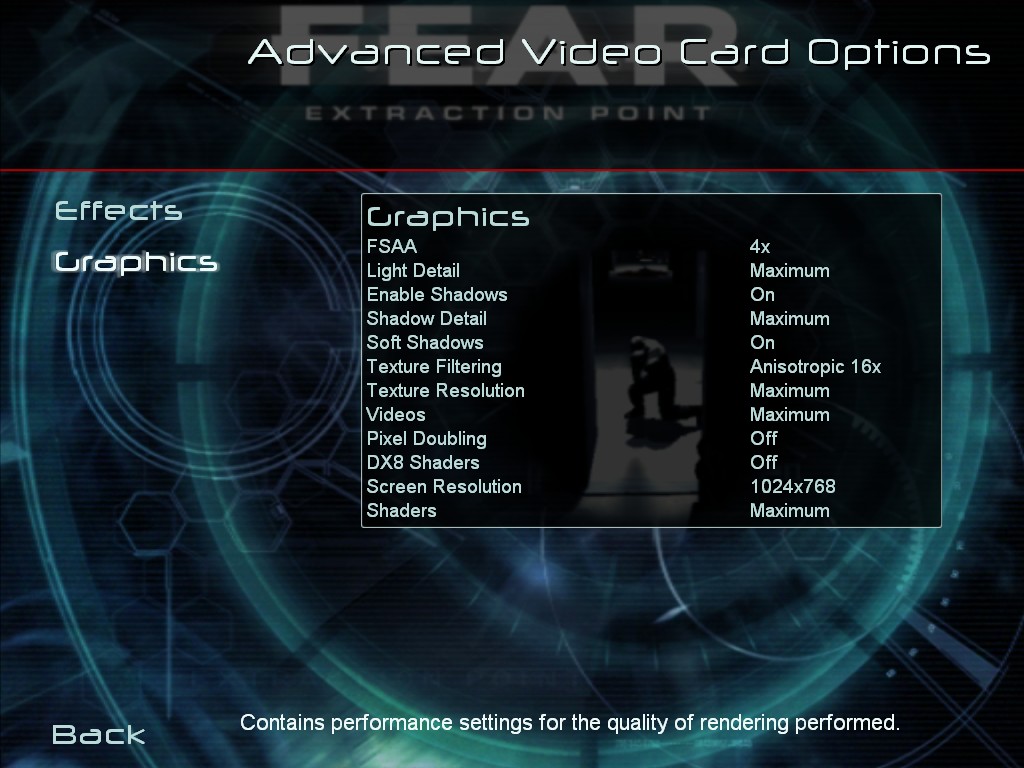
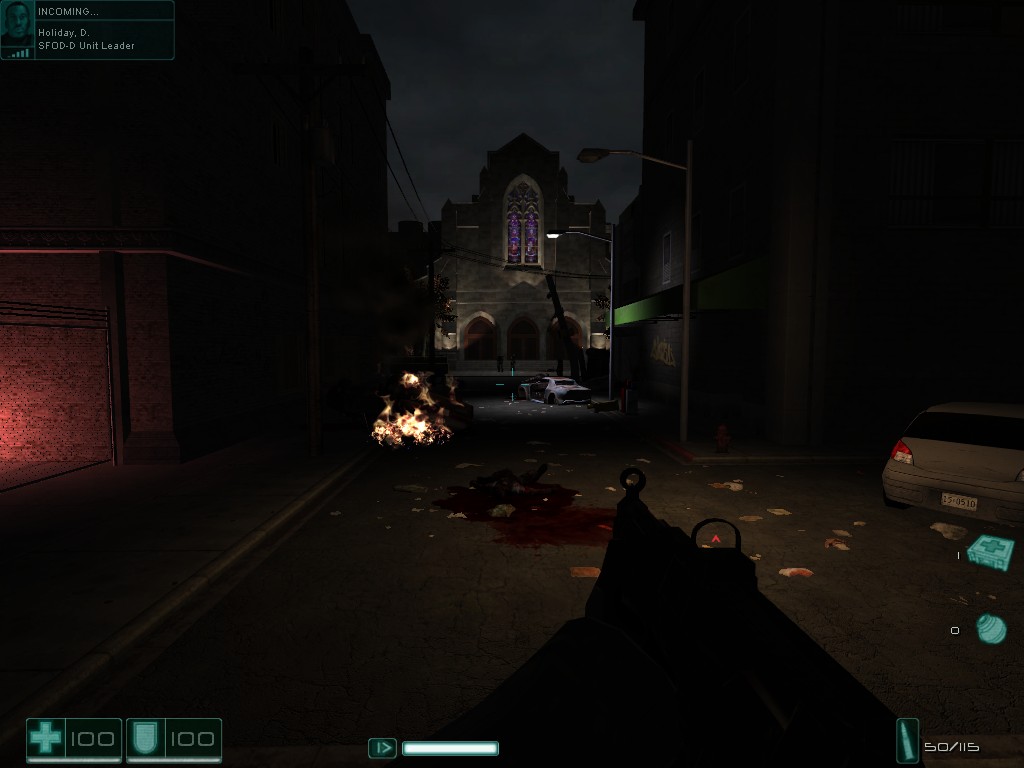
1% Lows down, average framerate up again, definitely a pattern emerging here.

FlatOut 2 (2006)
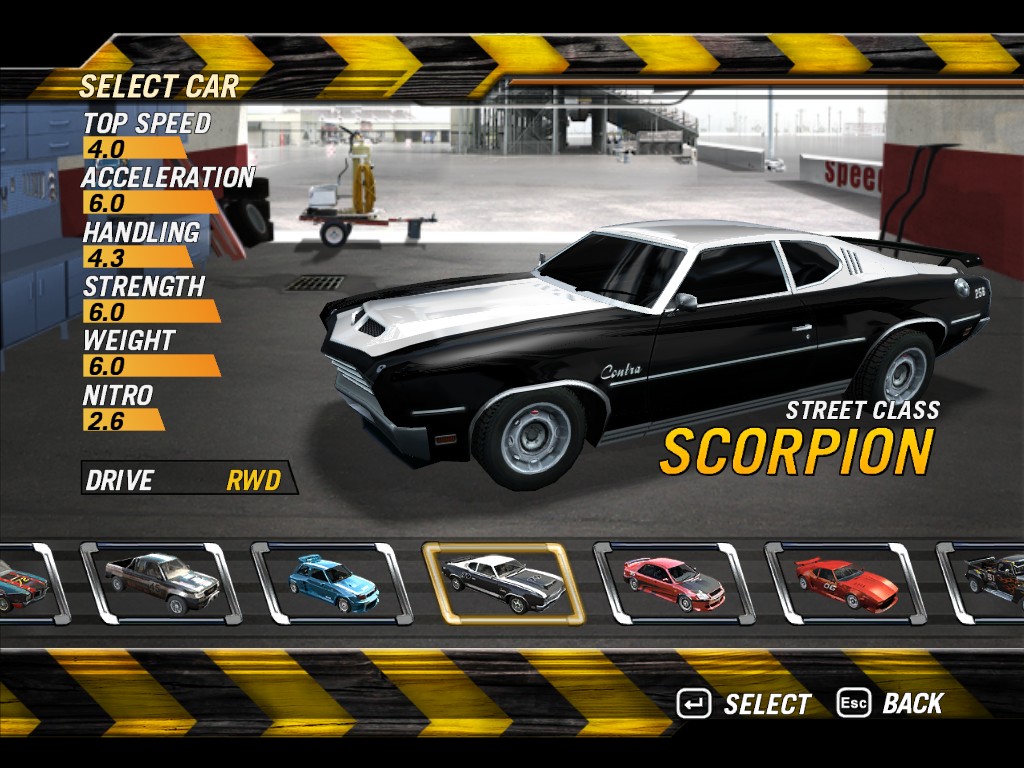
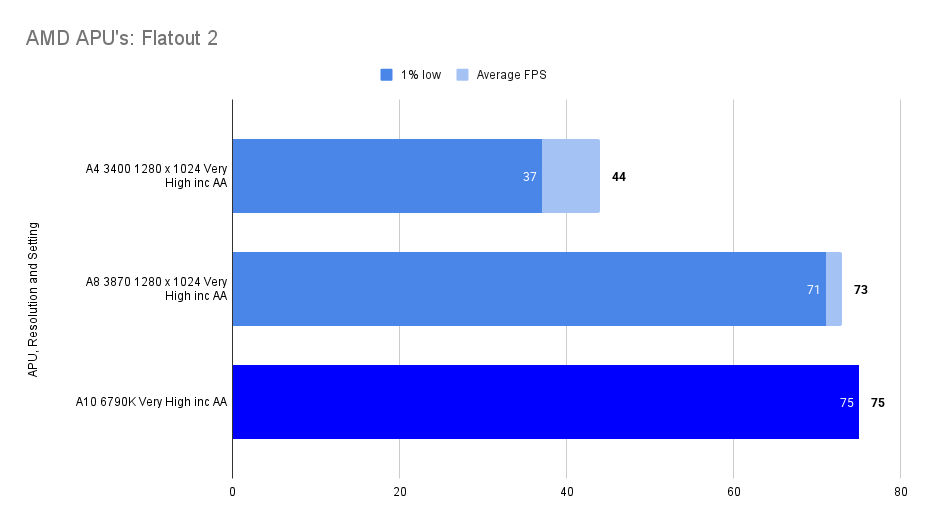
There’s a slight stutter as you load into the game, but it’s quickly forgotten once Afterburner starts counting frames. Within half a lap, the 1% low — and even the 0.1% low is locked at the 75 FPS frame cap.
This probably didn’t need testing, to be honest, as the A8 behaved the same. Still, it’s a fun game, and I wanted to see what Afterburner had to say.
It’s interesting how it reports 99% GPU utilisation to hit this frame cap. You’d think it might need to work less hard if it were finding 75 FPS so easy to maintain.

The Elder Scrolls IV: Oblivion – (2006)
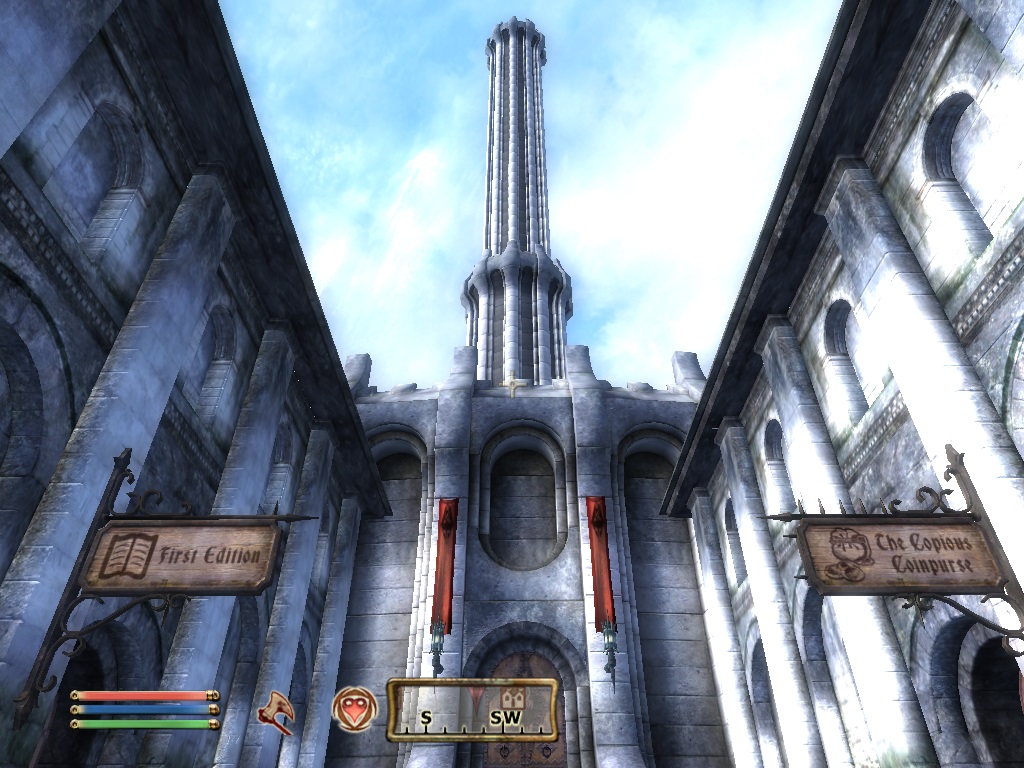
Back to running about in Oblivion and, in a familiar story the 1% low performance has dropped whilst average framerate has improved.
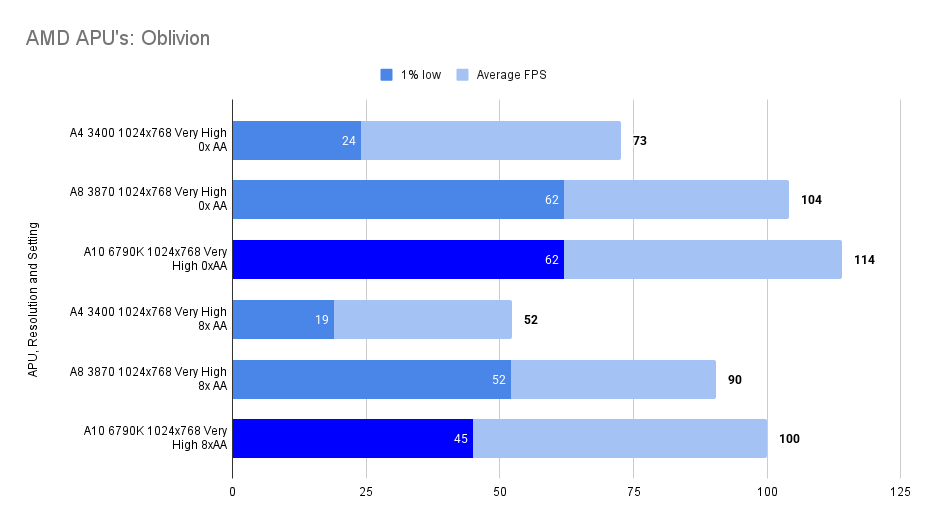
So, you may as well use the A8 if you’re limited to seeing 75fps through your monitor as I am.
Still, you can play oblivion comfortably without a discrete graphics card which I guess is one of the conclusions we can reach.
Benchmark Nine: Colin McRae: DiRT (2007)


Weird results here — great performance, beating the A8 hands‑down on both the 1% lows and the average framerate.
For some reason, in this game everything seems to work fine.
Benchmark Ten: Crysis (2007)
But can it run Crysis? Well, no, it will not start.
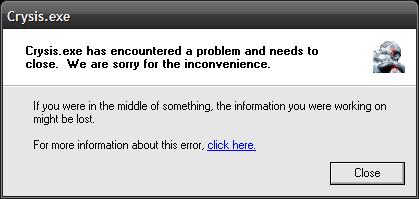

There isn’t too much to play with in the game’s own settings. I tried a slightly earlier driver from Snappy Driver Installer and checked that DX9.0c was correctly installed and available.
A freshly reinstalled copy produced the same result.
Dodgy drivers and compatibility issues, I’d say.
Under Windows 7 this game runs fine (albeit under DX10 and in 64‑bit mode). Everything seemed to run well there, but those results don’t belong in this article.
Pretty disappointing.
Assassin’s Creed (2007)
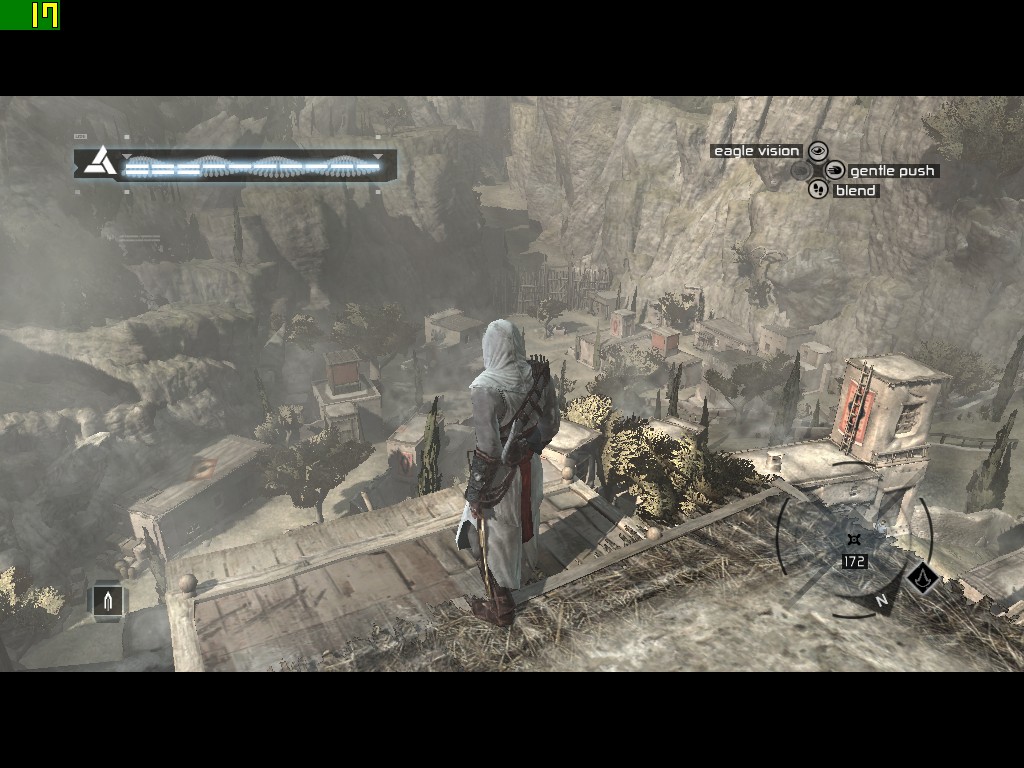

Same story with the frame drops. Clearly there are issues.
Overclocking

The K in A10‑6970K means this part can be overclocked, so it would be rude not to give it a go.
The following games weren’t tested on the older APUs, so I ran a few passes both with and without overclocking.
I did the overclocking in the BIOS: I pushed the GPU clock up to 1000 MHz and the CPU clock to a standard 4300 MHz (where it would normally boost to, if Windows XP supported such a feature).
I also gave the GPU access to a full 1 GB of RAM instead of the stock 768 MB.
Things were immediately stable, though pushing the CPU any higher caused a crash when loading Windows — likely it needed more voltage, but I wasn’t especially interested in seeing how far I could push the thing.
Perhaps I should have tried for more, but these changes didn’t make a whole lot of difference.
Results as follows:
Battlefield Bad Company 2 (2010)

A bit of a struggle, this one — especially with the High settings — but then this is the most modern game in the lineup. Medium settings will see you through, though it still didn’t feel overly smooth. Definitely playable, just not ideal.
The screenshot above shows the view at High settings: a pretty game with plenty of effects.

Look at that difference when running the Medium setting overclocked — the extra clock speed and/or the larger RAM buffer seemingly prevents the frame drop entirely.
I went back and retested this and got the same result. That’s what it says, and it’s pretty crazy.
Doom 3 (2004)
Data was collected using the in‑game benchmark system, running the benchmark twice and recording the second result.
The average FPS reported by Afterburner matches the figure given by the game itself — but with the added advantage of providing 1% low values as well.

Good performance but those 1% lows lag well behind the average framerate.
The actual game is limited to 60fps anyway so Ultra settings at 1280 x 1024 is perfectly playable.

As for stock vs overclocked? I may as well not have bothered.. all results are rounded to the closest full number so perhaps there was a tiny difference but rounding killed it.
Benchmark Fourteen: Neverwinter Nights 2 (2006)
This is an ugly old game engine here, even when pushed to it’s limit.

Still the mechanics are fun enough enough and I’m trying to get into the story.
I did push up all the settings to full on this, every option there was to switch on was on it’s highest, so things can get smoother.

Overclocking lead to very similar results, for some reason actually coming in lower than the stock values.
Synthetic Benchmark Comparison
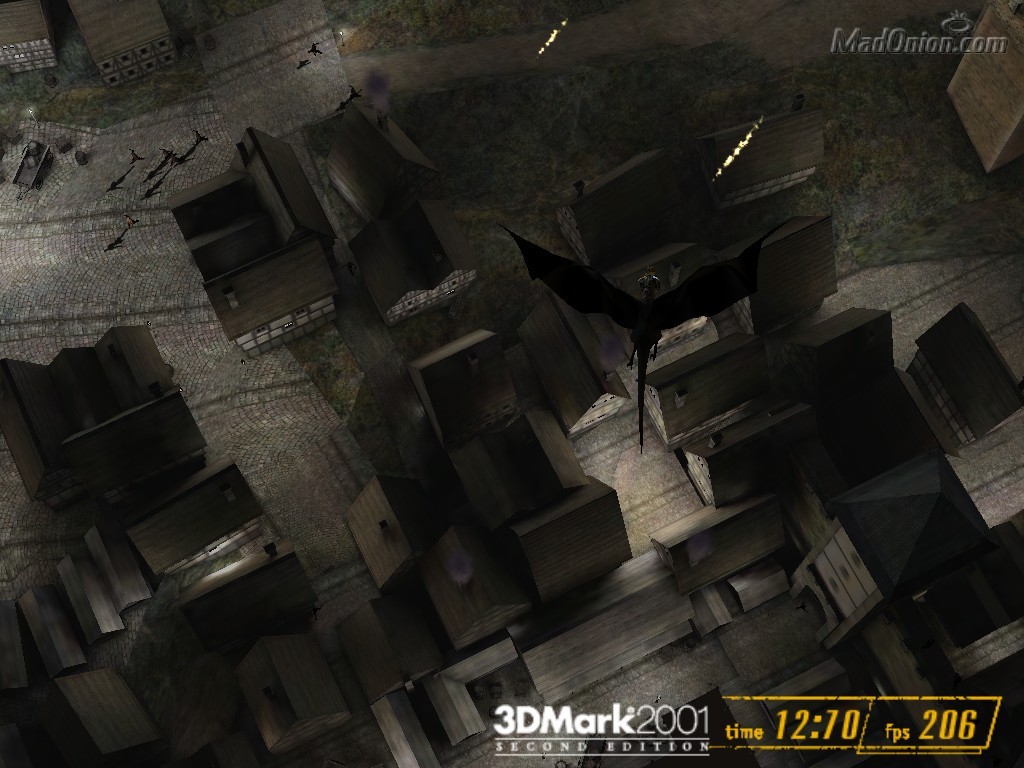
Well, if the games did not show much of an improvement over prior generations, the benchmarks surely did as shown in the below.
3d Mark 2001 SE

| A4 3400 | A8 3870 | A10 6970K | A10 6970K (OC) | |
| 3d Mark Score | 21,598 | 27,998 | 31,428 | 31,860 |
3d Mark 2003


| A4 3400 | A8 3870 | A10 6970K | A10 6970K (OC) | |
| Score | 11,719 | 19,298 | 27,073 | 28,064 |
| Fill Rate (Single Texturing) | 1,823.0 | 2,564.90 | 3,112.70 | 3115.90 |
| Fill Rate (Multi-Texturing) | 4,635.50 | 11,036.60 | 17,758.50 | 19,808.60 |
| Pixel Shader 2.0 | 156.20 | 185.0 | 261.5 | 272.3 |
3d Mark 2006


| A4 3400 | A8 3870 | A10 6970K | A10 6970K (OC) | |
| Score | 4932 | 6951 | 11,178 | 11,522 |
| Shader Model 2.0 Score | 1564 | 2208 | 3798 | 3920 |
| HDR/Shader Model 3.0 Score | 2287 | 2998 | 5021 | 5177 |
| CPU Score | 2296 | 4529 | 4855 | 4984 |
Unigine Sanctuary

| A4 3400 | A8 3870 | A10 6970K | A10 6970K (OC) | |
| Score | 1060 | 2160 | 3182 | 3412 |
| Average FPS | 25 | 50.9 | 75.1 | 80.5 |
| Min FPS | 16.7 | 35.1 | 52.2 | 56.7 |
| Max FPS | 66.4 | 31.9 | 98 | 104.9 |
Summary and Conclusion
The first conclusion to draw is that I should really research what is and isn’t actually compatible before doing a whole bunch of testing and scratching my head as to the strange results.
The A10 6790K is a four core processor running at 4.0Ghz, clearly more than capable for anything that you could run on Windows XP without any issues.
The drivers available don’t seem to hinder the processor at all, things ran so well on the CPU side that I didn’t really notice that it wasn’t officially supported.
The GPU side still works fine enough, even with the dodgy drivers it’s still going to outperform early 2000’s graphics cards.
The problem is that the software can’t take advantage of it’s compute units and DirectX 11 capabilities leaving pretty lackluster real-world performance when comparing to the APU’s of three years prior.
I was hoping that a more modern APU would be an amazing overkill XP system, potentially in a tiny low-power format and I could say it’s all you need to play all your XP games.
I can’t say that though.. but I may be being unfair.. an A10 5000 series review to follow at some point. Actual research suggests that the previous generation were the last to be supported.
 Ash's Retro Hardware Reviews
Leave a comment