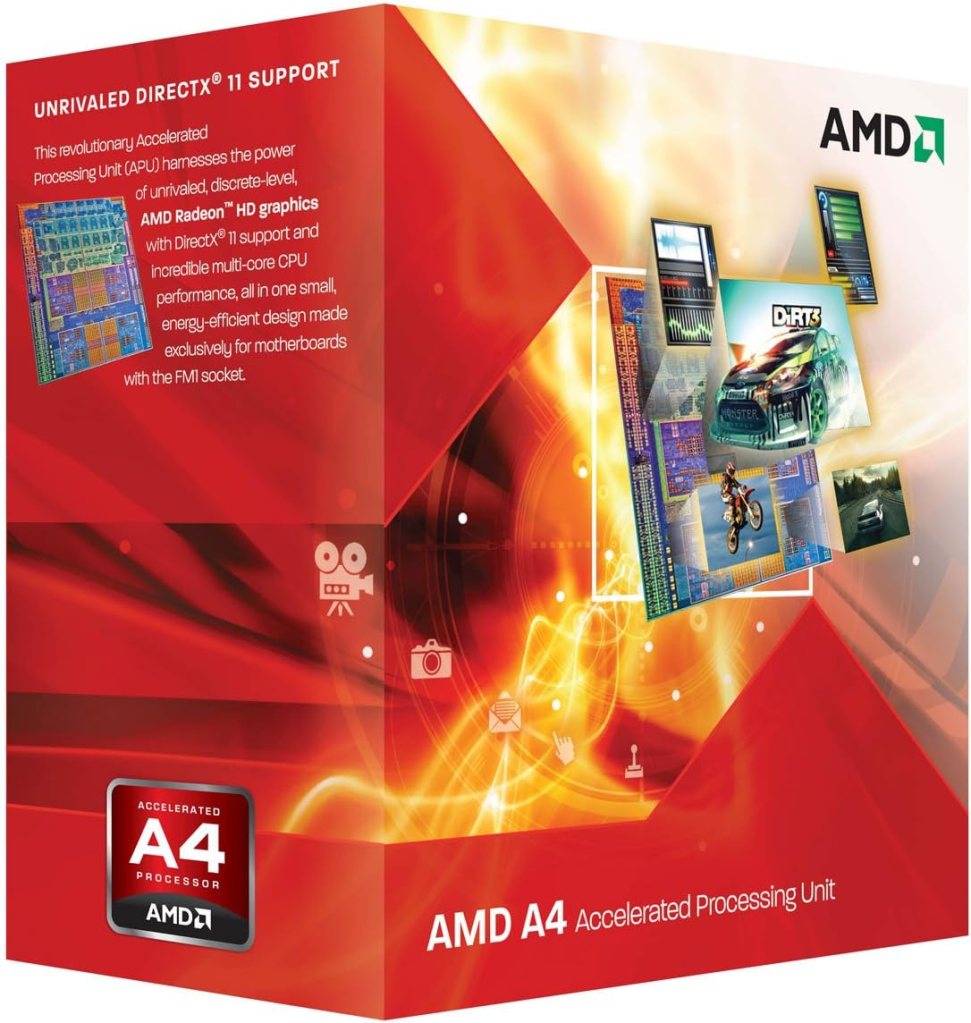
The low cost and low power solution to XP gaming?
Release Date: September 2011 RRP £50(ish)
Purchased: November 2024 for £4.99 + shipping including motherboard and 4Gb Ram
Introduction
I always liked the idea of the A-Series APUs when they were released back in the early 2010s. At the time, reviewers advised that a cheaper processor paired with a discrete graphics card would outperform an integrated solution every single time, so I didn’t get one.
I had no idea that FM1 existed; FM2 and then FM2+ were what I knew as the long-running platforms of the A-Series of APUs. When getting back into this hobby, I really wanted to find one.
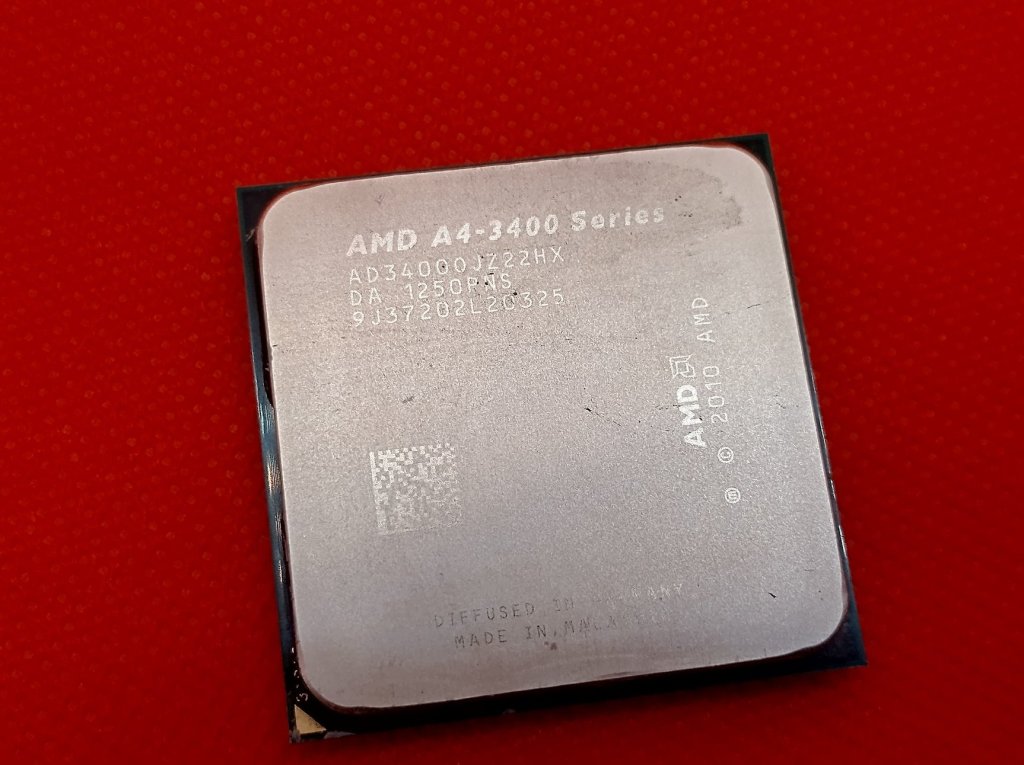
I found these are far less common on eBay than the successor platforms, but still, it didn’t take too long to snag an bundle of an A4-3400, a Micro-ATX motherboard and 4GB of RAM for £4.99, with the postage and packaging costing more than the sale price, very nice thank you!
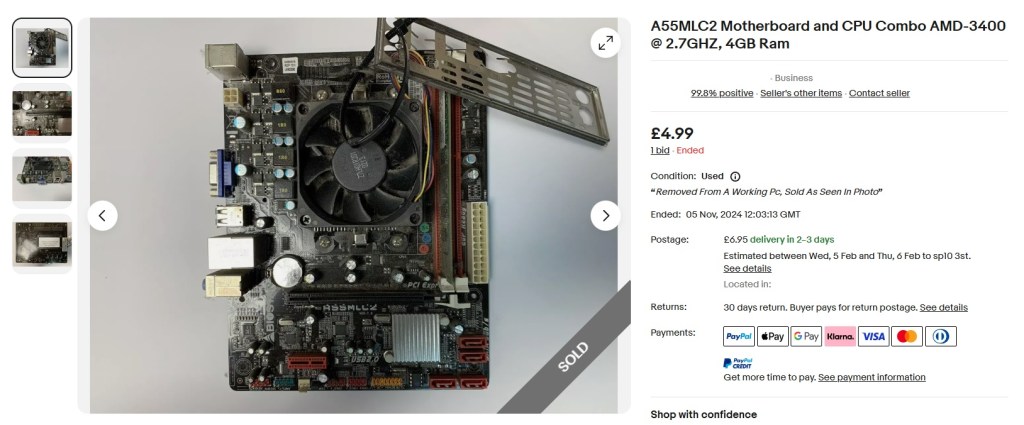
Upon receipt, the setup was pretty grim and in need of some love, as you may be able to tell from the eBay listing.
After a thorough clean-up of the board (in the sink with some bubbles) followed by the cleaning and and re-pasting of the APU, everything fired up first time with no issues whatsoever.
There are reviews around for how these APUs performed with the games of the time, but I wanted to know how well we could play older XP-era titles on this setup.
Could an APU become a daily WinXP gaming system? How would it compare with older dedicated CPU & GPU setups?
The FM1 System
Socket FM1, introduced by AMD in July 2011, marked a significant milestone in the company’s processor technology, the result of buying out graphics card company ATi some years before.
This CPU socket was specifically designed for AMD’s first generation of Accelerated Processing Units (APUs), codenamed “Llano,” which combined CPU and GPU functionalities on a single die – hardware acceleration but no need for a GPU, great right?
APU Architecture
The Llano APUs that utilized Socket FM1 were based on AMD’s K10.5 “Stars” CPU cores (Phenom II), an evolution of their previous architecture (and everyone knows that Phenoms are cool).
These APUs integrated a CPU with up to four x86-64 cores and a GPU allegedly based on the Radeon HD 6000 series (it was actually based on the architecture of the Radeon HD 5000 series so TeraScale 2).
Features and Capabilities
- Integrated graphics supporting DirectX 11
- Dual-channel DDR3 memory controller
- Support for AMD’s Dual Graphics technology, allowing the integrated GPU to work in tandem with specific discrete GPUs – although only the higher end A8 processors had this ability. (cool right?)
- TDP range typically between 65W and 100W for desktop variants
Platform and Chipset
Socket FM1 platforms utilized Fusion Controller Hubs (FCH) for system management, replacing the traditional northbridge and southbridge chipset arrangement.
Market Position
AMD positioned the Llano APUs and Socket FM1 platform to compete with Intel’s offerings, particularly in the entry-level and mid-range desktop markets.
The integrated graphics capabilities were far better than the integrated graphics offered by Intel at the time.
Legacy and Succession
Socket FM1 had a relatively short lifespan. It was succeeded by Socket FM2 in September 2012, which supported AMD’s next-generation APUs based on the “Piledriver” architecture shared with the FX series of CPUs (which were less cool).
Despite its brief tenure, Socket FM1 was an important step in the development of APUs as it marked AMD’s first unified approach to integrating CPU and GPU cores on a single die, setting the stage for subsequent advancements in heterogeneous computing and mainstream adoption of low-power, graphics-capable processors.
The APU
My A4-3400 here was released in September, a few months after the initial launch of FM1.
This was very much down the budget section of the market though I can’t seem to find a source for the RRP. The Kitguru review (linked below) suggests ‘less than £50’ which is what we’ll have to go with.
The same article also states that, FM1 boards could also be had for less than £50, meaning this would have made a very cheap system even when released.
| APU | Cores | Base Clock (Mhz) | Boost Clock(Mhz) | L1 Cache (Per Core) (Kb) | L2 Cache (Mb) | GPU | TDP | Memory Support |
| E2-3200 | 2 | 2.4 | N/A | 128 | 1 | HD 6370D | 65 | DDR3-1600 |
| A4-3300 | 2 | 2.5 | N/A | 128 | 1 | HD 6410D | 65 | DDR3-1600 |
| A4-3400 | 2 | 2.7 | N/A | 128 | 1 | HD 6410D | 65 | DDR3-1600 |
| A4-3420 | 2 | 2.8 | N/A | 128 | 1 | HD 6530D | 65 | DDR3-1600 |
| A6-3500 | 3 | 2.1 | 2.4 | 128 | 3 | HD 6530D | 65 | DDR3-1866 |
| A6-3600 | 4 | 2.1 | 2.4 | 128 | 4 | HD 6530D | 65 | DDR3-1866 |
| A6-3620 | 4 | 2.2 | 2.5 | 128 | 4 | HD 6530D | 65 | DDR3-1866 |
| A6-3650 | 4 | 2.6 | N/A | 128 | 4 | HD 6530D | 100 | DDR3-1866 |
| A6-3670K | 4 | 2.7 | N/A | 128 | 4 | HD 6530D | 100 | DDR3-1866 |
| A8-3800 | 4 | 2.4 | 2.7 | 128 | 4 | HD 6550D | 65 | DDR3-1866 |
| A8-3820 | 4 | 2.5 | 2.8 | 128 | 4 | HD 6550D | 65 | DDR3-1866 |
| A8-3850 | 4 | 2.9 | N/A | 128 | 4 | HD 6550D | 100 | DDR3-1866 |
| A8-3870K | 4 | 3 | N/A | 128 | 4 | HD 6550D | 100 | DDR3-1866 |
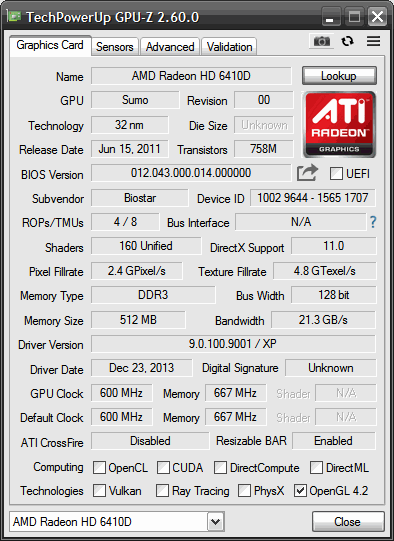
So, the A4-3400 here has the HD6410D GPU included. A table showing how this stacks up with the others is below
| GPU Model | Shaders | Render Operation Pipelines | Texture Mapping Units | Core Clock |
| Radeon HD 6370D | 160 | 4 | 8 | 443MHz |
| Radeon HD 6410D | 160 | 4 | 8 | 600Mhz |
| Radeon HD 6530D | 320 | 8 | 16 | 443Mhz |
| Radeon HD 6550D | 400 | 8 | 20 | 600Mhz |
Here’s GPU’z screenshot of my example showing everything is as expected.:
The Test System
- AMD A4-3400 APU incorporating Radeon HD6410D
- Biostar A55MLC2 Motherboard
- 2 x 2Gb DDR3 Ram DDR3 – 1333
- Windows XP (build 2600, Service Pack 3)
- 2x 120Gb SSD’s (Ali Express unbranded)
- The Latest Drivers from AMD’s website 9.0.100.9001
Benchmark One: Deus Ex: Invisible War (2003)

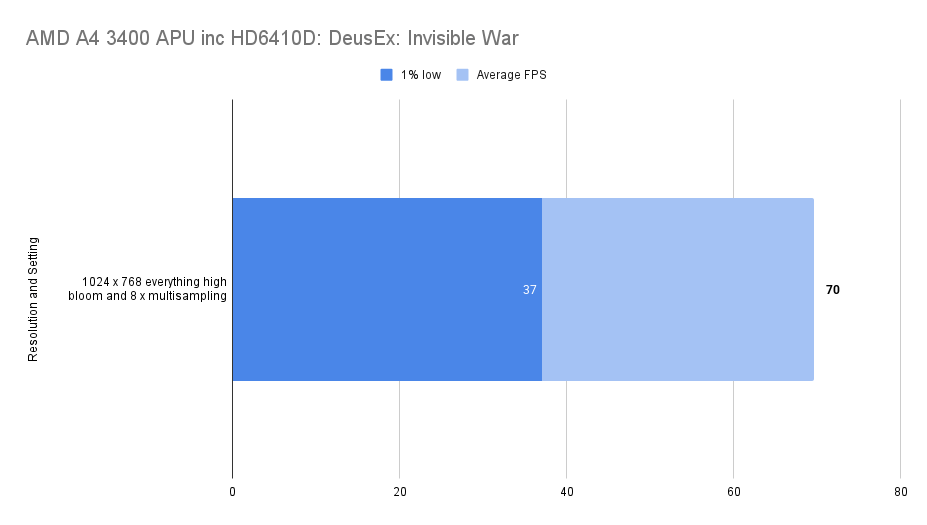
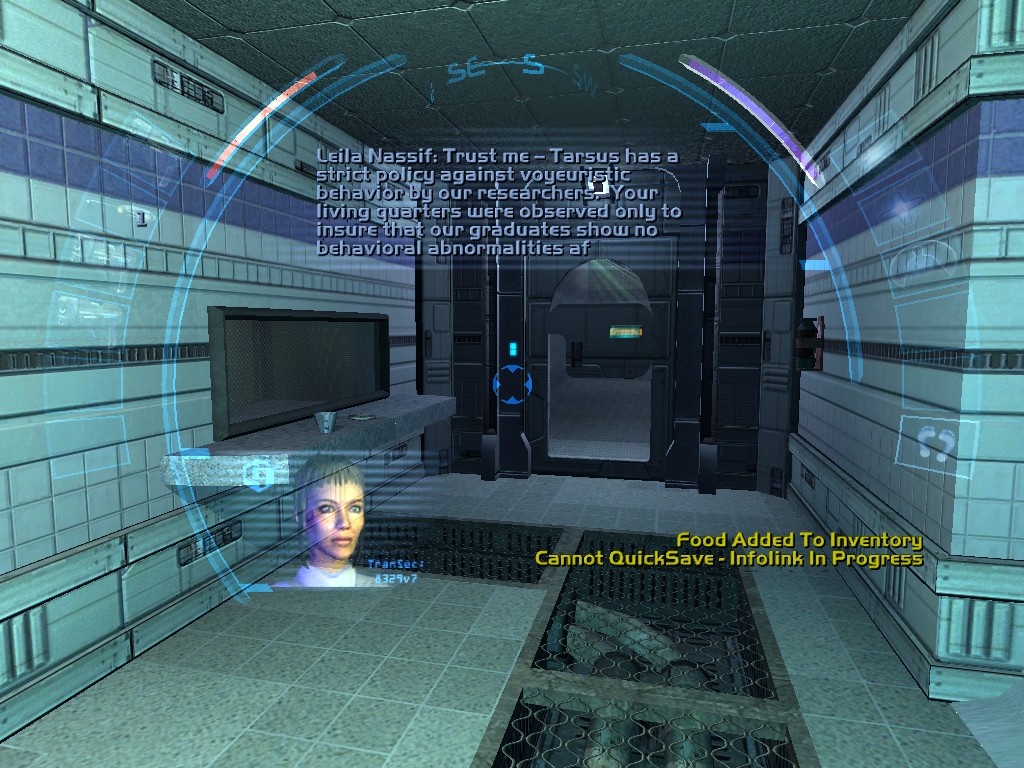
I was having a lot of fun with this one and was starting to get into the story.
Things seemed smooth enough when playing with everything on high… I mean, this did come out 8 years before our APU so you would hope we’d be ok and, we are.
Benchmark Two: Far Cry (2004)

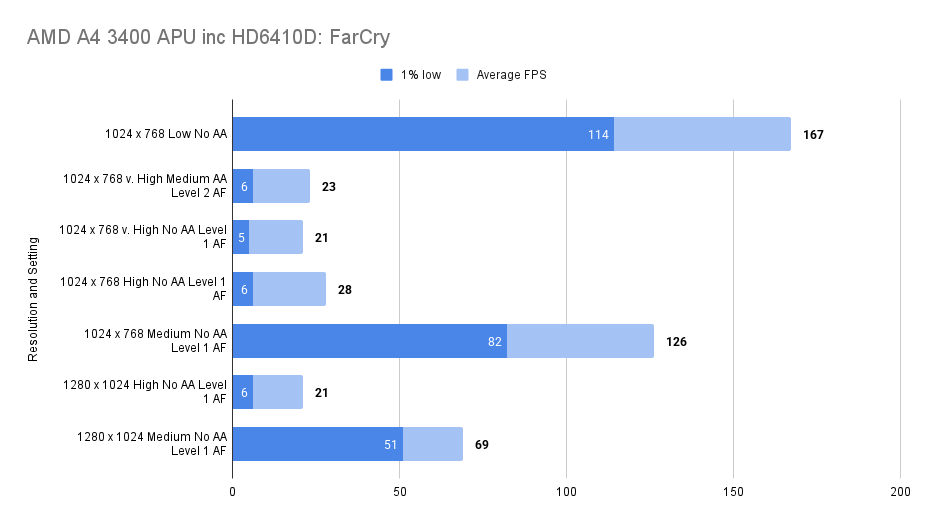
Oh my sweet FarCry what is going on here?
Something about in the High and Ultra-High settings absolutely tank performance in trusty FarCry which has always run well on even the lowest end hardware.
At medium and low settings things fly along. I returned to duplicate the test after a week or so testing other games to see if I could replicate the results and found the same.
I would need to go through each setting and reduce them one at a time to find the culprit. I would consider this but… FarCry makes you restart the game after every setting change so this would take a fair few hours.
Disappointing.

Benchmark Three: Rome: Total War – (2004)
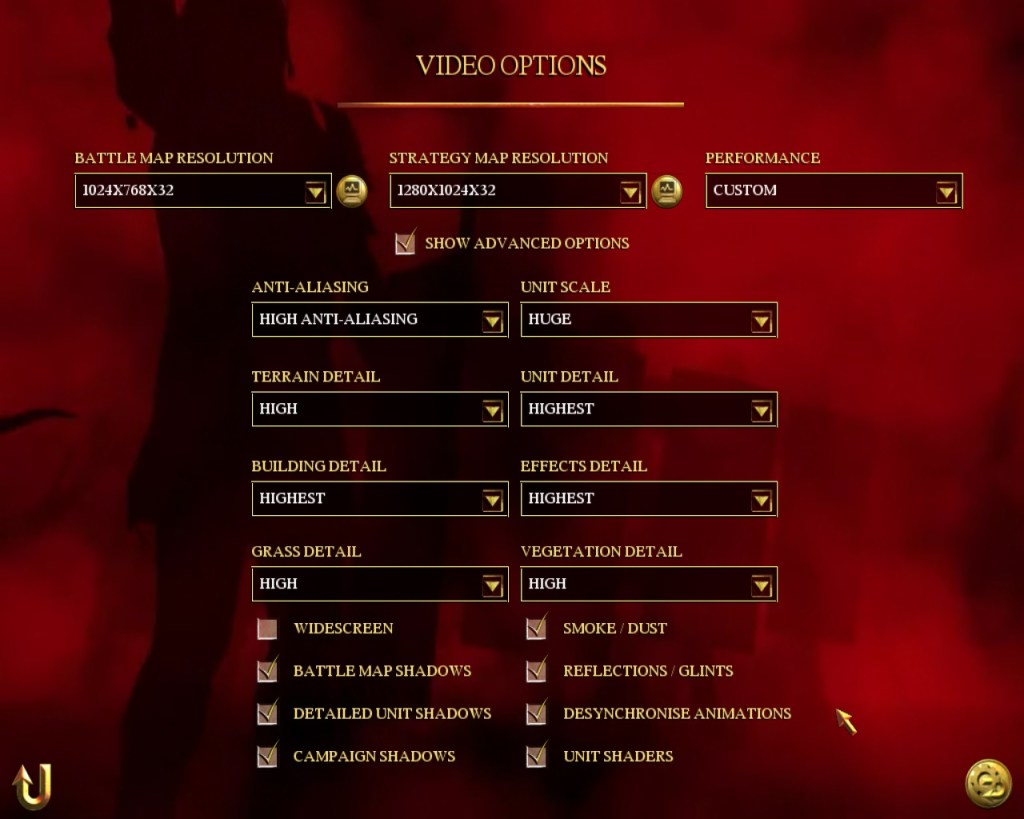
Everything on high, 1024 x 768, this seemed playable.
The benchmark run was an intro-video on one of the Historical Scenarios – they are still rendered figures and it’s the only way that you can really get fair results. During a battle itself, fps would be impacted by events on the battlefield and how far in you are zoomed to the action.
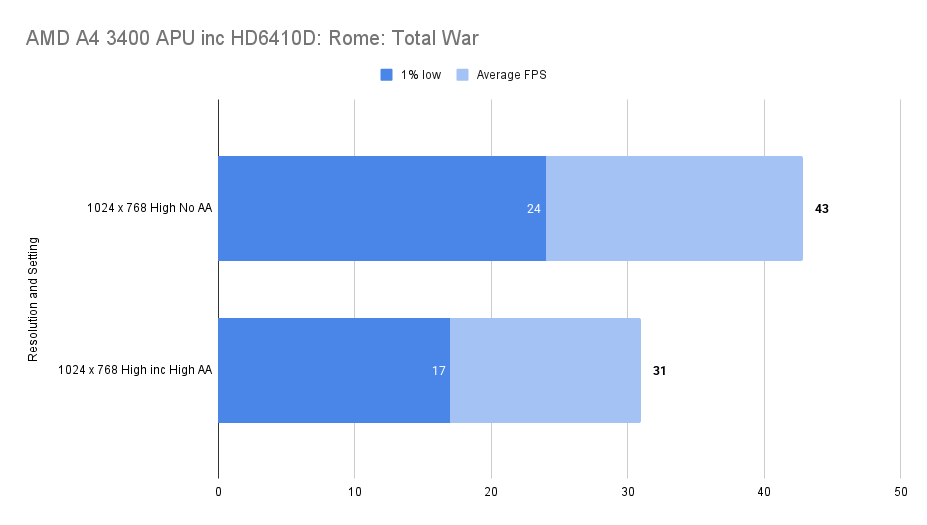
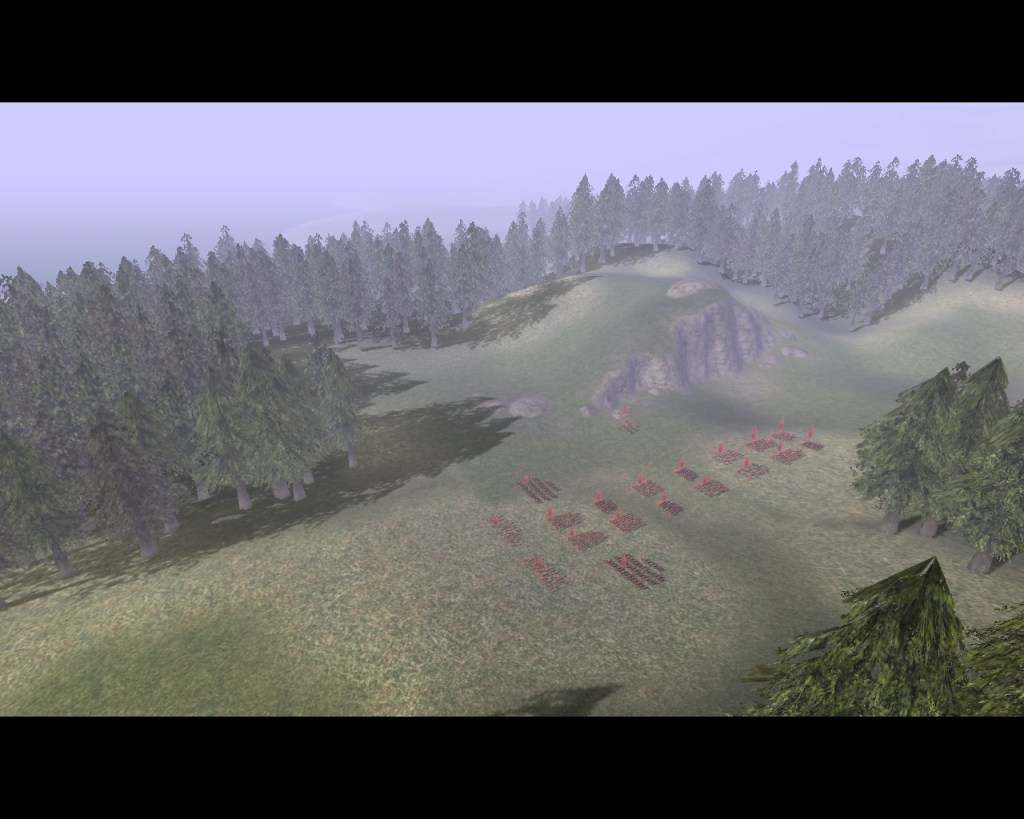
I did play some of the battle, and yes, it felt playable enough. I don’t think you need an overly high framerate on this one.
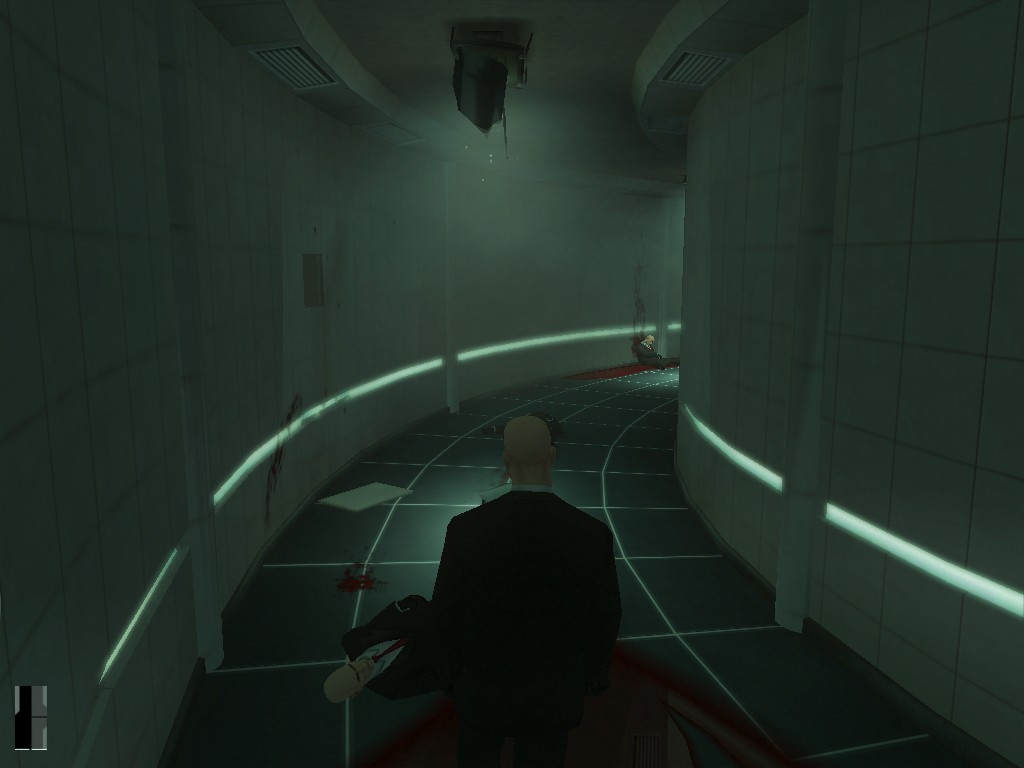
Benchmark Four: Hitman: Contracts – (2004)
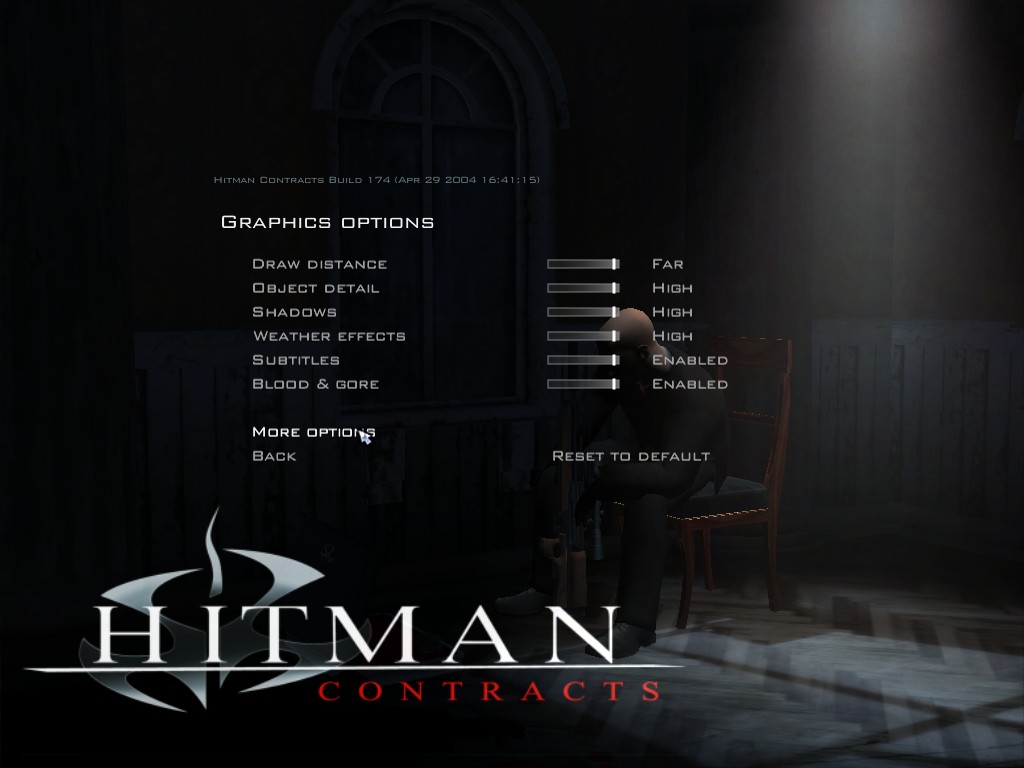
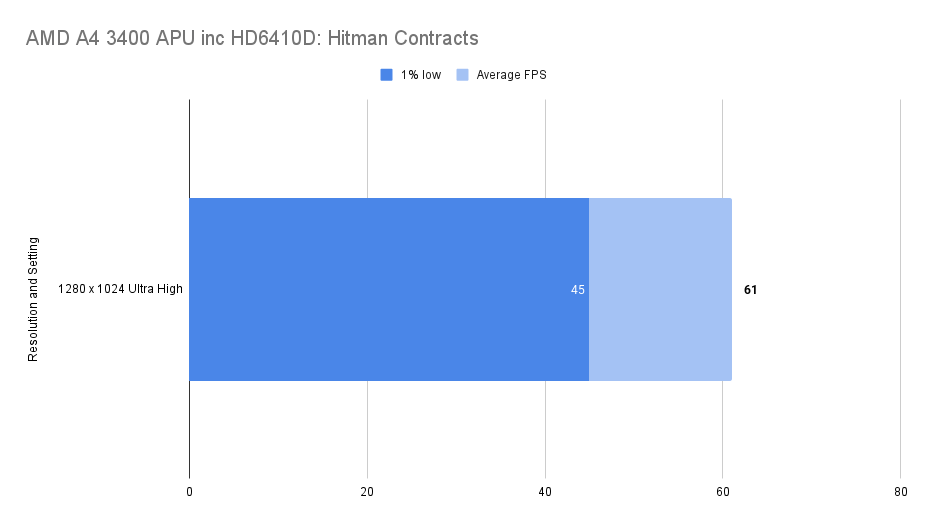
Much more like it, stick everything as high as it can go and game at 60fps.
Benchmark Five: Star Wars Republic Commando (2005)
I’ve played this on another system which crashed as soon as you entered the actual game (the menu works fine).
The same happened here with our A4-3400.
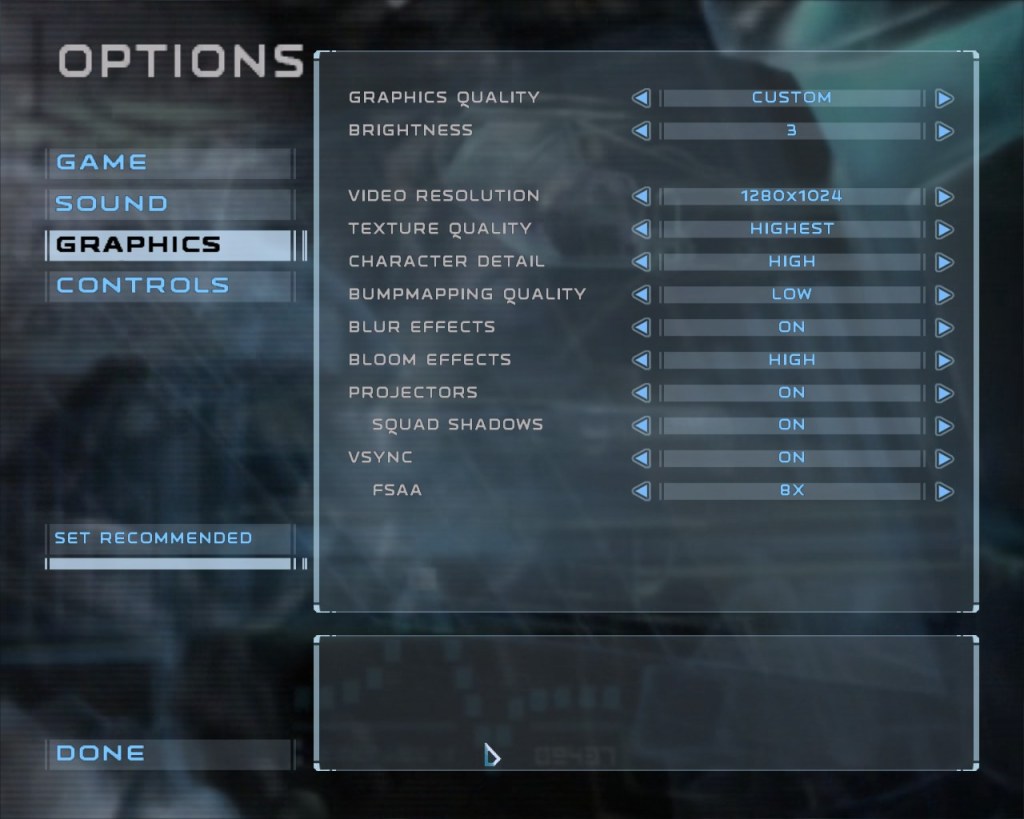
The cause of it is Bumpmapping quality in the graphics menu, if you actually want to play the game this must be on Low.
I set everything else up to high though (you need Vysnc on to enable FSAA) and things ran smoothly enough.
I haven’t gotten too far into it though it seems like a great game.
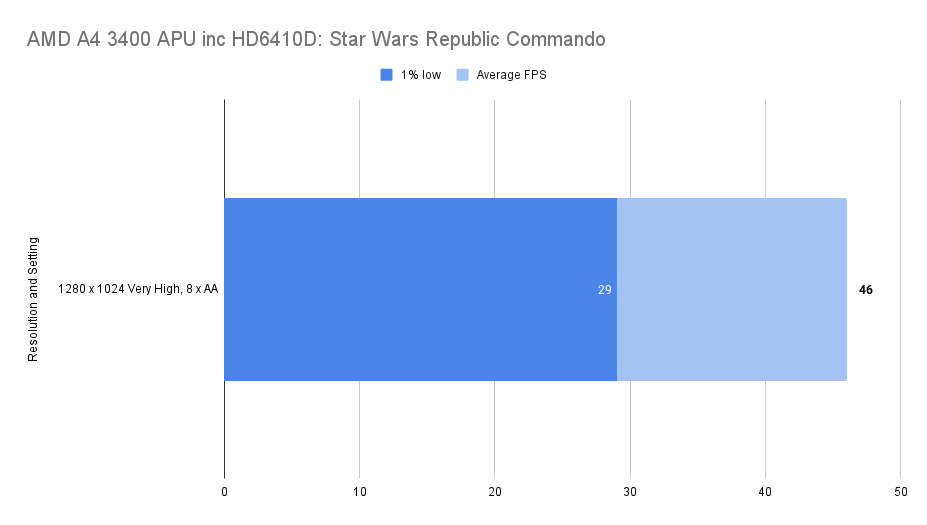
The 1% Low figure was well below the average framerate but it didn’t feel jerky. I played through the whole of the first level so collected a fair amount of frame data.
with VSync enabled things did top out at 75fps so this isn’t isn’t a perfect table, the top frametimes did hit this limit.

I’m counting this as a win, smooth gameplay and a good looking game.
Benchmark Six: F.E.A.R Extraction Point (2005)
This was a famous game back in the day but it passed me by.
The first level seems suitably atmospheric and it’s definitely something to return to!
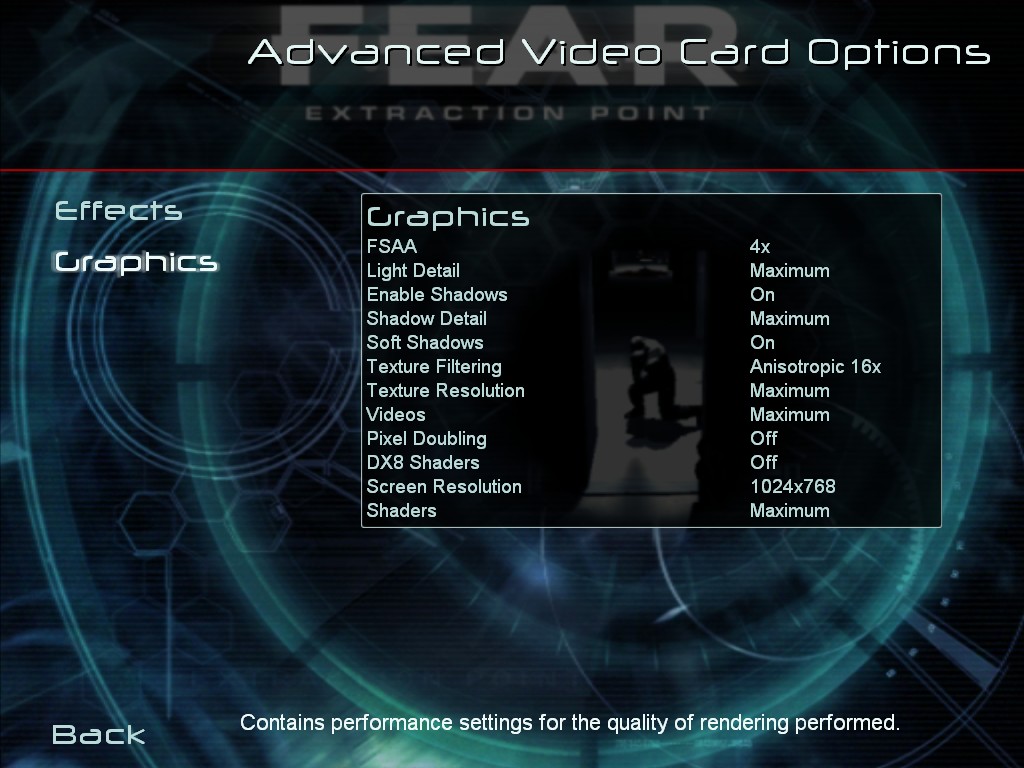
With maxed out settings it ran smoothly, 1280 x 1024 didn’t seem to be a supported resolution though, which was weird but 1024 x 768 with everything on looked pretty good.
I’m not sure what Pixel Doubling does on the above menu but the max present left it off so I didn’t put it back on.
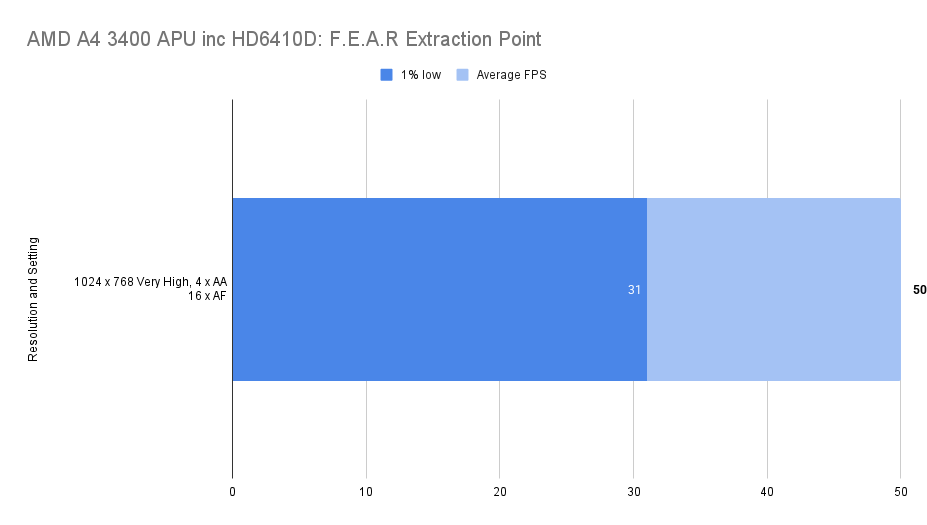
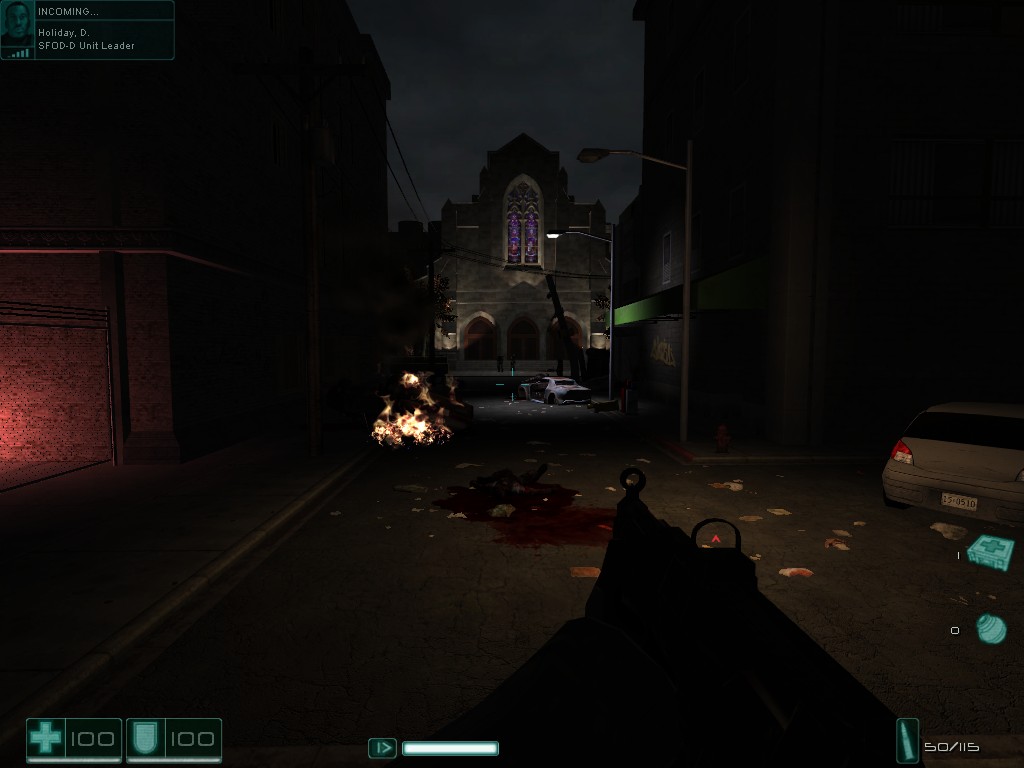
All in all, no problems, smooth gameplay.
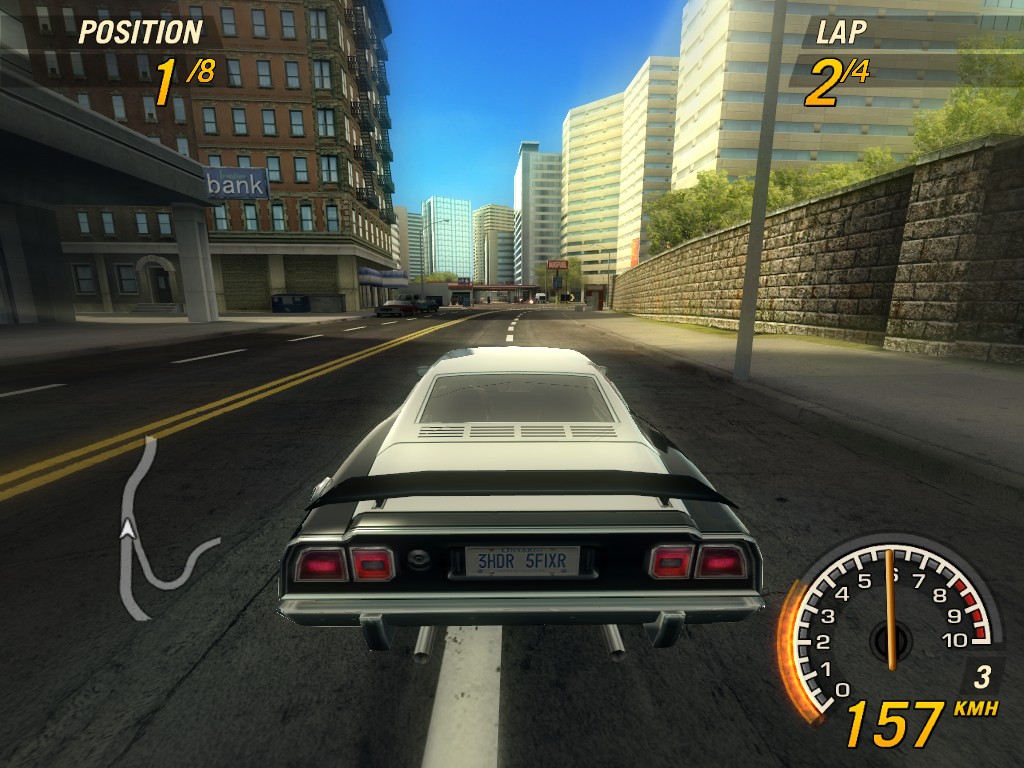
Benchmark Seven: FlatOut 2 (2006)
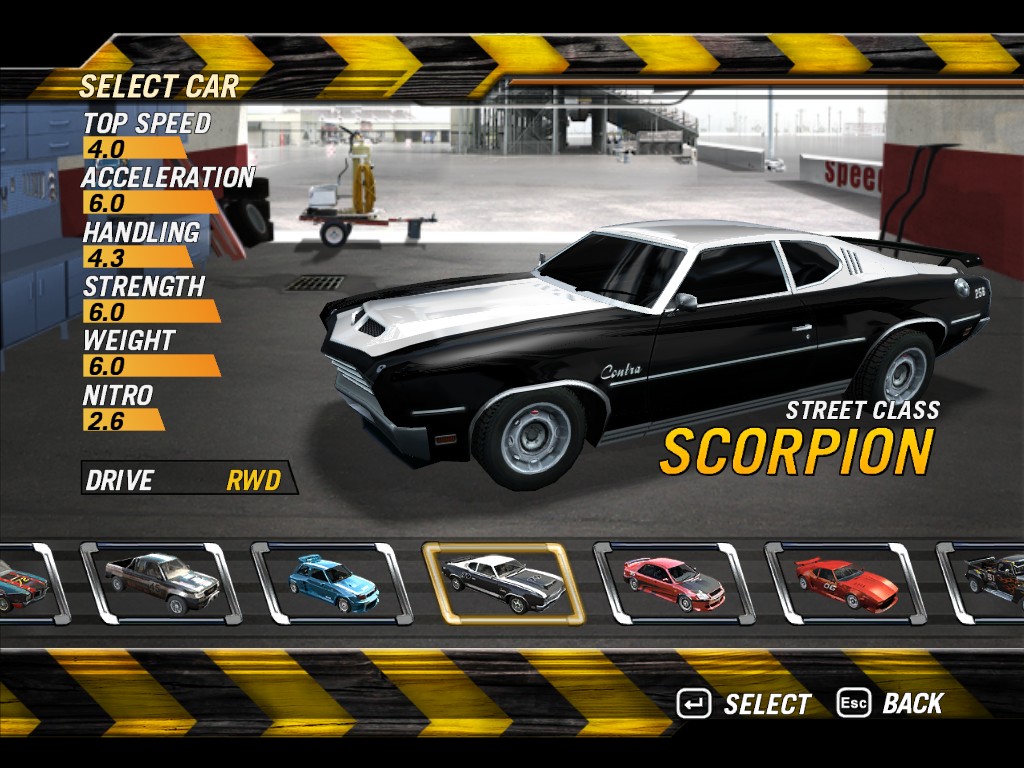
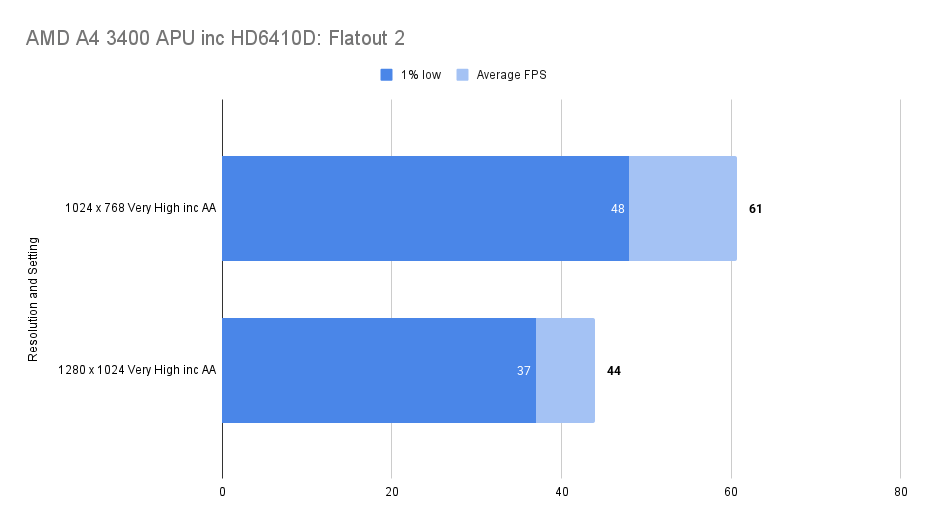
I’m not too sure about this game but it looks pretty enough at least.
I started with everything on but a reasonably consistent 44fps may not be to everyone taste. Drop down to 1024 x 768 and we’re hitting 61, again with some consistency.
All good here though.
Benchmark Eight: The Elder Scrolls IV: Oblivion – (2006)
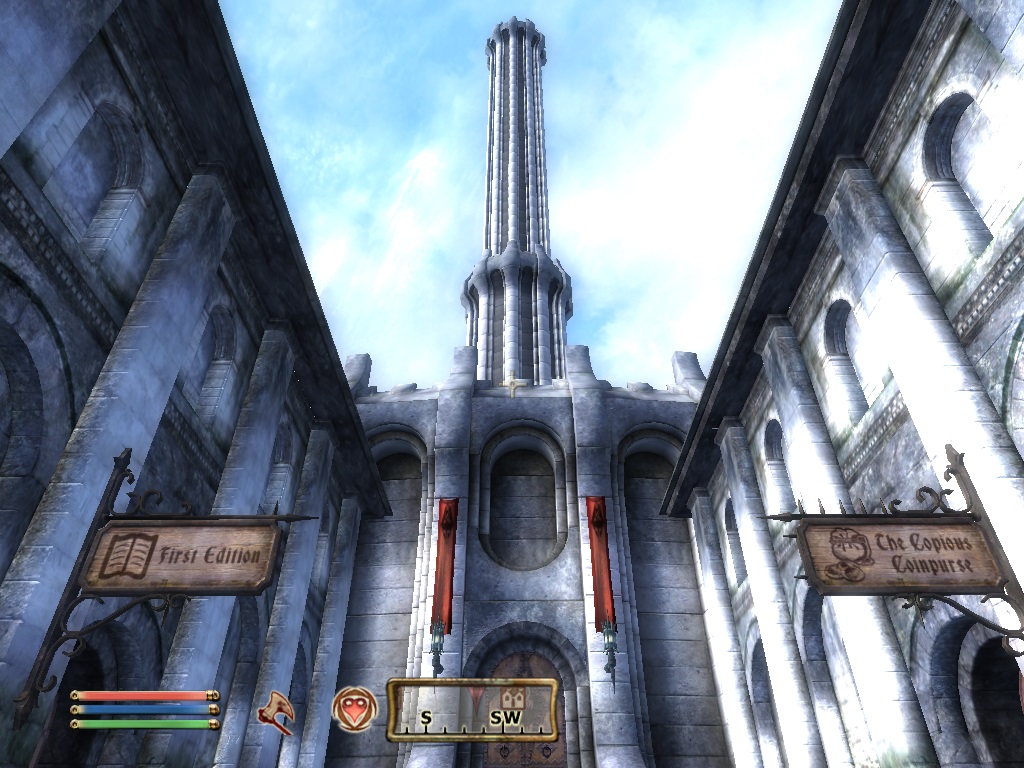
Laggy and unpleasant, this was not a whole lot of fun to play.
I did a test running through the capital city of Oblivion, I think that was actually more generous on the APU than out in the forests.
Even so, despite the high average framerate this wasn’t a pleasant experience.
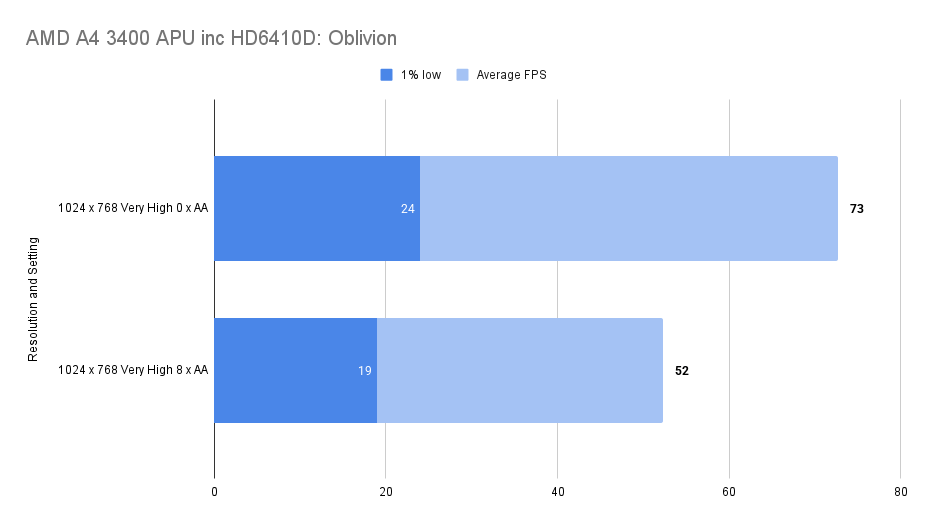
Stripping out the AA and the 1% low figure only improved slightly.
Perhaps the system DDR3 is just too slow for Oblivion, or maybe the bottleneck was elsewhere.
One thing I did notice though, it costs about 5fps to have your weapon out on screen!
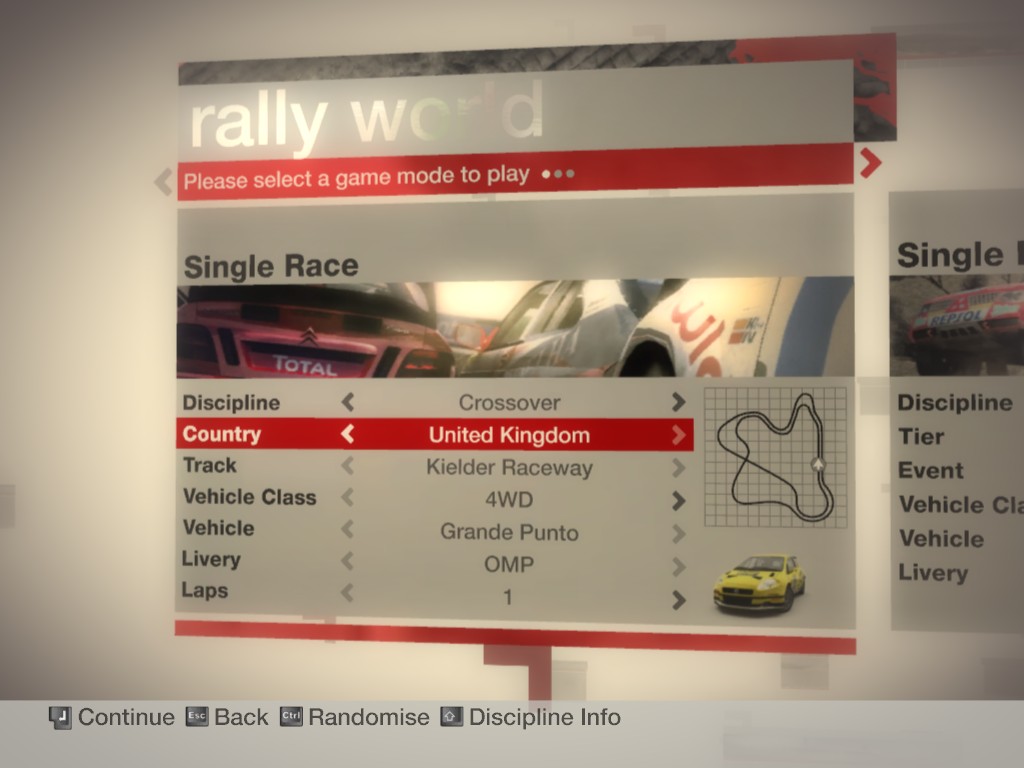
Benchmark Nine: Colin McRae: DiRT (2007)

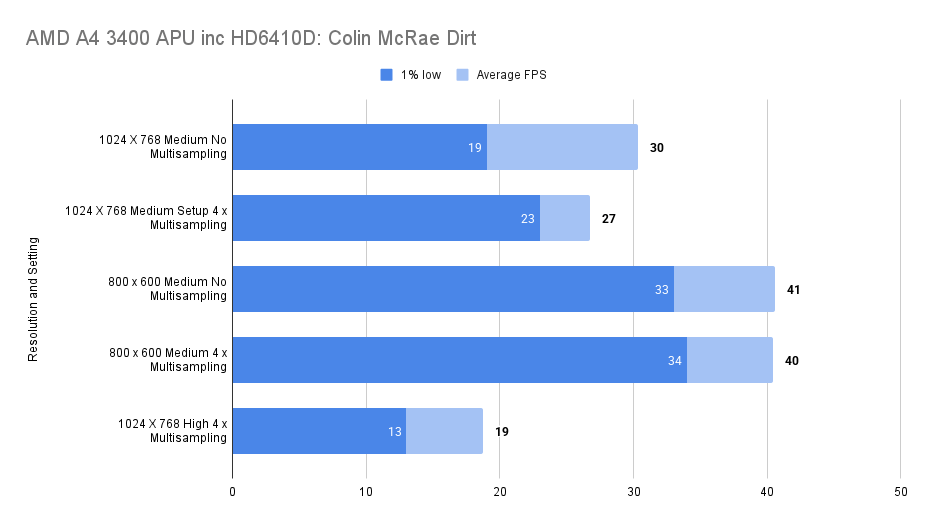
I played around with multiple settings on this one, multi-sampling didn’t seem to make much of a difference but, in reality, nothing made this a smooth game to play.
The awful bloom effects as well and the floaty feeling of the cars.. I don’t know, I don’t think we can blame this all on the A4.
Benchmark Ten: Crysis (2007)
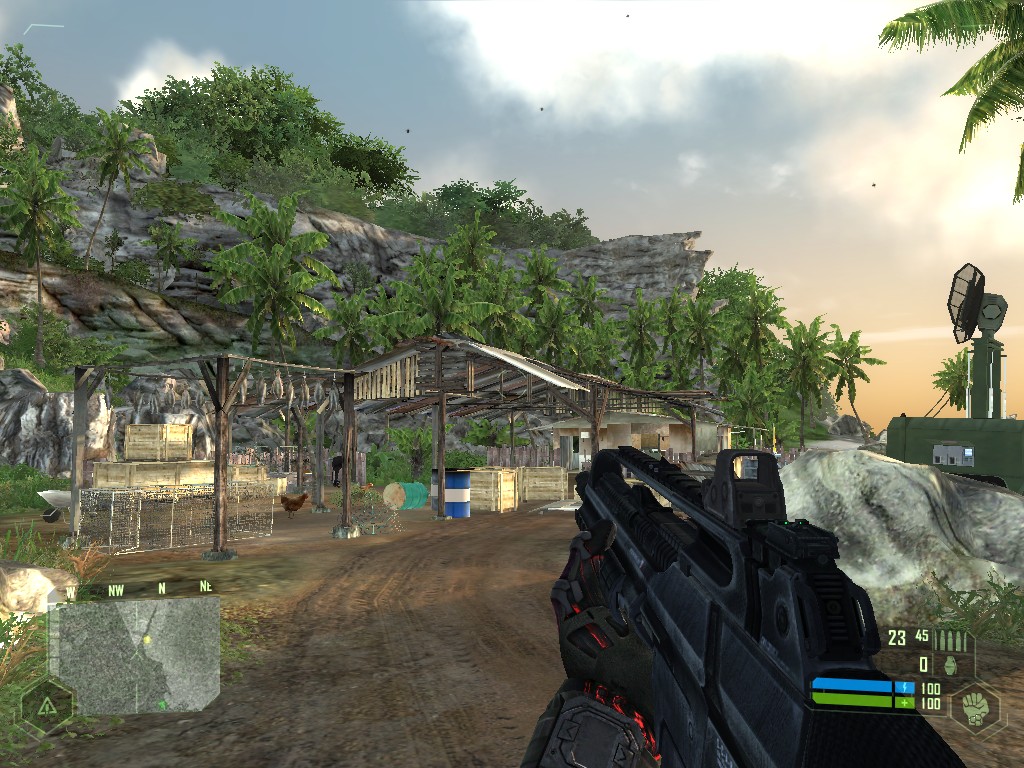
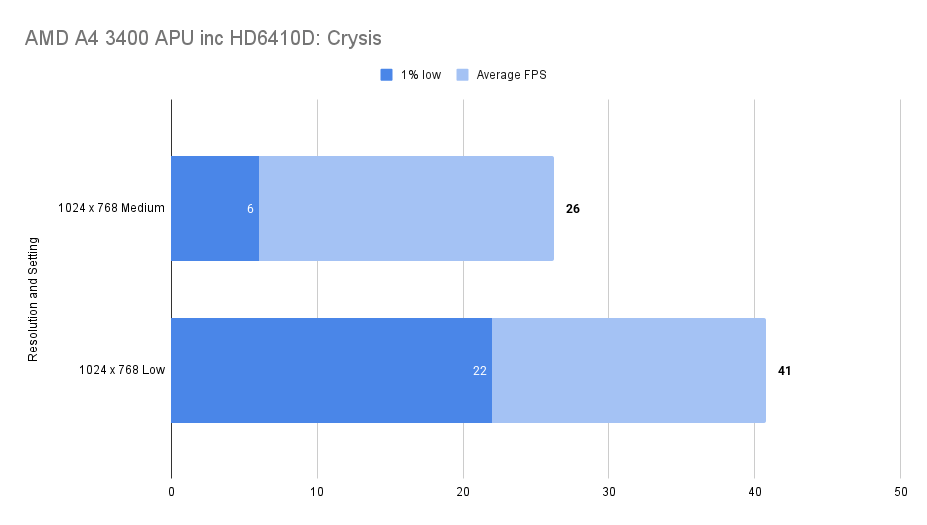
Low settings or nothing on this one, could go to 800 x 600 low and have some smoothness but, it’s not going to be a satisfying experience.
If you want to play Crysis then there are better ways and ways that won’t cost a whole lot more… I mean, at £4.99 for the majority of components perhaps this is a harsh verdict, at least it runs!
Benchmark Eleven: Assassin’s Creed (2007)
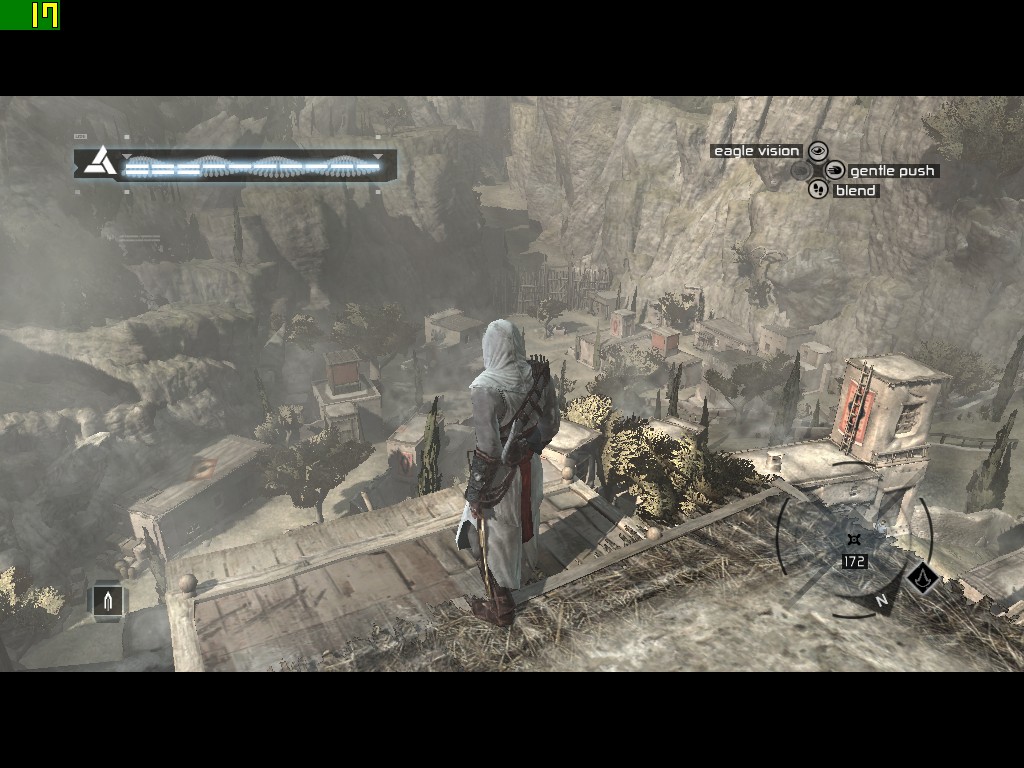
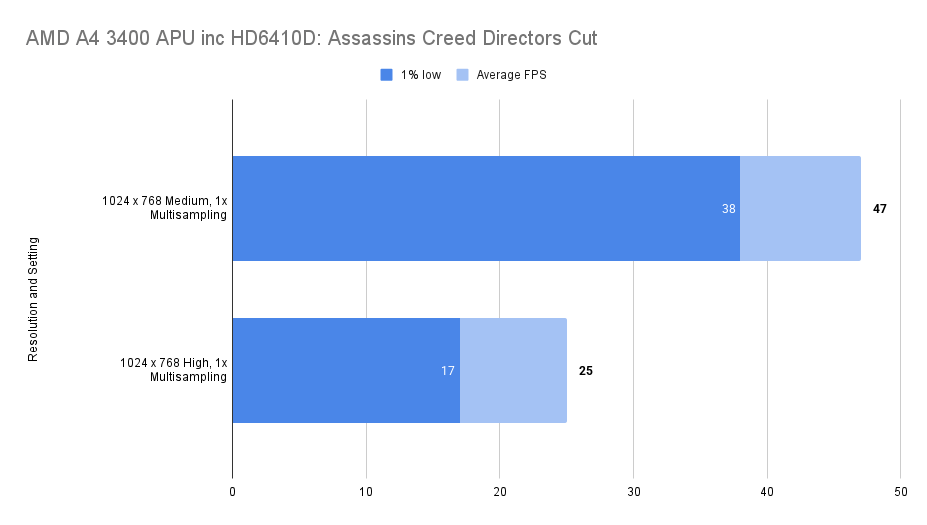
That’s a bit more like it. Medium looks perfectly fine and we’re averaging 47fps with 1% low not even that far behind.
A good looking game and it felt smooth to play
These were the settings used:
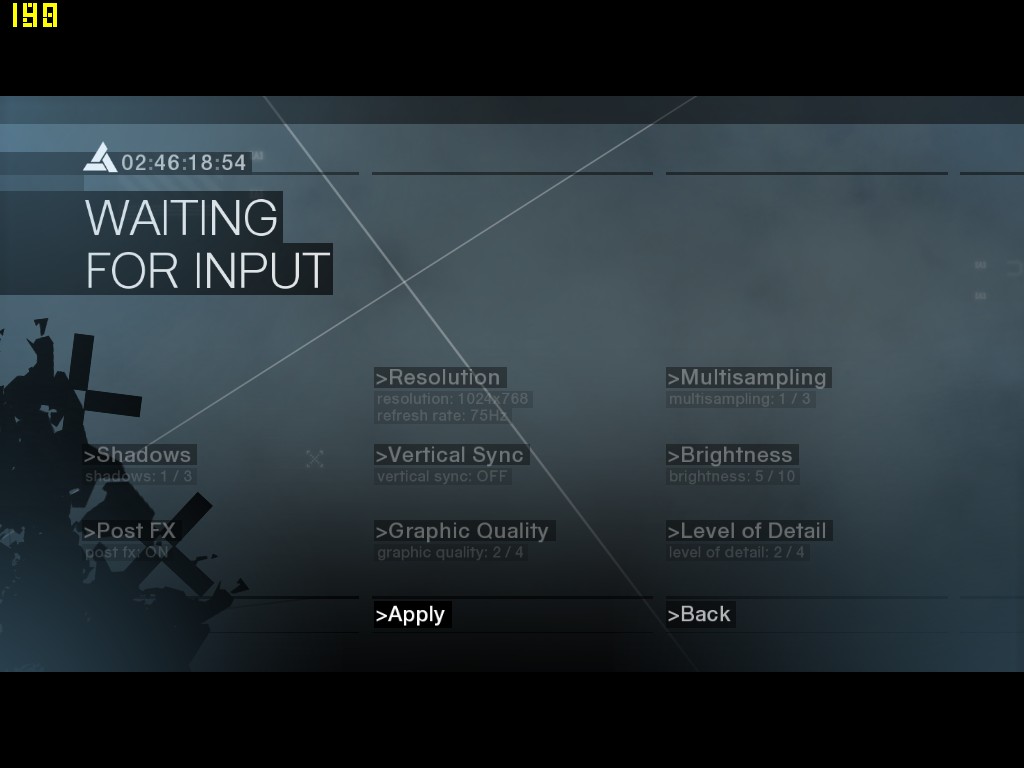
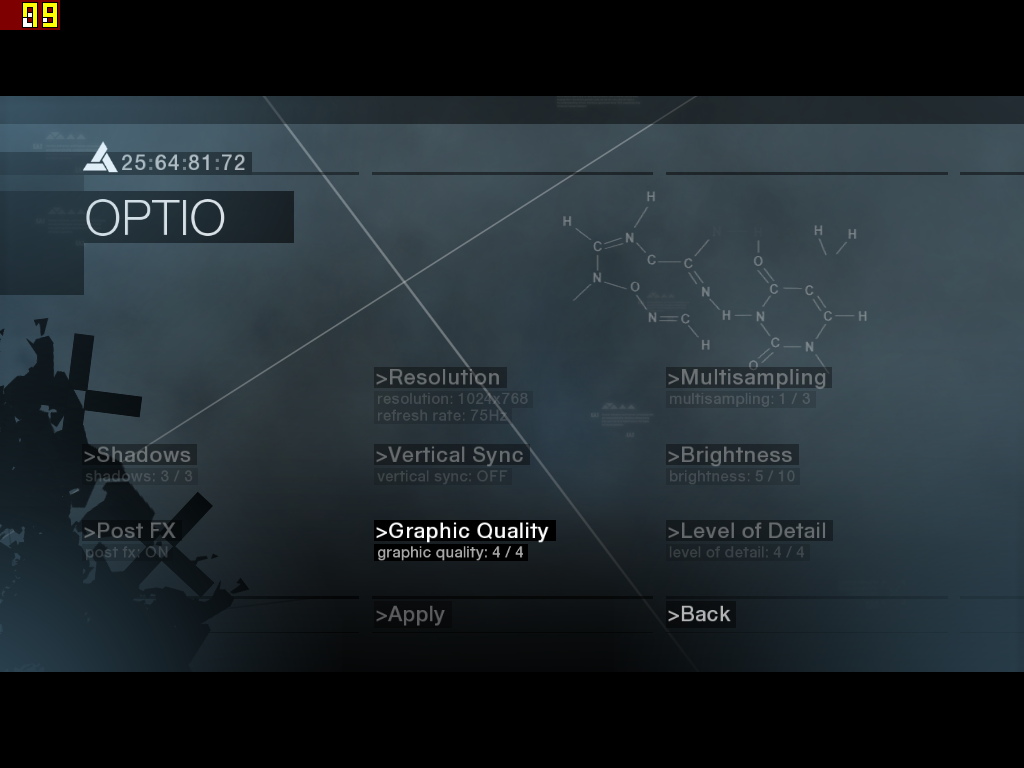
Finally a win for the old A4, in a post 2005 title.. an on a console port no-less.
In summary, pretty decent on these older games, all working fine also (except FarCry).
Synthetic Benchmarks
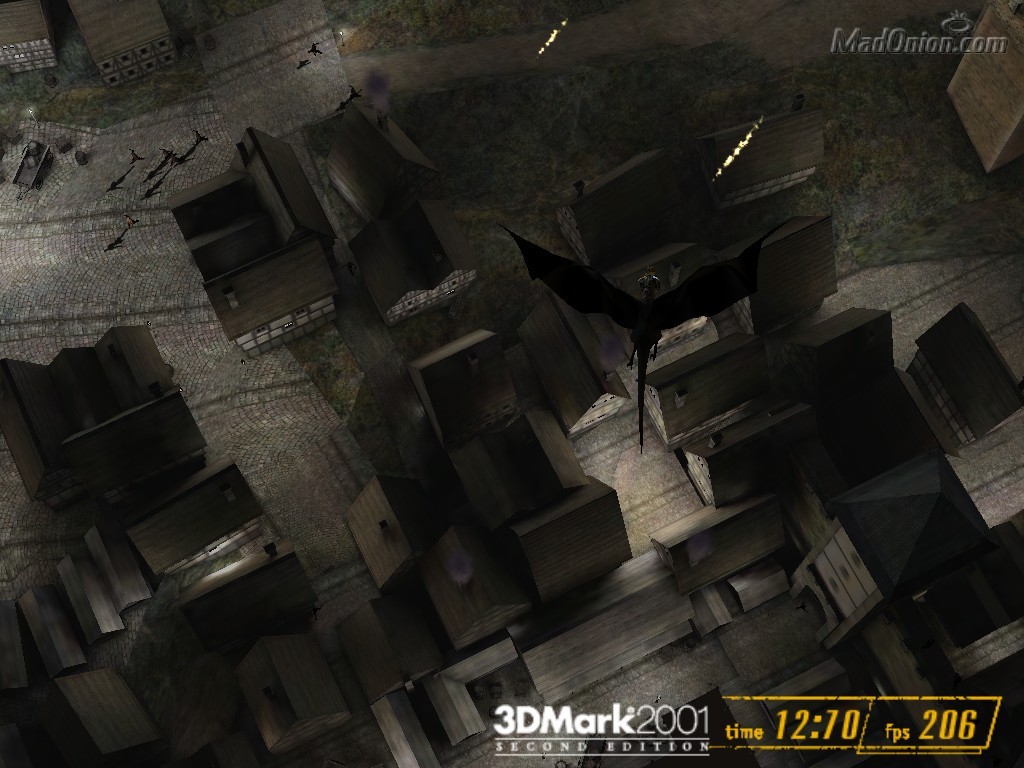
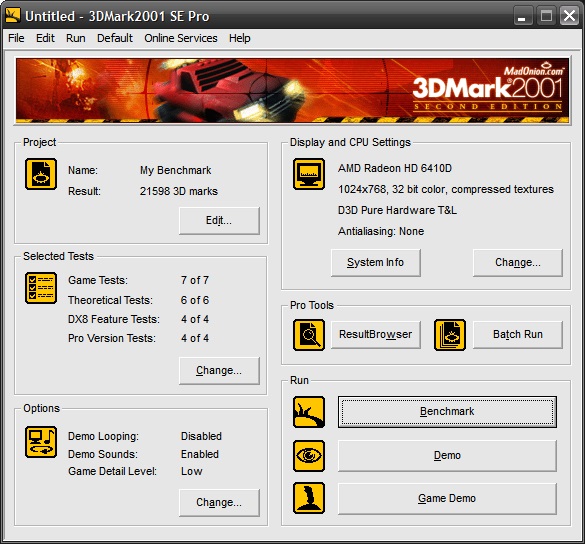
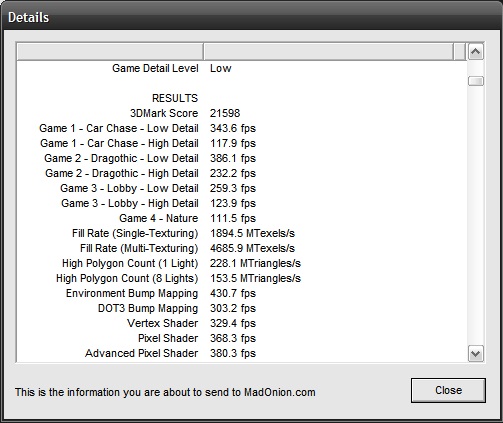
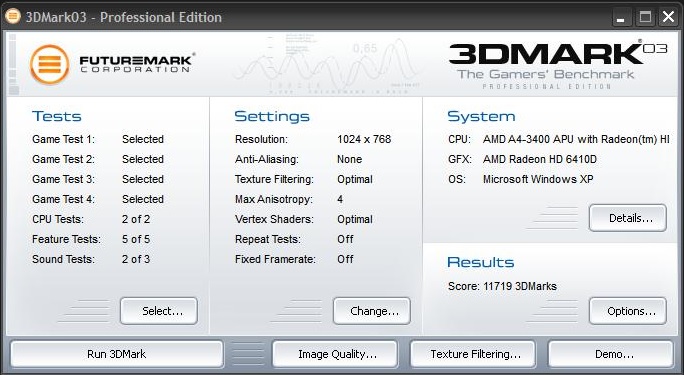
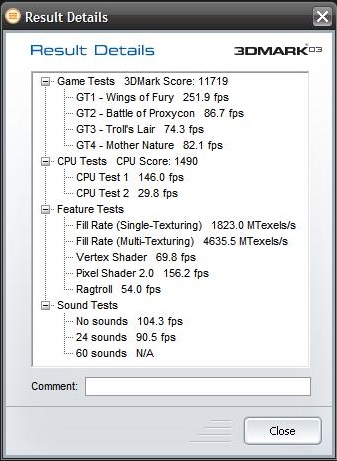
The Normal Selection benchmarked, useful to come back to when testing this APU, the others in the series and comparing to discrete graphics cards.
3d Mark 2001 SE
3d Mark 2003
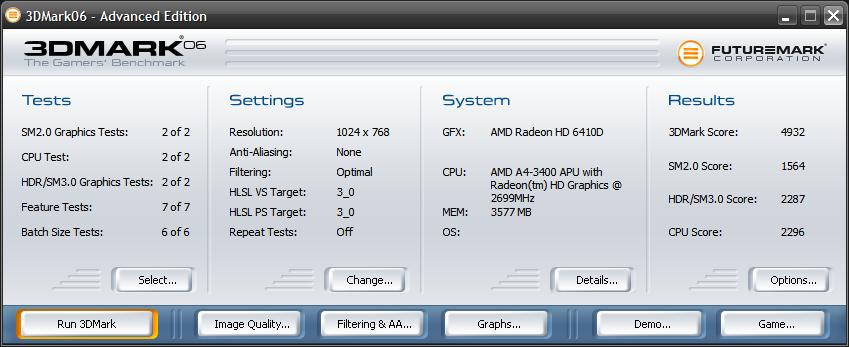
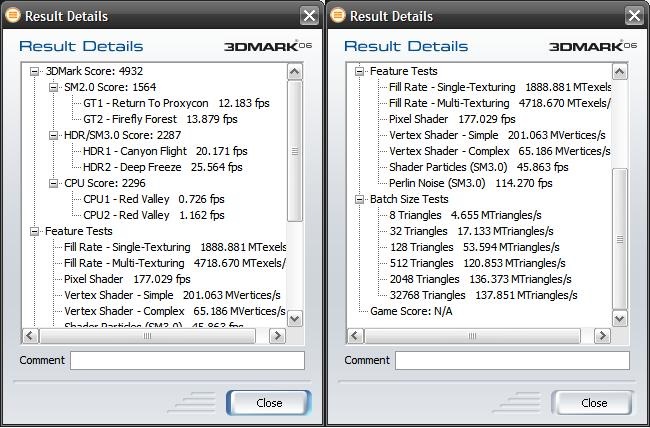
3d Mark 2006
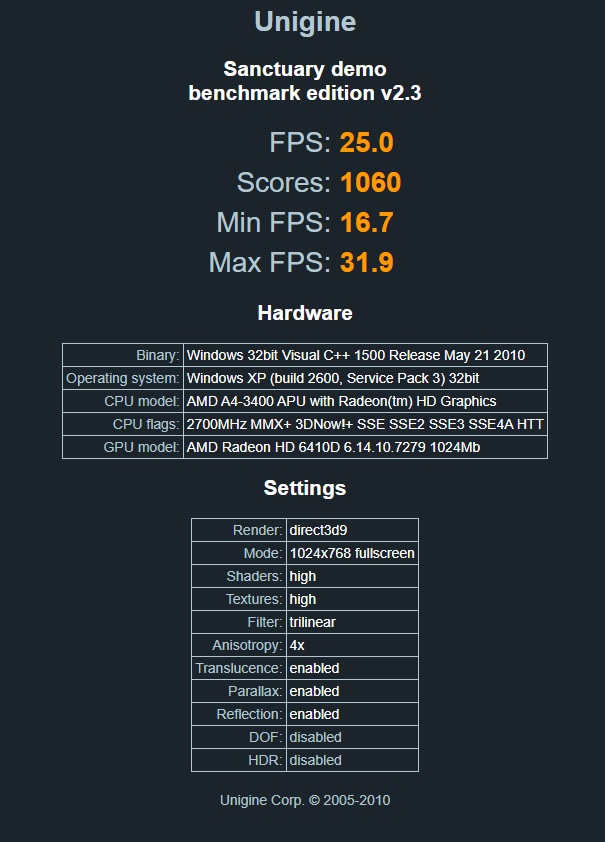
Unigine Sanctuary
Summary and Conclusion
As a Windows XP machine, this A4-3400 is running flawlessly.
Navigating around Windows is quick and snappy; all drivers installed without any issue, and it was incredibly simple to get running.
Games also seem to work without any problems—they load quickly, and this setup hasn’t crashed on me once.
Game performance, on the other hand, is… meh. I wasn’t expecting too much, but with 160 Unified Shaders, a higher number than the HD2600XT I tested previously, I thought we’d at least see similar performance.
It was also unable to provide reliable and scalable results. For example, there was strange behaviour in any setting over medium in Far Cry, and awful 1% lows in Oblivion.
For anything pre-2005, things seem to be fine. For the latter half of the decade, you’ll probably want to invest in something a little more potent. Perhaps the A8 I will test in the same system will make amends.
There is always the option of teaming this up with a dedicated GPU. I know that’s not really the point, but these things are so dirt cheap, and you get a dual-core processor at 2.7 GHz that sips power, needs minimal cooling, and is perfectly compatible with Windows XP. Why not?
Despite the gripes, I’m glad to have this in my collection. I bet it’s crappy running Windows 7/8/10 from a cheap mechanical hard drive which is how it probably lived its former life.
A final note, this APU uses the system RAM for its memory and this test only used DDR3-1333. It’s possible that there is a little more performance to be found using the faster DDR3-1600 that is supported by the processor. Sorry little A4, I should have spotted that.
Sources
A few interesting reviews from back in the day:
https://www.vortez.net/articles_pages/amd_a4_3400_review_with_gigabyte_ga_a55m_ds2,15.html
Ash
 Ash's Retro Hardware Reviews
Leave a comment