Released June 28th 2007, RRP £50-£55.
Purchased November 2024 for £4 + P&P

Introduction
A look at the low end of ATi’s HD2000 series of GPU’s
My own card here is the 2400Pro with 256Mb of on-card GDDR2 but using a 64bit memory bus.
I do also have a HD2350 with 64Mb which will I will run a few tests with for comparison.
The GPU’s were based on the Radeon R600 series which implemented TeraScale 1, ATI’s first Unified Shader model, so no more separate shader units.
This card features 40 Unified Shaders, the first of the ATI generations to use this new technology.
One of the key features of the generation was the ability to be able to pass audio through the DVI port into an HDMI cable via a dongle.
These cards would be competing against the lower-end of the Geforce 8 series by Nvidia.
The Card
I received this card as part of an Ebay auction where four low end cards were bought together. This came with it’s own box and looked completely unused.
It is a low profile card so, to test, I had to take the whole bracket off and just use the PCI-E port to hold things in place. No huge issue for such a small card.

There were not a huge amount of HD2000 cards in the product stack, this is where our card sits:

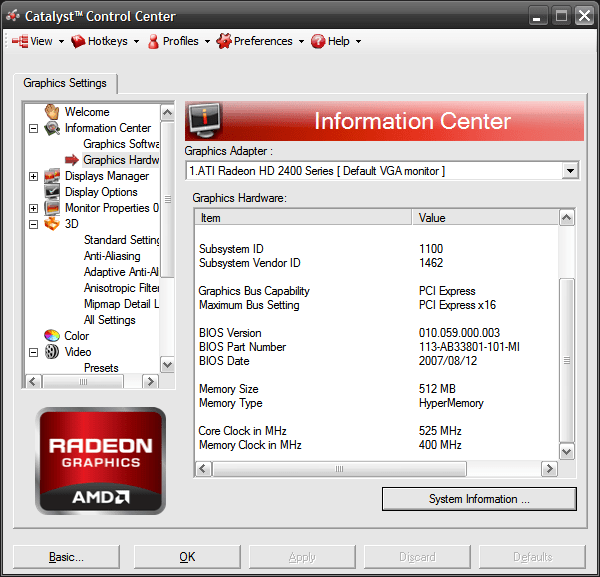
The HD2350 is listed as using ATi’s HyperMemory system where system RAM is utilized by the GPU but during testing I found that my HD2400 Pro seems to do the same, showing up as a 512Mb in some (but not all) of the tests.
I thought this was strange. After all, for a product this low down in the stack, you would think that 256Mb of GDDR2 would be classed as sufficient but this is confirmed on the manufacturers website which states:
• ArchitectureHyperMemory is AMD’s technology for utilizing and managing system memory as an extension to the local video memory. The amount of system memory allocated for use by the graphics chip varies with the amount of system memory available and operating system (OS variants covered in this advisory Windows XP 32-bit edition, and Windows XP 64-bit edition, HyperMemory support under Windows Vista is covered in a separate advisory). (https://www.msi.com/Graphics-Card/RX2400PROTD256EH/support#manual)

So, my system has in excess of 1Gb of system RAM so our 2400Pro helps itself to a further 256Mb, sounds useful.
This does allow the card to claim a benefit for itself as it can utilise some DDR3 system RAM, this was available in 2007 but would have been rare and would unlikely be partnered with a budget card such as this.
Another strange thing about this MSI card is that it’s branded as an RX2400Pro instead of the HD prefix you would expect.
RX only became associated with ATI/AMD cards a decade later so this is some impressive foresight!
I can’t find any reason online as to why these were branded differently. 2400’s from the likes of XFX and Sapphire are all branded HD. I have searched online and there is no explanation for this.
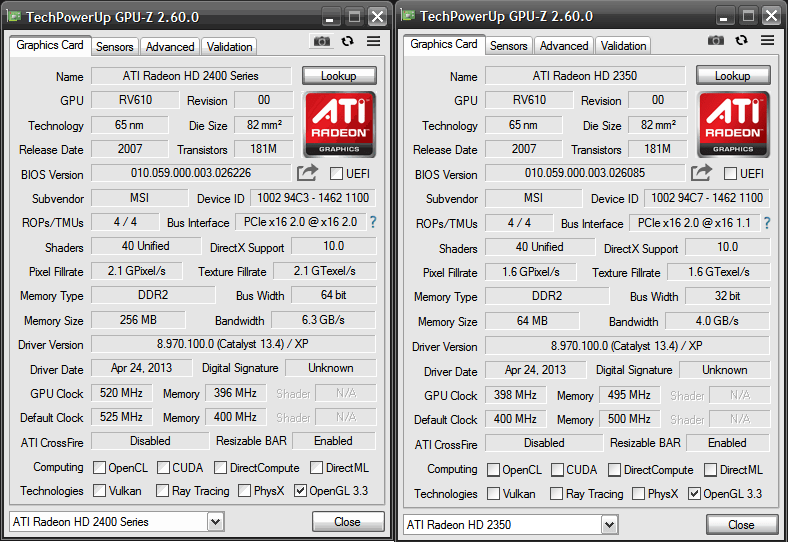
This article is mainly featuring the HD2400Pro, the HD2350 will get it’s own article at a later date.

The Test System
The games will be tested the system based on the Phenom II X4, specs as follows:
- CPU: AMD Phenom II X4 830 2.8Ghz
- 4Gb of DDR3 Member (showing as 3.25Gb on 32bit Windows XP)
- Windows XP (build 2600, Service Pack 3)
- Kingston SATA 240Gb SSD
- ASROCK ASRock 960GM-GS3 FX
- I used the latest supported Catalyst Driver 13.4 direct from AMD’s Website
These specs will ensure that the HD2400 will be the limited factor on all games.
Benchmark: One Far Cry (2004)
Pre-dating the HD2000’s by three years – long enough in those days to make a difference, hopefully these lowly cards will perform adequately.
I chose this test and setting as I have the data from the X1300 Prop tested previously, an easy extra point of reference then to see how these cards compare to their direct predecessors.
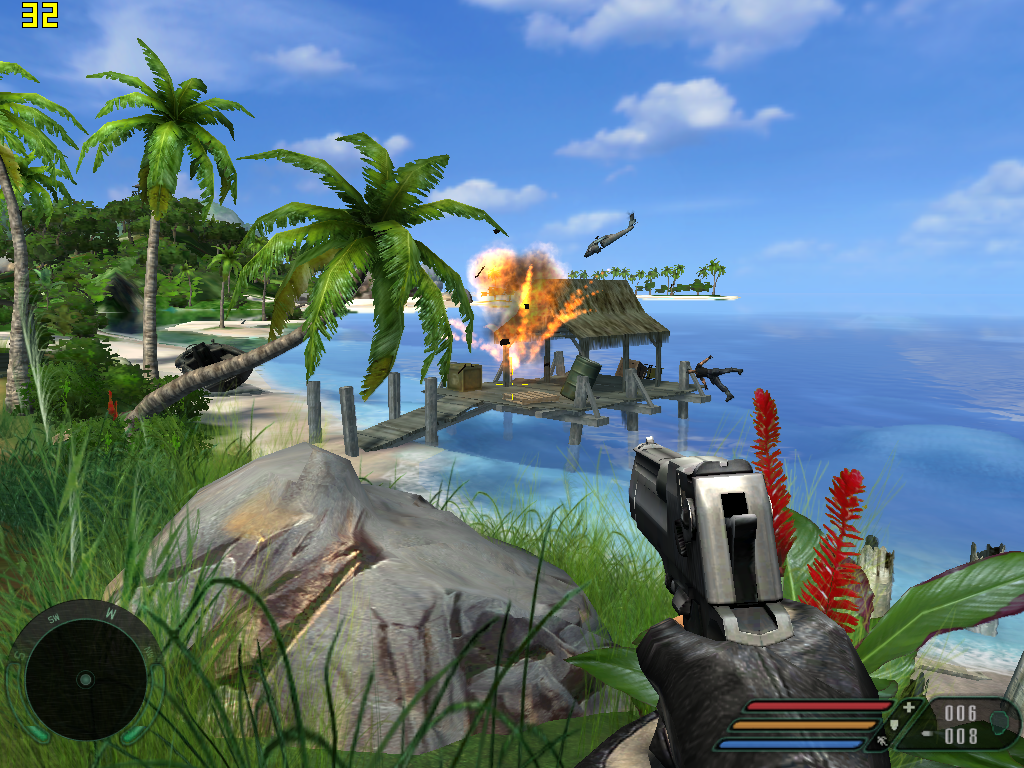
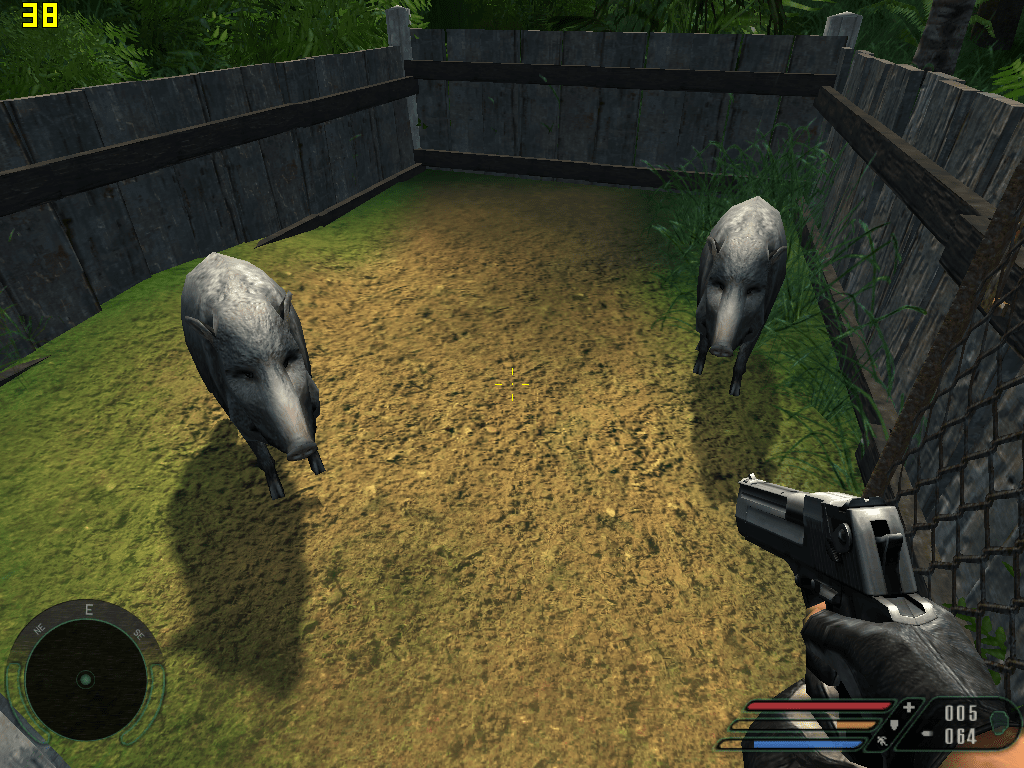
Here we go again, clearing out the first village of the game with Fraps running. I followed the same path down the hill, explode the barrel, kill the mercenaries, through the building them up to free the wild boars.
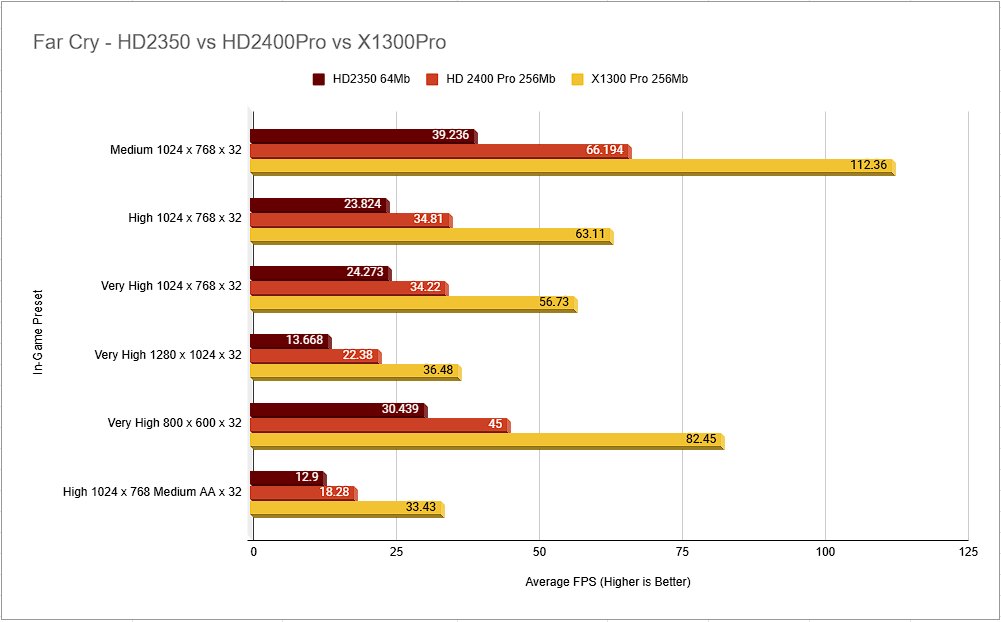
Here we see FarCry being playable for owners of the HD2400Pro managing just over 66 FPS at medium settings at a respectable 1024 x 768 resolution.
Owners of the cheaper HD2350 would likely want to drop down to 800×600 medium settings for a smooth experience.
Both cards were handily beaten by their older brother the X1300 Pro. This earlier card was three times more expensive on it’s release at $150. Ok, so the earlier series did not support DirectX 10 but the newer budget cards are unlikely to be playing anything half-decent anyway.
Furthermore, the X1550 was allegedly up for sale in 2007 for $79 and it shared may of the specs of the X1300 Pro, this would likely be a strong contender with a better framerate, albeit still without the DirectX 10 support.
Benchmark Two: Rome Total War (2004)
I remember the anticipation of the release of this one – it was rumoured that there would be thousands of individually rendered 3d soldiers on screen, amazing.
I thought I would give this a run and see what a budget gamer in 2007 would experience of this older title.
I picked one of the Historical Battles, I thought I would see if I could save Crassus at Carrhae, it turns out I could not. Not even close.
After the event I googled and found a message board of people explaining how easy it is
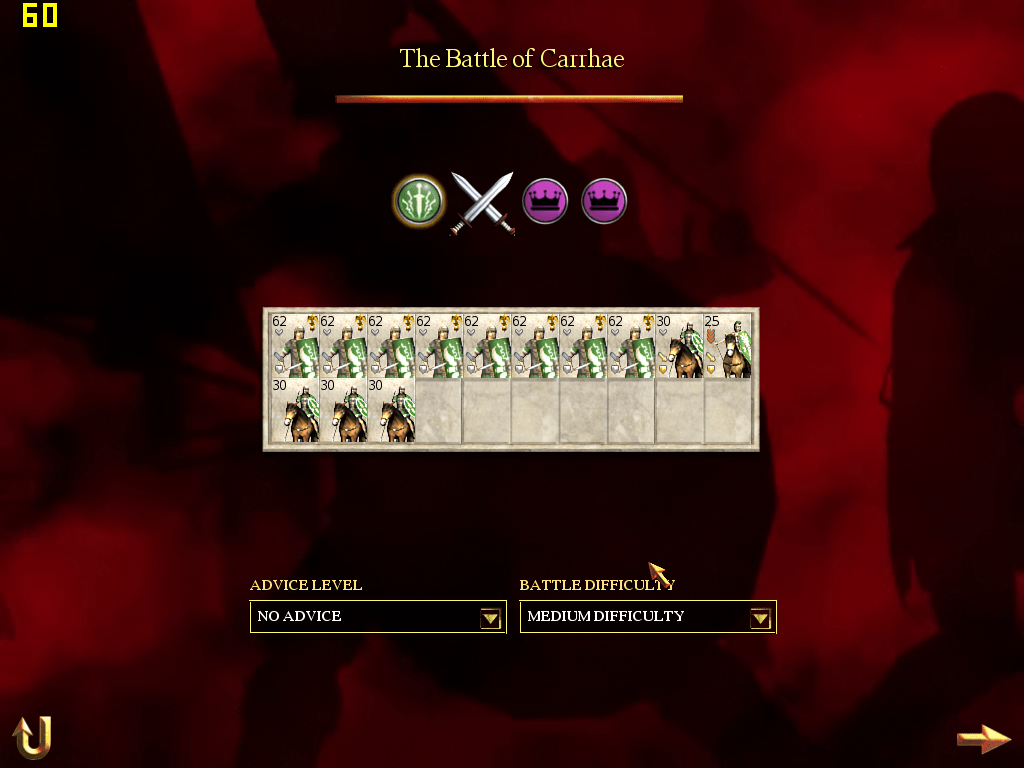
Strangely the Menu suggests that there are three more units of Roman Cavalry (or their allies as I believe was the case). These units do not appear on screen in the battle
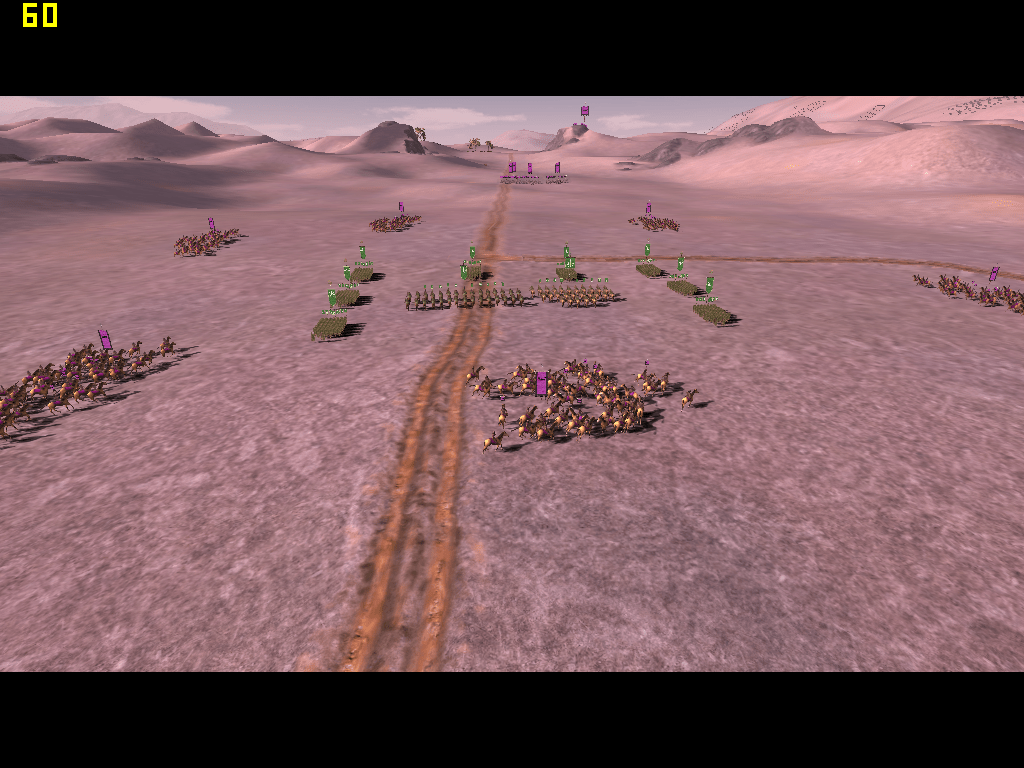
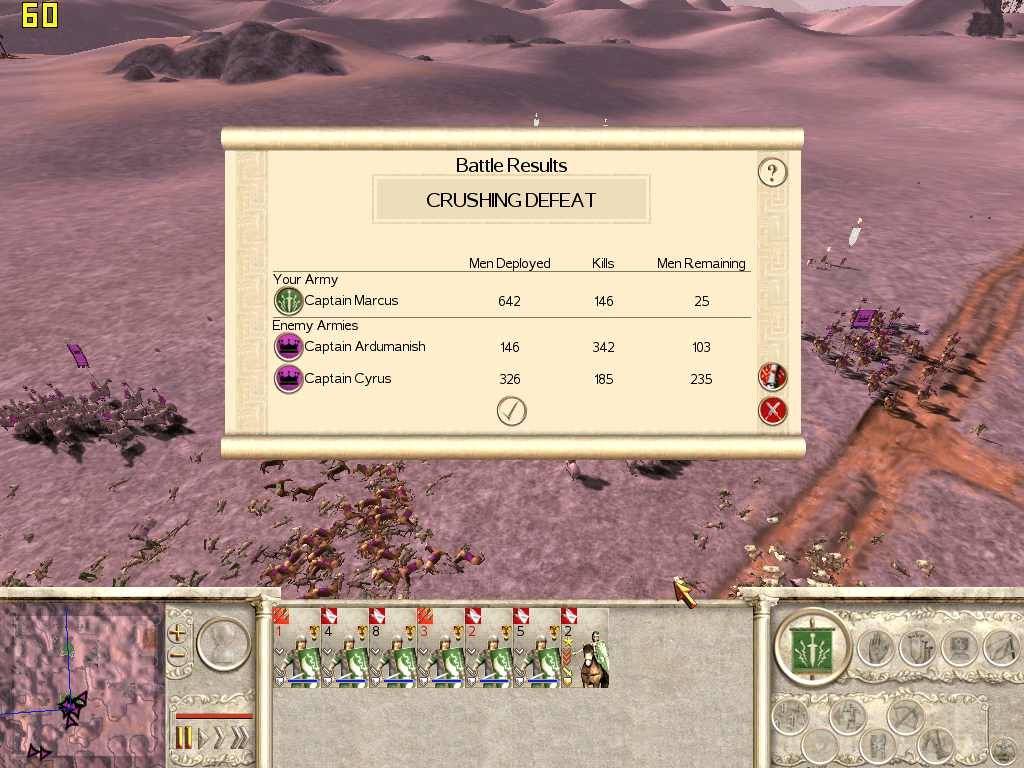
And how the results looked, playable enough at 1024 x 768 Quality but without the AA actually, impressive considering all that is going on on-screen. Perhaps it’s the CPU that is doing the heavy lifting in this game keeping frame times high, perhaps it’s not so taxing on the graphics card after all.
This is something to investigate further, If only I could get MSI’s afterburner running on Windows XP to monitor the utilisation of both CPU and GPU, I’ll look for an alternative.

It seems that Vsync is enabled in this game which is limiting the maximum frame time, I could find no way of turning it off annoyingly, making this test not particularly useful as it’s hurting averages.
Benchmark 3: Call of Duty 4 Modern Warfare (2007)
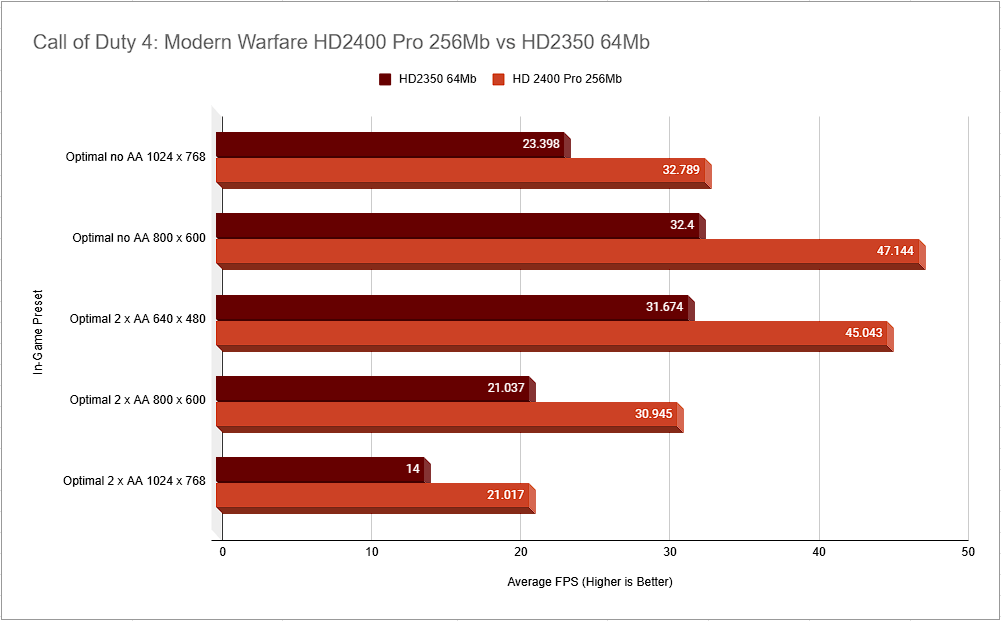
Testing a GPU released in 2007 on a 2007 graphics card, crazy right! I didn’t have high hopes for our lowly cards here but, it is actually pretty playable.
The ‘Optimal System Settings’ graphics option came up with the below as the recommended levels, I knocked up the resolution to the higher levels to see if it was still playable and toggled on and off Anti Aliasing to see what difference is made.
There were no other changes to these settings apart from resolution and AA.
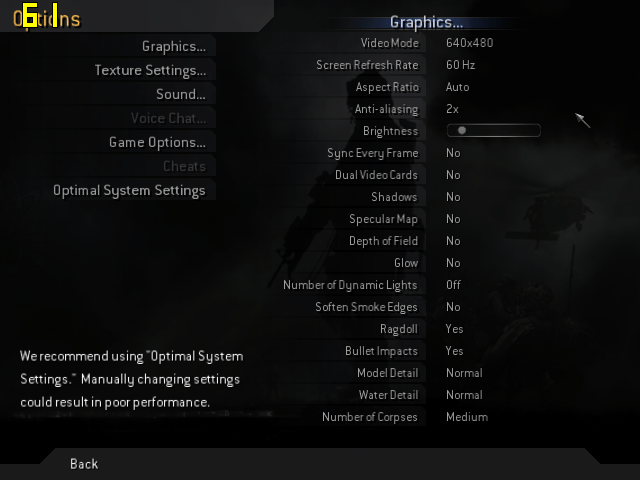
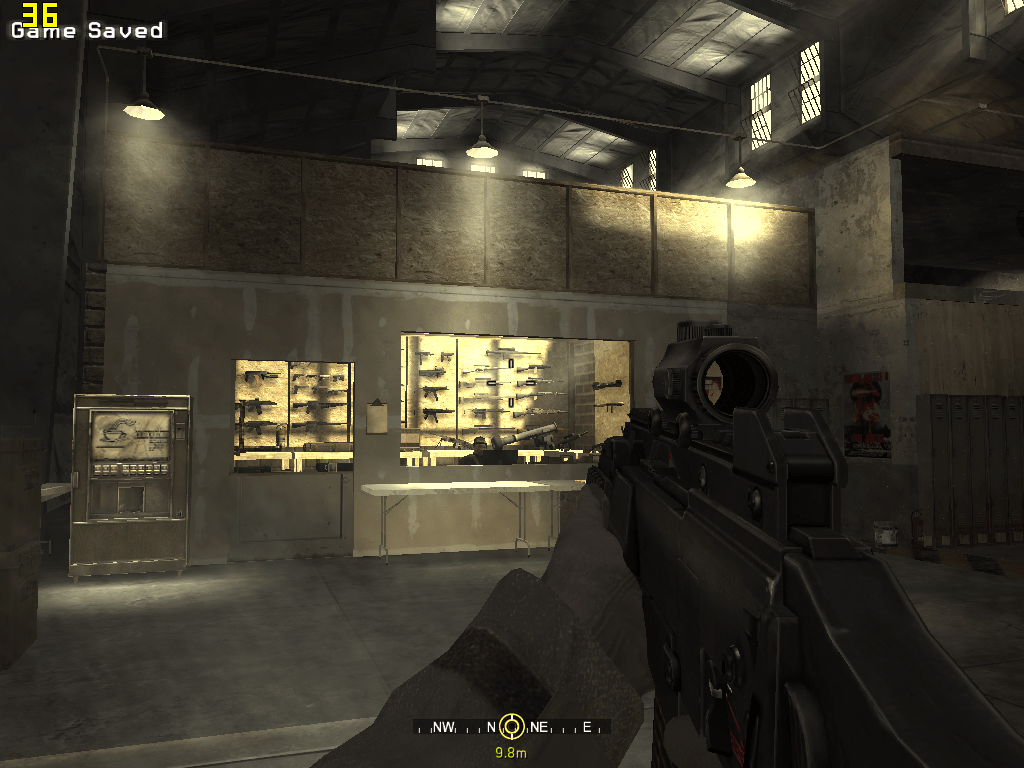
The training session as a lot of fun and ran well, this at 1024 x 768.. not really that smooth but far better than expected
The first actual mission of the game is infiltrating a ship in a heavy storm, definitely a test of the GPU, it looks really good.. definitely coming back to the game with a higher end card, playable with the little HD2400 but when you have options for better why not use them..
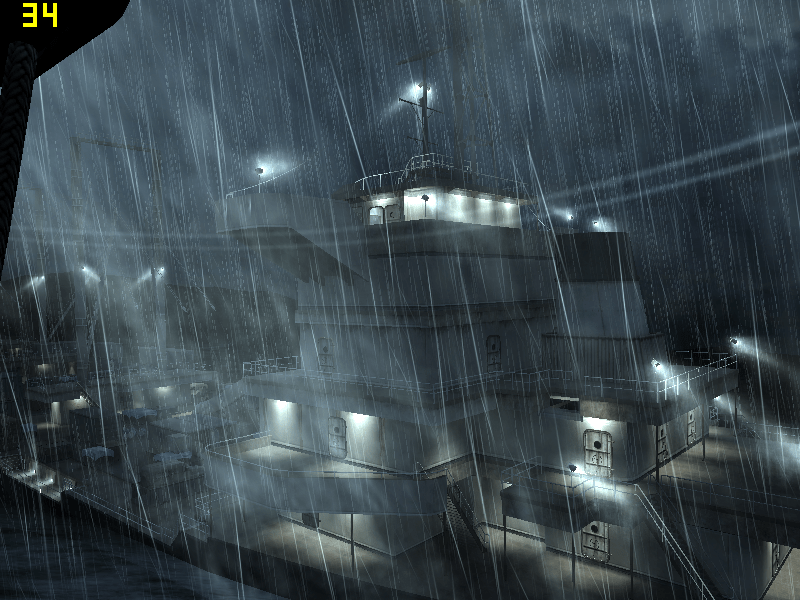
So, not too bad! 47 FPS running along the decks of a stormy ship shooting bad guys on a very cheap, passively cooled GPU.
Even the 2350 turns in a sorta-kinda workable framerate though you’d probably want to tweak the settings a bit more to free up a smoother experience
Synthetic Benchmarks
I took the HD2400 through my normal suite of benchmarks, results as follows:


Summary and Conclusions
If you had a desktop machine, perhaps a Dell or HP in a low form factor case with a small power supply then yes, you could drop this card into it and play some games and that’s no bad things.
The cards worked without any issues and, being fanless the HD2400 was silent.
I will return and add some more games to this review.
Ash
 Ash's Retro Hardware Reviews