A Retrospective Review and Benchmarks
- RRP: £118
- Release date: October 5th 2005
- Purchased in November 2024
- Purchase Price: £4
Introduction
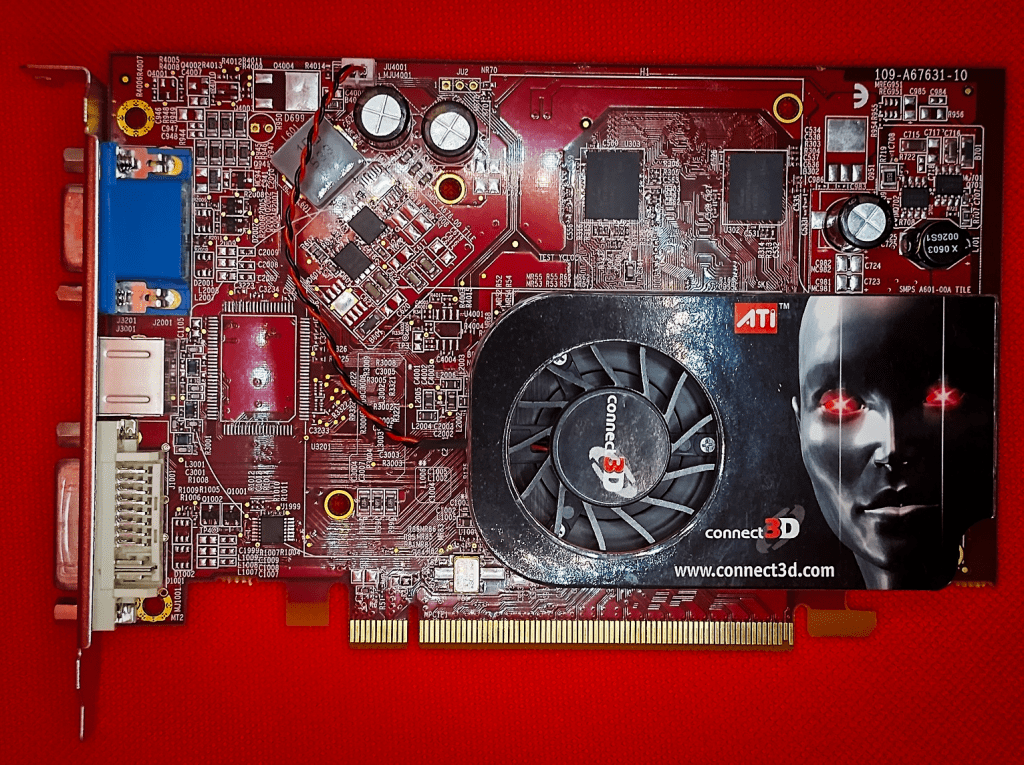
A tidy looking card this, it came to be in its original retail box (including driver CD) in a larger package with 3 other retro cards, none of which are particularly valuable but they all work so I was very happy!
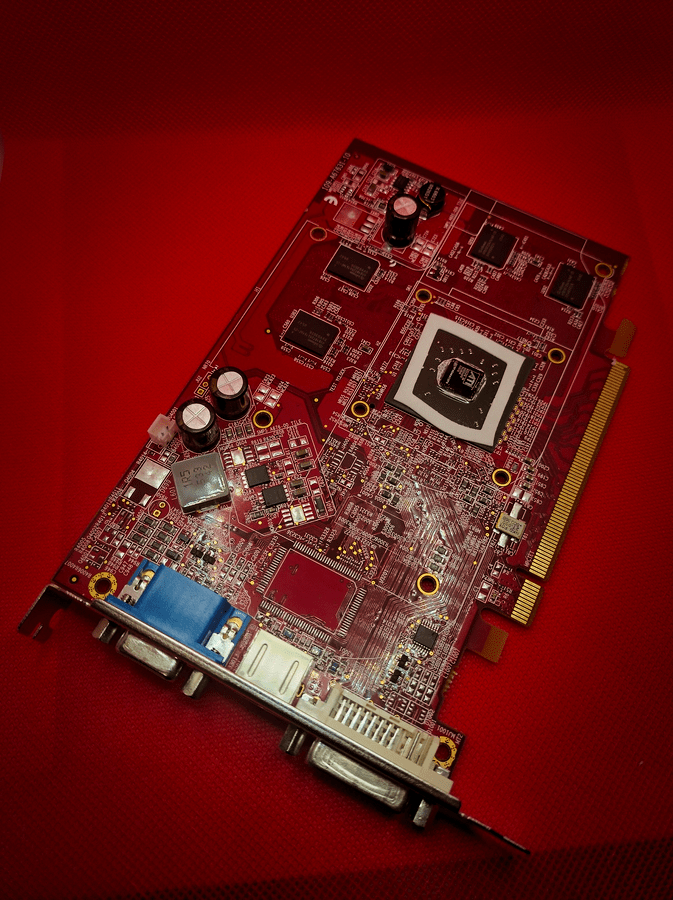
There’s a nice looking Red PCB, tidy caps, a small heatsink and fan with a Connect 3d android guy on it. nice.
ATi X1300 series RV515 & RV516
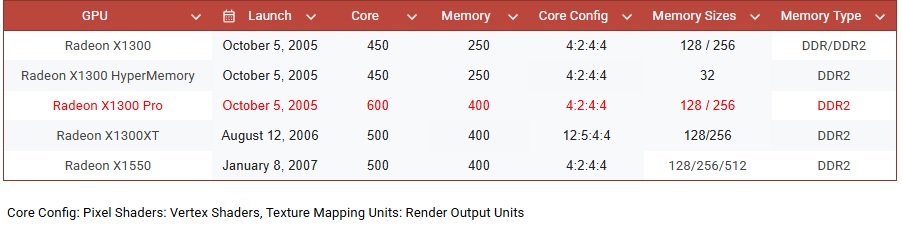
The ATI Radeon X1300 series, launched on October 5, 2005, was the budget end of ATI’s Radeon X1000 series of graphics cards.
The X1300 series was built on a 90 nm manufacturing process and featured the RV515 and later RV516 graphics processor.
The family did extend on providing a budget option even when successor series of chips were released.
Key specifications included:
- 4 pixel shaders and 2 vertex shaders (except the XT)
- 4 texture mapping units (TMUs) and 4 render output units (ROPs)
- Core clock speeds ranging from 450 MHz to 600 MHz,
- Support for DirectX 9.0c and Shader Model 3.0
- Memory configurations of 128 MB or 256 MB, with DDR or DDR2 memory types
- Memory bus width of 128-bit for standard models, 64-bit for some variants
- Low power consumption (TDP around 31W for the Pro)
These cards would be competing with the lower-end GeForce 6000 and 7000 Series cards of the time.
The RRP for a new X1300 on release were reportedly $79 for the cheapest HyperMemory edition up to $150 for the X1300 Pro.
In 2006, the X1300XT was released, a more serious contender. It had a lower clock speed but with an increase right up to 12 Pixel Shaders and 5 Vertex Shaders, this with an RRP of $89. This card, though interesting is not based on the RV515, instead it shares the RV530 chip with the mid-range X1600 and X1650 models.
The final card in the family was the X1550XT released in 2007 slightly different silicon. This was sold as an ultra-budget option with an RRP of $65.

The Card
Repasting it was an absolute chore, the factory applied paste was stubborn to remove to say the least.

It’s a great card though, and it’s been easy to work with overall. Installation went smoothly enough, apart from one snag with the Catalyst Control Center. It just wouldn’t install from the latest AMD driver package. I had run DDU in safe mode to wipe the old drivers, but it kept popping up no matter how many times I tried.
A quick search online pointed to Windows loading its basic driver before the ATI software could take over, which made sense. The resolution never dropped to 640×480 after uninstalling, so something was still lurking in the background that DDU wouldn’t catch.
In the end, I grabbed an older version of Catalyst Control Center. The latest drivers stayed intact, so no harm done, and I wasn’t planning any serious overclocking anyway. The older version let me poke around the settings and check out the features without a hitch.

The Test System
Details are as follows:
- CPU: AMD Phenom II X4 955 3.2Ghz Black edition
- 8Gb of 1866Mhz DDR3 Memory (showing as 3.25Gb on 32bit Windows XP and 1600Mhz limited by the platform)
- Windows XP (build 2600, Service Pack 3)
- Kingston SATA 240Gb SSD
- ASRock 960GM-GS3 FX
- The latest supported Catalyst Driver 10.2
Moto Racer 3 (2001)
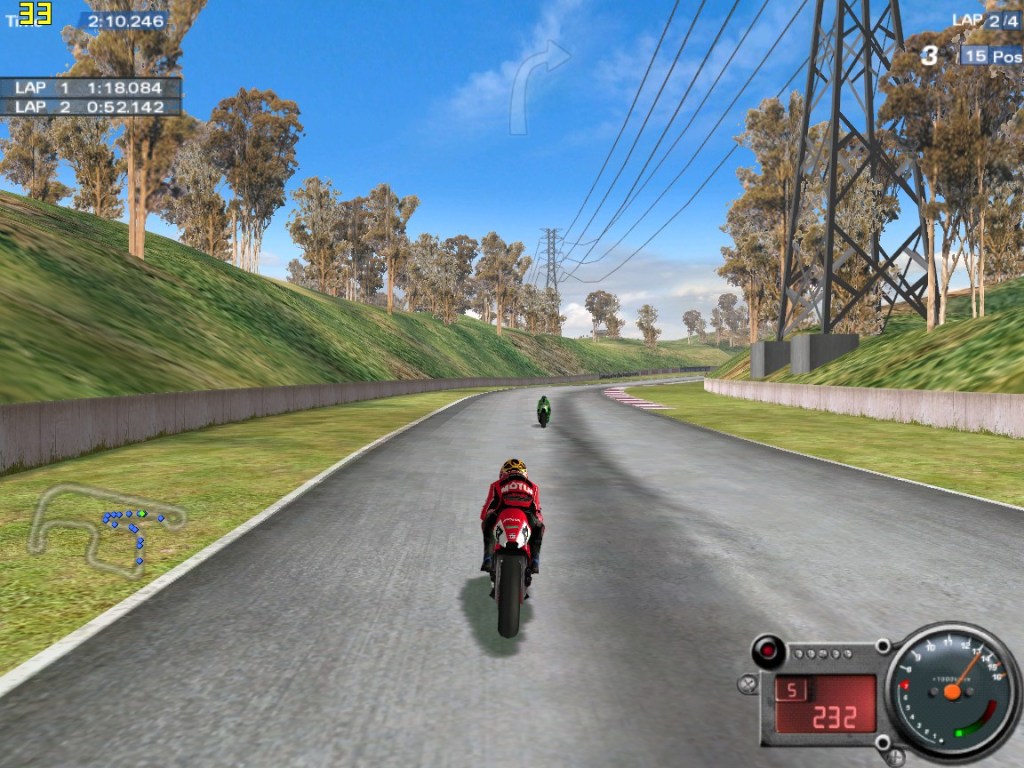
This game has a 33fps frame cap which isn’t very useful for benchmarking.
At the maximum resolution that my monitor could support (1152 x 864) with everything turned on including the anti-aliasing I could not get the fps value to fall below 33fps at any point over a few laps.
I guess we’re all good here!
Mafia (2002)
This game is capped at 63fps. I recorded a long benchmark run driving around with as much traffic and draw distance as can be added in and things stayed pretty much locked to this cap.
I’ve recorded the results though as something to compare too with future cards – the 1% low figure is still a measure of smoothness.
The resolution was 1280 x 1024 with everything maxed out including 4xAA.

Freelancer (2003)

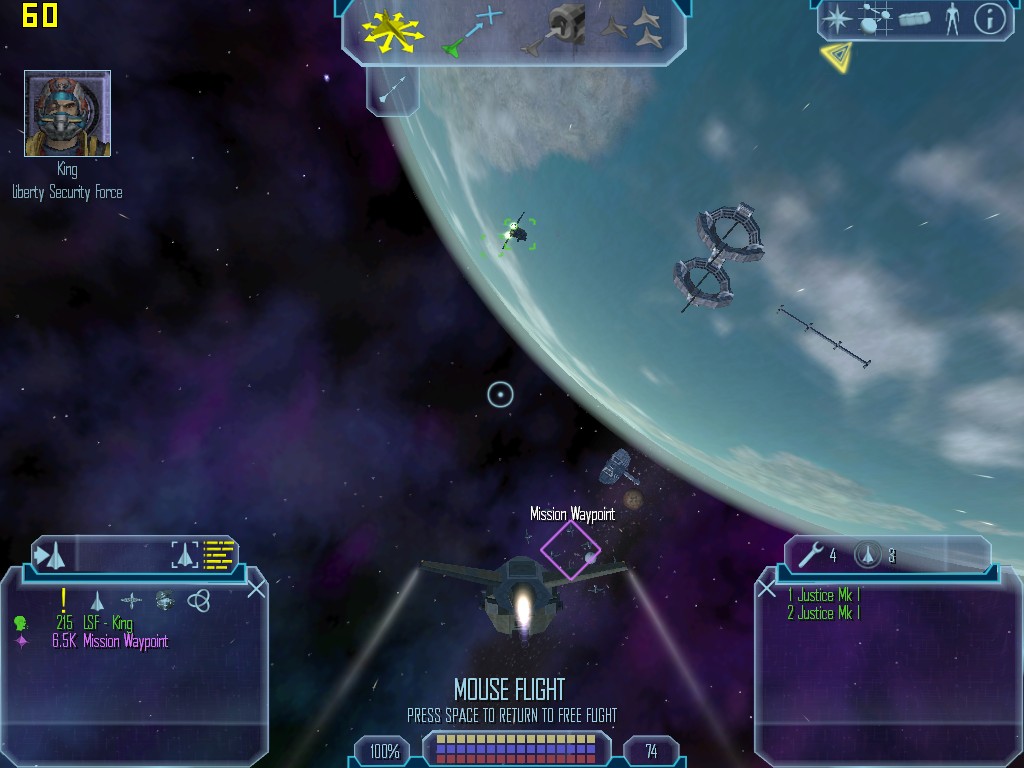
We spent hours playing this game back in the day, I can’t believe it’s so old now.
Setting everything to full at 1024 x 768 and this card would barely drop below the maximum frame cap of 60fps at any point.
A very good result really but, I guess things did move on fast in the early 2000’s. I used to pay this on an old Geforce2 MX400 so it’s no surprise really that the X1300 Pro doesn’t break a sweat.
FarCry (2004)
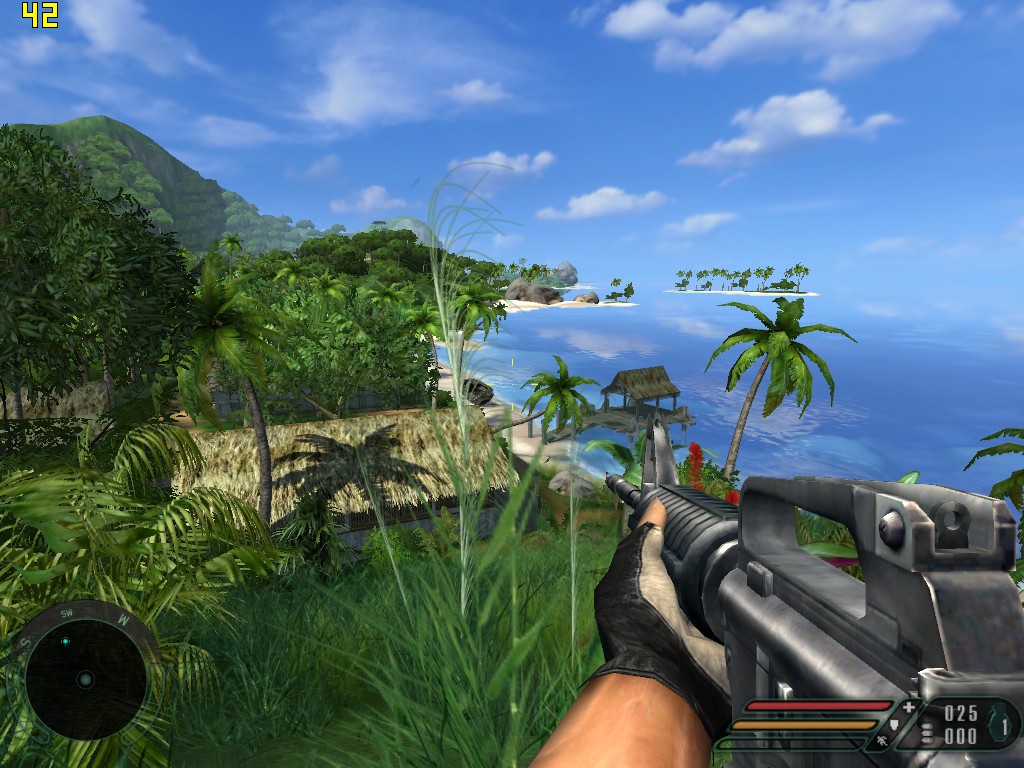
FarCry proved to be a bit more of a challenge than the earlier titles, as could be expected.
I found that good Framerates could be found at 1024 x 768 at the Very High Preset so did a run at this with AA on and off.
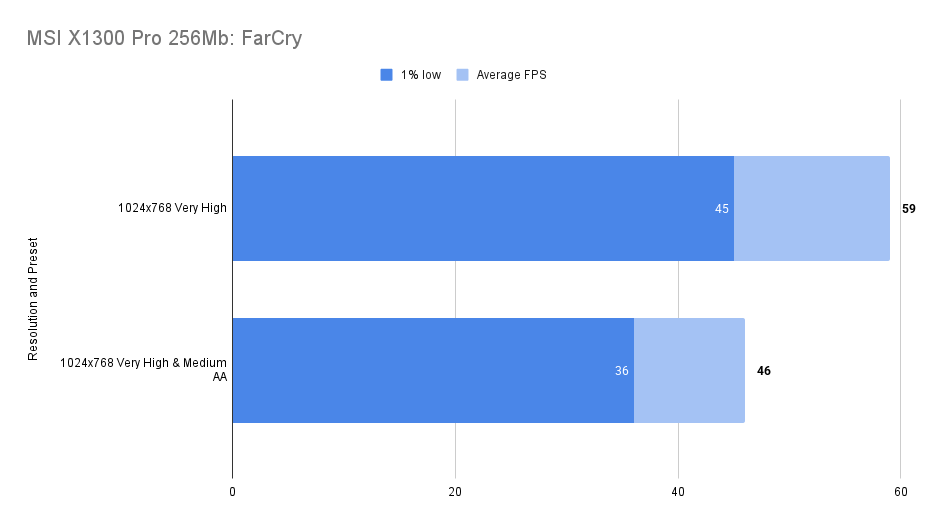
Pushing down to ‘High’ may be the preference for many but things felt smooth enough at an average 60fps.
Not bad at all.
Doom 3 (2004)
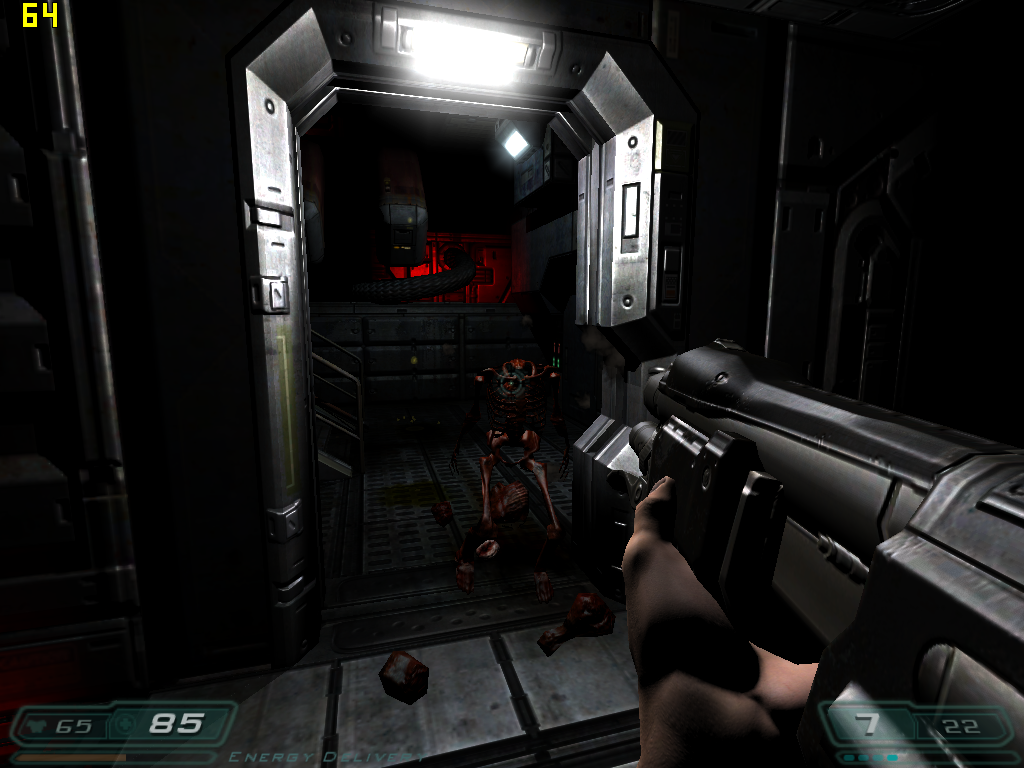
Doom3 is another game with a frame cap but it does have an internal benchmark that can be used which allows for the cap to be exceeded.
I used the High preset at 1024 x 768 and ran the test twice, once with 4x Antialiasing turned on.
The results were a reasonably impressive 47.6fps with no AA, and a round 30fps with it enabled.

When playing through the game at these settings things did get as low as 25fps without the AA and 14 with but, without AA things felt fine really. I played through a good 45 minutes and didn’t feel the need to reduce to medium.
Need for Speed: Most Wanted (2005)
Not a well optimised game as I found in a previous so I went in with a low setting at 800 x 600 only.

The thing is about this game is that you need that high fps to make it playable as input latency seems to find it’s way in even if you’re chugging along at 30fps or so.
I don’t know why this is but, it’s annoying, maybe just me.
Medieval II: Total War (2006)
A hard game to benchmark gameplay for as you will find yourself zooming in and out of any given battle making it impossible to duplicate each run.
Still, the introductions to the historical battles would seem to offer a good alternative to recording frame times in actual gameplay. It is clearly a rendered scene and the transition between introduction and gameplay is seamless.
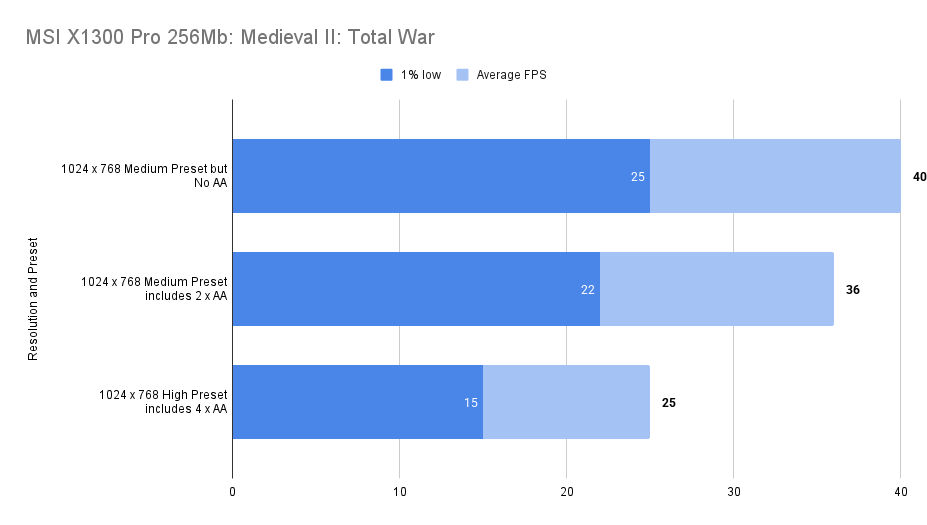
I tried this out at 1024 x 768 Medium and things ran quite well, disabling AA didn’t have too much effect.

The high preset is out of reach, sadly as the visuals are significantly better.
Interestingly, the Agincourt battle can be won without any input from the player. The French just bounce off of the English lines in waves.

FlatOut 2 (2006)
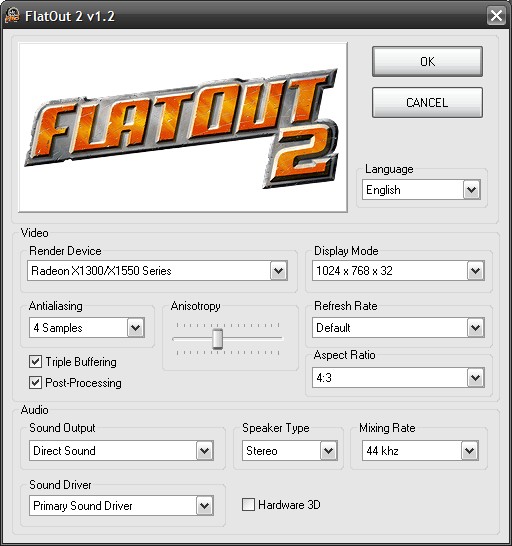

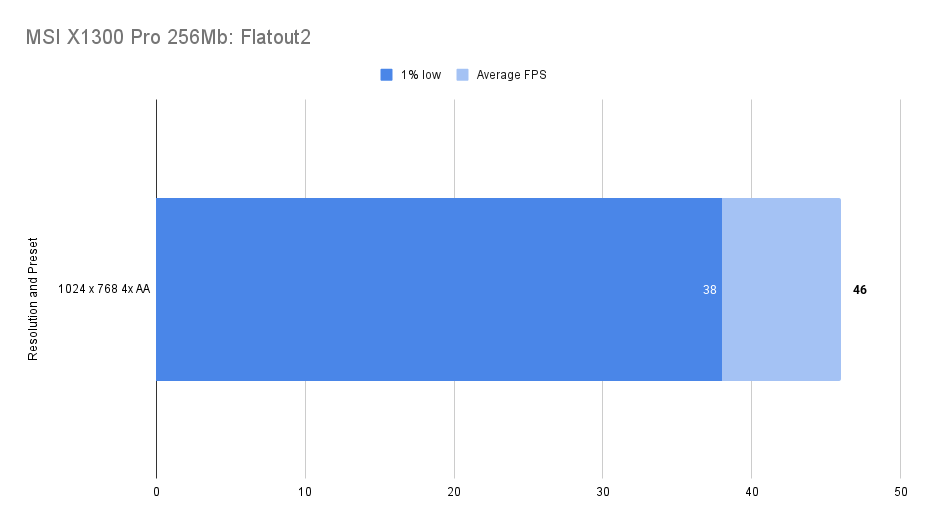
A much better optimised driving game than Need for Speed, things fly along quite nicely on our X1300 Pro, even with 4 x AA enabled.
It feels faster as well though the driving physics are a little strange admittedly.
Still, fun times can be had with this game and this setup.
The Elder Scrolls IV: Oblivion
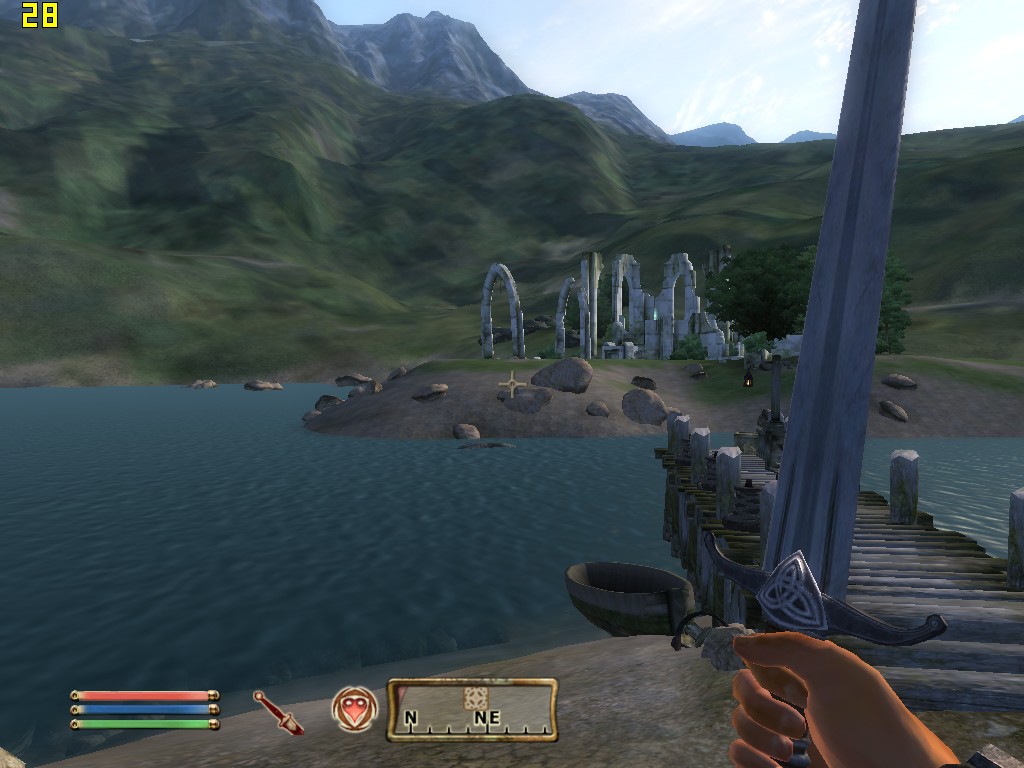
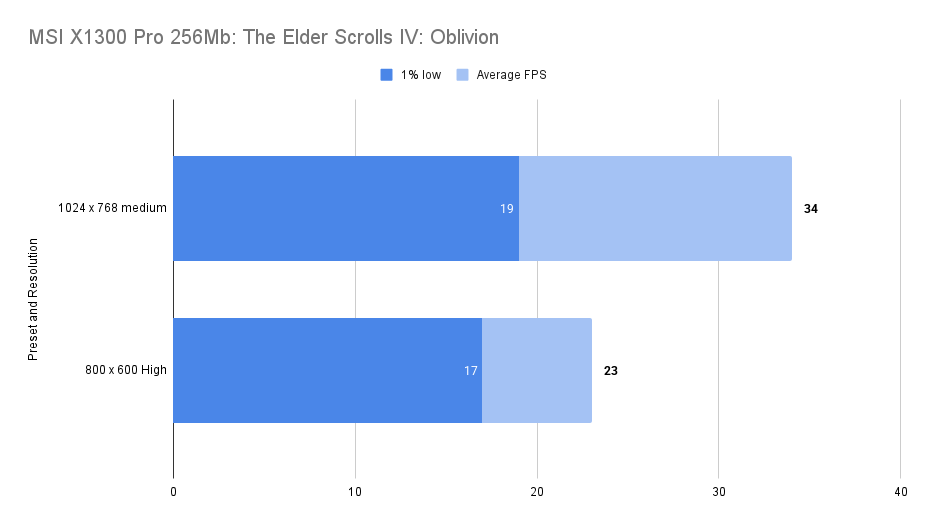
Pretty hard to look at, even at medium settings, not a big success but, playable really, if not a smooth experience.
Just Cause (2006)
Limited to 60fps which could be reached on medium settings so I boosted a few settings to get some measurable results for future comparisons.

This does do the card a disservice as it can play this game at 60fps easily at 800 x 600 Medium.
With these higher settings we got:

Not a bad result really.
S.T.A.L.K.E.R.: Shadow of Chernobyl (2007)
The game runs great but it seemed to be capped at 60fps, I have the GOG version.
To get a reading I had to play with the settings a little, even at 1024×768 max settings we were hitting the cap consistently.
Changing the render from static lighting to the other two options caused a crash and a message saying that these are not supported.
Introducing some Anti-Aliasing and pushing up some more sliders and I found a more useful measurement which would allow comparison between other video cards.


Overall, this game worked, and looked great. A good result
Crysis (2007)
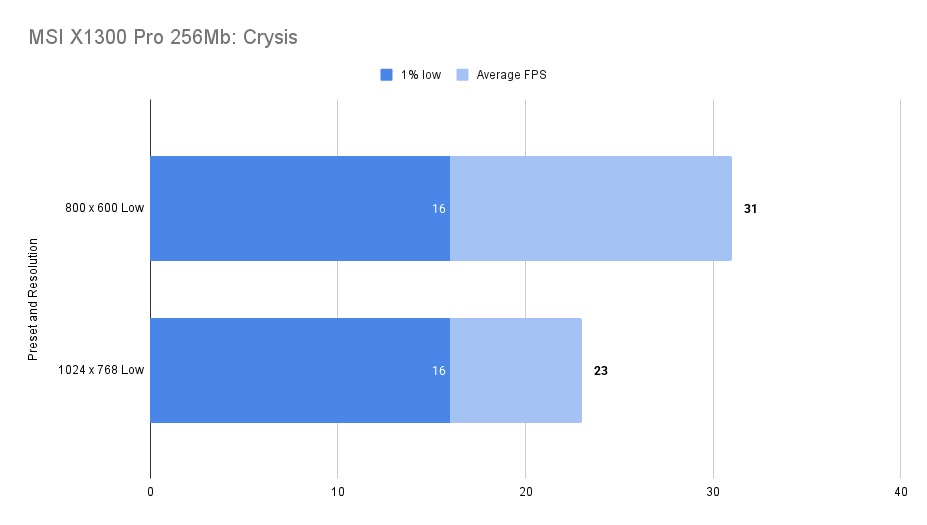
A tough proposition for many GPU’s, a budget option from two years prior didn’t seem to stand too much of a chance.
Low settings all around then with the following, largely unplayable results:

Assassin’s Creed (2007)
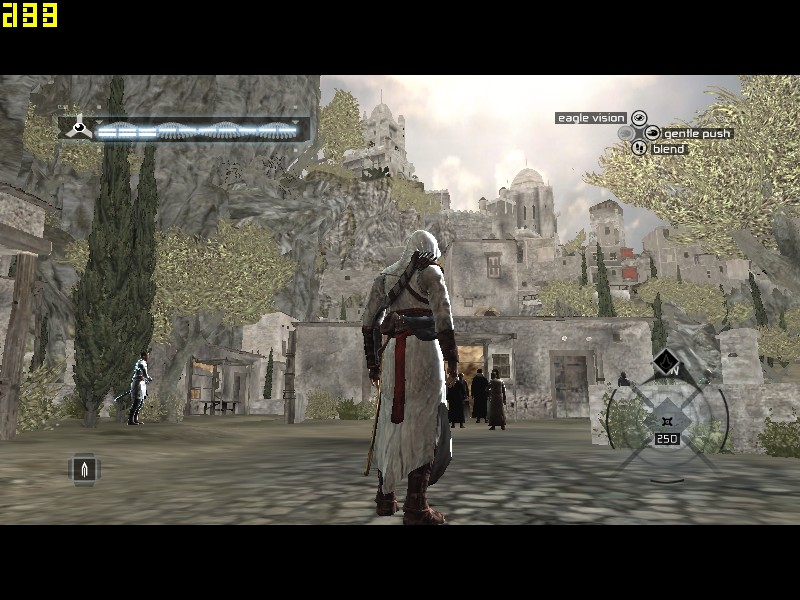
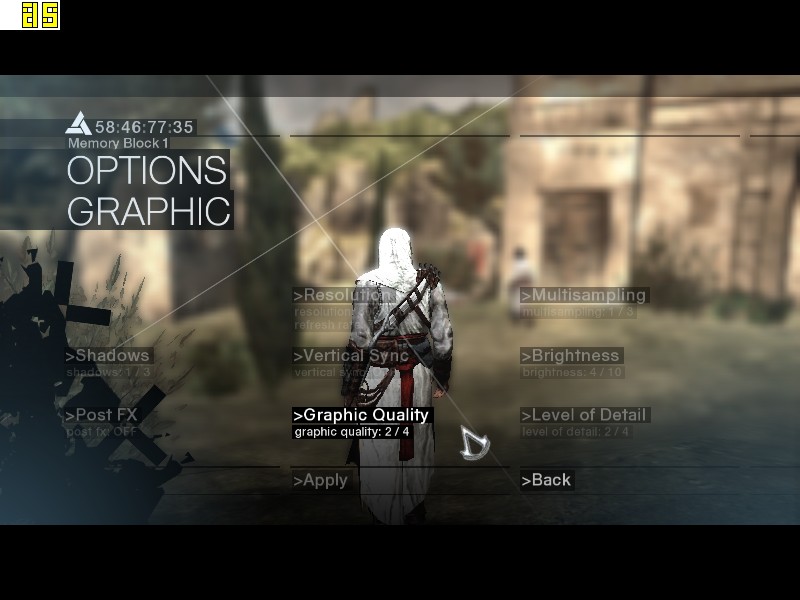
Another tough ask but at low settings 800 x 600 it could sort-of be played.
At Low though it looked very bad, the draw distance was so short it was jarring


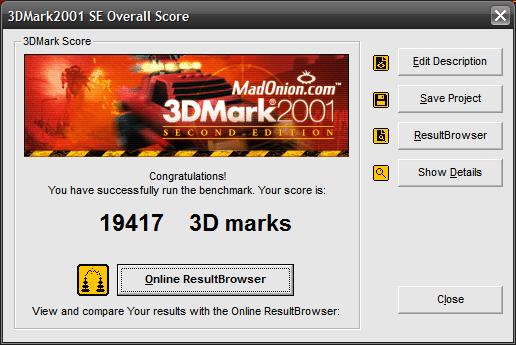
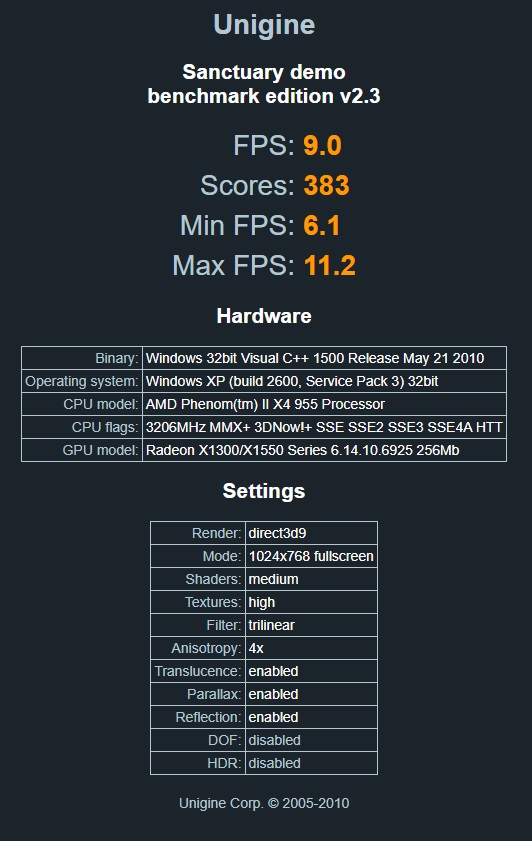
Synthetic Benchmarks


Conclusions
The X1300 Pro was a solid card in its day and performed much better than I’d expect from a budget GPU.
It handles early 2000s games with ease and holds its own in later titles, even if you have to dial back textures and resolutions quite a bit.
Today it would still make a decent pick for DirectX 7 and 8 games. It’s dirt cheap, sips power, and there are loads of them out there.
I’ll grab some competing cards for a proper comparison.
 Ash's Retro Hardware Reviews
Leave a comment