A Retrospective Review and Benchmarks
Note: This is an updated version of one of the very first articles published on this site, updated benchmarking methods mean that data for rival cards is limited so the only comparisons in the main are with mid-range options.
- RRP: £118
- Release date: October 5th 2005
- Purchased in November 2024
- Purchase Price: £4
- Form Factor: PCI-E
- Available as AGP: Yes
- Windows Compatibility: XP & Vista
Introduction
A tidy looking card this, it came to be in its original retail box (including driver CD) in a larger package with 3 other retro cards, none of which are particularly valuable but they all work so I was very happy!
There’s a nice looking Red PCB, tidy caps, a small heatsink and fan with a Connect 3d android guy on it. nice.
I really like these sort of unloved underdog-tier hardware, I’m not too sure why, someone has to I guess!

A brief introduction to the RV515&RV516

The ATI Radeon X1300 series, launched on October 5, 2005, was the budget end of ATI’s Radeon X1000 series of graphics cards.
The X1300 series was built on a 90 nm manufacturing process and featured the RV515 and later RV516 graphics processor.
Key specifications included:
- 4 pixel shaders and 2 vertex shaders (except the XT)
- 4 texture mapping units (TMUs) and 4 render output units (ROPs)
- Core clock speeds ranging from 450 MHz to 600 MHz,
- Support for DirectX 9.0c and Shader Model 3.0
- Memory configurations of 128 MB or 256 MB, with DDR or DDR2 memory types
- Memory bus width of 128-bit for standard models, 64-bit for some variants
- Low power consumption (TDP around 31W for the Pro)
This is how the Connect3d Card compares fits in the with the official specs, note how the memory clock is much higher, matching that of the later X1550:
These cards would have been competing with the lower-end GeForce 6000 and 7000 Series cards of the time.
The RRP for a new X1300 on release were reportedly $79 for the cheapest HyperMemory edition up to $150 for the X1300 Pro.
In 2006, the X1300XT was released, a more serious contender. It had a lower clock speed but with an increase right up to 12 Pixel Shaders and 5 Vertex Shaders, this with an RRP of $89. This card, though interesting is not based on the RV515, instead it shares the RV530 chip with the mid-range X1600 and X1650 models.
The final card in the family was the X1550XT released in 2007 slightly different silicon. This was sold as an ultra-budget option with an RRP of $65.

The Card


As with all video cards that I test, I stripped the graphics card down, cleared out the dust and applied new thermal paste.
Repasting this card was an absolute chore, the factory applied paste was stubborn to remove to say the least, I was worried that I had damaged the die scraping the baked on residue with a peice of plastic.
It’s a great card though, and it’s been easy to work with overall. Installation went smoothly enough and it’s been rock solid.
The Test System
Details are as follows:
- CPU: AMD Phenom II X4 955 3.2Ghz Black edition
- 8Gb of 1866Mhz DDR3 Memory (showing as 3.25Gb on 32bit Windows XP and 1600Mhz limited by the platform)
- Windows XP (build 2600, Service Pack 3)
- Kingston SATA 240Gb SSD
- ASUS M4N75TD Mainboard.
- The latest supported Catalyst Driver 10.2
Tom Clancy’s Splinter Cell (2002)

Game Overview:
Tom Clancy’s Splinter Cell launched on November 19, 2002, developed by Ubi Soft Montreal. Built on the LithTech Jupiter engine (Unreal Engine precursor), it pioneered tactical stealth gameplay with groundbreaking light/shadow mechanics and realistic audio design. The game set new standards for immersion through dynamic lighting where visibility literally shaped gameplay.
Known for its revolutionary light-based stealth, Splinter Cell remains the ultimate benchmark for early 2000s GPUs. The game’s real-time shadows, particle effects, and high-poly environments brutally stress fillrate and shader performance even on modern retro hardware.
I have the GOG version of the game which has an internal benchmark that can be used.
Performance Notes:
An easy start to proceedings, the Connect3D X1300 Pro turns in a steady but clearly entry‑level showing in Splinter Cell.
At the lowest resolutions it can keep the game moving at just over fifty frames per second, though the dips into the twenties reveal how easily the lighting engine can overwhelm it. As the resolution increases, the card’s limits become more obvious.
By 1024×768 it has already fallen into the low forties, and at 1280×1024 it drops to just over thirty frames per second with lows under twenty. In every case it trails far behind the 7600GT and the 7600GT SLI setup, which sit in a completely different performance class – as you would expect
In practical terms the X1300 Pro is playable at 640×480 and 800×600, and it can scrape by at 1024×768 if you don’t mind uneven frame pacing. Anything higher than that pushes it too far for a smooth experience.

Unreal Tournament 2003 (2002)

Game Overview:
Released in October 2002, Unreal Tournament 2003 was built on the early version of Unreal Engine 2. It was a big leap forward from the original UT, with improved visuals, ragdoll physics, and faster-paced gameplay.
The engine used DirectX 8.1 and introduced support for pixel shaders, dynamic lighting, and high-res textures all of which made it a solid test title for early 2000s hardware.
Still a great game and well worth going back to, even if you’re mostly limited to bot matches these days. There’s even a single-player campaign of sorts, though it’s really just a ladder of bot battles.
The game holds up visually and mechanically, and it’s a good one to throw into the testing suite for older cards. The uncapped frames are pretty useful (and annoyingly rare) on these old titles.
I play a full match of DM Plunge for each run, not exactly replicable as every match will be different but the length of the match means a lot of data is collected and the average should be pretty reliable.
Performance Notes:
The Connect3D X1300 Pro lands near the lower end of the pack in this UT2003 DM‑Plunge run, but it still manages to hold itself together better than the true bottom‑tier cards.
With an average of 78 frames per second and a 1 percent low of 42, it stays noticeably ahead of the very slow 7300SE and remains competitive with the X1300XT, though it trails it by a fair margin.
Compared with the stronger cards in the list, such as the FireGL V7200 or the 7600GT, the X1300 Pro simply doesn’t have the horsepower to keep up, and the gap becomes obvious as soon as the action gets busy. Even the older mid‑range cards like the 8600GT and HD2600XT sit comfortably above it.
In terms of playability, the X1300 Pro handles UT2003 well enough at 1280×1024, delivering a smooth experience despite sitting on the lower rungs of the chart. It doesn’t have much headroom, but at this resolution and with similar settings it remains perfectly playable.

X2: The Threat (2003)

Game Overview:
Released for Windows in December 2003, with later ports to Mac OS X and Linux, X2: The Threat is a space trading and combat simulation developed by Egosoft. It continues the story from X: Beyond the Frontier, placing players in the role of Julian Gardna, a former pirate drawn into a conflict with a new alien threat known as the Khaak
While not tied to a widely licensed engine like Unreal, X2 introduced a new in‑house graphics engine built specifically for the X‑Universe. This engine delivered Improved ship and station models, More detailed sectors with nebulae and environmental effects, Dynamic lighting and particle effects and Support for DirectX 8.1‑class hardware, aligning it with early‑2000s GPU capabilities.
This made X2 a solid benchmark title for PCs of the era, especially for players testing mid‑range and high‑end GPUs from the GeForce 3/4 and Radeon 8500/9000 families.
This is the GOG version again and it does have an internal benchmark.
Performance Notes:
At 1280×1024 with every major visual option enabled — high settings, anti aliasing, bumpmaps, shadows, and automatic quality, the X1300 Pro turns in an average of just under fifty three frames per second. That is a respectable result for a low‑end card in a game that leans heavily on fill rate and geometry, and it shows that X2’s older engine is far more forgiving than many of the later titles in the test suite.
Even so, the gap to the stronger cards is clear. The 7600GT reaches ninety two frames per second under the same conditions, and the 7600GT SLI setup pushes well past one hundred and thirty. Both deliver a much smoother experience, especially during large battles or when flying through dense station areas.
The X1300 Pro, by comparison, remains playable but noticeably less fluid. Its performance is consistent with what you’ve seen across the rest of the testing: capable in older engines, but unable to keep pace with mid‑range hardware once the visual load increases.
In practical terms the X1300 Pro handles X2 surprisingly well at full settings, but the 7600GT class cards sit in a different performance tier entirely. No surprise really.

FarCry (2004)
Game Overview:
Far Cry launched in March 2004, developed by Crytek and built on the original CryEngine. It was a technical marvel at the time, with massive outdoor environments, dynamic lighting, and advanced AI. The game leaned heavily on pixel shaders and draw distance, making it a solid stress test for mid-2000s GPUs. It also laid the groundwork for what would later become the Crysis legacy.
I use HardwareOC FarCry Benchmark to get these results with three runs at each setting.

Performance Notes:
At 800×600 the X1300 Pro manages just over seventy frames per second, which is a respectable showing for a low end card in Far Cry’s Pier benchmark. It is clearly outpaced by everything above it, especially the 7600GT and the dual card 7600GT SLI setup, both of which sit far beyond what the X1300 Pro can deliver. Even the mid range cards like the HD2600XT and the 8600GT hold a comfortable lead, but the X1300 Pro still keeps the game smooth at this resolution.
Moving up to 1024×768 brings the average down to just over fifty frames per second. The gap between the X1300 Pro and the stronger cards widens sharply here, with the 7600GT more than quadrupling its performance. The HD2600XT and 8600GT also maintain a strong advantage. Even so, the X1300 Pro remains playable, though the headroom is clearly shrinking.
At 1280×1024 the X1300 Pro drops to the mid thirties, which puts it well behind the rest of the field. The stronger cards continue to scale comfortably, while the X1300 Pro begins to show the limits of its memory bandwidth and shader power. It can still run the game, but the experience becomes noticeably uneven at this point.
In practical terms the X1300 Pro is playable at 800×600 and still acceptable at 1024×768 on these settings. Anything higher becomes too demanding for smooth gameplay.


Anti aliasing hits the X1300 Pro hard. At 800×600 the card drops to around forty two frames per second, which is still usable but no longer comfortably smooth. The mid range cards pull away even further here, and the 7600GT remains in a completely different performance class.
At 1024×768 the X1300 Pro falls to just under thirty frames per second. This is where the card begins to struggle in a noticeable way, especially compared with the 8600GT and the 7600GT, both of which stay far ahead. The HD2600XT cards also maintain a strong lead.
At 1280×1024 the X1300 Pro drops below twenty frames per second, which is well into unplayable territory. The stronger cards continue to scale, but the X1300 Pro simply does not have the power to handle Far Cry with these settings at this resolution.
With AA enabled the X1300 Pro is only really playable at 800×600. Anything above that becomes too slow to enjoy.
On minimum settings the X1300 Pro finally gets to stretch its legs. At 800×600 it reaches over two hundred frames per second, which puts it much closer to the mid range cards than in the higher quality tests. The HD2600XT and 8600GT still lead, but the gap is far smaller.
At 1024×768 the X1300 Pro drops to around one hundred and thirty seven frames per second, which is still very smooth and perfectly comfortable. The stronger cards remain well ahead, but the X1300 Pro is no longer struggling.
At 1280×1024 the card averages just over eighty five frames per second. This is a solid result and shows that the X1300 Pro can handle Far Cry well when the visual load is reduced. The HD2600XT and 8600GT continue to outperform it, but the X1300 Pro remains firmly in the playable range.
On these settings the X1300 Pro is fully playable at all three tested resolutions, including 1280×1024, with plenty of performance to spare.

Doom 3 (2004)
Game Overview:
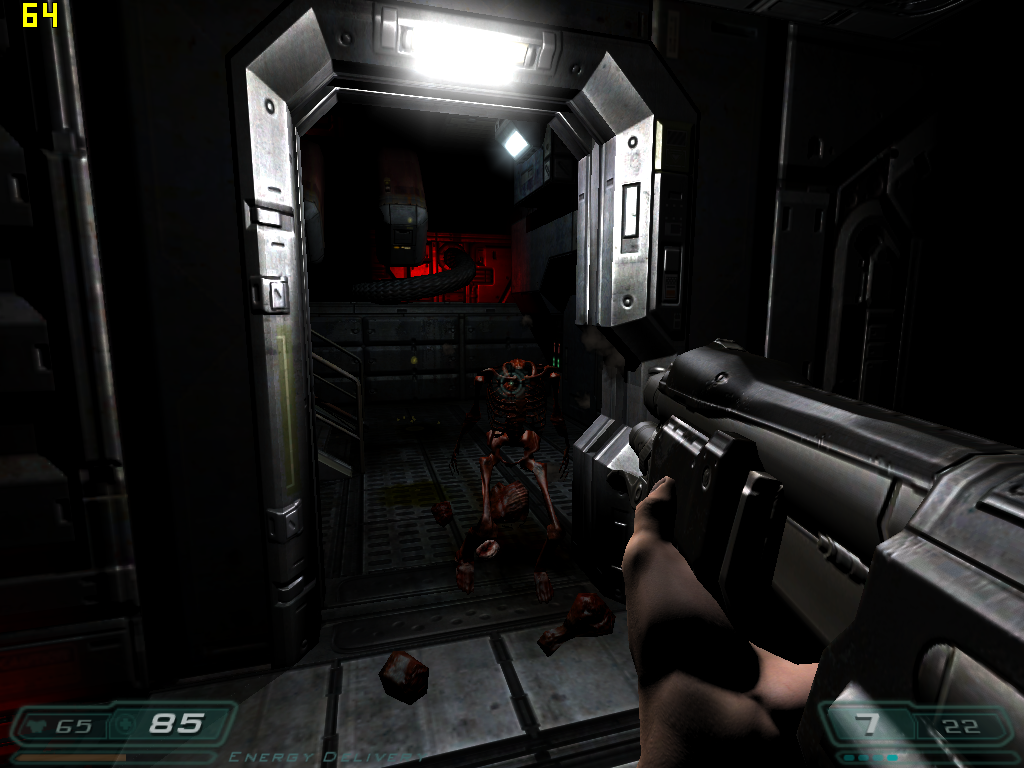
Released in August 2004, Doom 3 was built on id Tech 4 and took the series in a darker, slower direction. It’s more horror than run-and-gun, with tight corridors, dynamic shadows, and a heavy focus on atmosphere. The engine introduced unified lighting and per-pixel effects, which made it a demanding title for its time, and still a good one to test mid-2000s hardware.
The game engine is limited to 60 FPS, but it includes an in-game benchmark that can be used for testing that doesn’t have this limit.

Performance Notes:
At 1024×768 on High settings with no anti aliasing, the X1300 Pro manages an average of just under fifty frames per second. That is enough to keep Doom 3 playable, but it sits well behind the rest of the cards in the test. The HD2600XT models, the 8600GT, the FireGL V7200, and the 7600GT all deliver well over ninety frames per second, with the 7600GT pushing past one hundred and forty. Even though the X1300 Pro is clearly outclassed, it still handles the game smoothly enough at this setting.
With four times anti aliasing enabled, the X1300 Pro drops to an average of thirty frames per second. This is a noticeable reduction in fluidity and shows how heavily Doom 3 leans on shader performance when extra image quality features are enabled. The mid range cards remain far ahead, and the 7600GT SLI setup pulls even further away, but the X1300 Pro continues to produce a stable result even if it is no longer ideal for fast paced scenes.
In practical terms the X1300 Pro is playable at 1024×768 on High settings without anti aliasing. Once AA is enabled the frame rate becomes borderline, so sticking to no AA is the best way to keep Doom 3 running smoothly on this card.
F.E.A.R. (2005)
Game Overview:
F.E.A.R. (First Encounter Assault Recon) launched on October 17, 2005 for Windows, developed by Monolith Productions. Built on the LithTech Jupiter EX engine, it was a technical showcase for dynamic lighting, volumetric effects, and intelligent enemy AI. The game blended tactical first‑person gunplay, horror elements, and cinematic slow‑motion combat, creating an experience that stood out sharply from other shooters of the era.
The engine supported per‑pixel lighting, soft shadows, volumetric fog, and advanced particle effects, all of which pushed mid‑2000s hardware hard, especially when maximum shadow quality was enabled. F.E.A.R. became a popular benchmark title thanks to its combination of heavy GPU lighting workloads and CPU‑intensive AI routines, which were among the most advanced in any shooter at the time.


At 1024×768 with maximum settings, no anti aliasing and sixteen times anisotropic filtering, the X1300 Pro reaches an average of fifty eight frames per second with lows around twenty. That puts it behind every other card in the test except the 7600GT, which behaves unusually here and posts lower numbers than expected. The HD2600XT cards and the 8600GT stay well ahead, and the 7600GT SLI setup pulls even further away. Even so, the X1300 Pro manages to keep the game playable at these settings, though the dips into the twenties will be noticeable during heavy combat.
Once four times anti aliasing is enabled, the X1300 Pro drops sharply to an average of ten frames per second with lows of six. This is a heavy hit and shows how demanding F.E.A.R.’s lighting and particle effects are on lower end hardware. The mid range cards also take a clear performance hit, but they remain far ahead, with the 8600GT and the 7600GT still delivering playable results. The X1300 Pro, however, falls well below the threshold for smooth gameplay.
In practical terms the X1300 Pro can handle F.E.A.R. at 1024×768 with maximum settings as long as anti aliasing is disabled. Once AA is enabled the frame rate becomes too low to enjoy, so sticking to no AA is the only way to keep the game playable on this card.
Battlefield 2 (2005)
Game Overview:
Battlefield 2 launched on June 21, 2005, developed by DICE and published by EA. It was a major evolution for the franchise, introducing modern warfare, class-based combat, and large-scale multiplayer battles with up to 64 players. Built on the Refractor 2 engine, it featured dynamic lighting, physics-based ragdolls, and destructible environments that pushed mid-2000s hardware.


Performance Notes:
At 1152×864 on High settings with no anti aliasing, the X1300 Pro turns in an average of seventy nine frames per second with lows in the low forties. That puts it in a respectable position for an entry level card, sitting just behind the 7600GT and the HD2600XT models, and not too far off the 8600GT. The 7600GT SLI setup and the FireGL V7200 stretch out a much larger lead, but the X1300 Pro still delivers a smooth and consistent result. The dips into the forties are noticeable but not disruptive, and overall the card handles the game well at these settings.
Once four times anti aliasing is enabled, the X1300 Pro drops to an average of thirty one frames per second with lows around seventeen. This is a significant reduction and shows how heavily Battlefield 2 leans on fill rate and memory bandwidth when AA is applied. The mid range cards also take a hit, but they remain comfortably ahead, with the 8600GT and the 7600GT still producing playable numbers. The X1300 Pro, however, falls into borderline territory, especially during busy scenes where the lows become more noticeable.
In practical terms the X1300 Pro is perfectly playable at 1152×864 on High settings as long as anti aliasing is disabled. With AA enabled the frame rate becomes too inconsistent, so sticking to no AA is the best way to keep Battlefield 2 running smoothly on this card
.
At low settings the X1300 Pro shows what it can really do when the visual load is kept light. With an average of one hundred and forty eight frames per second and lows in the high seventies, the card has no trouble at all pushing Battlefield 2 around in this configuration. There is nothing else in the chart to compare it with at these settings, but the numbers make it clear that the card has plenty of headroom once the effects and post‑processing are dialled back.
| Connect3d X1300 Pro 800×600 Low Settings | 1% Low 78 | Average 148 |
Need for Speed: Carbon (2006)

Game Overview:
Need for Speed: Carbon released on October 31, 2006, developed by EA Black Box and published by Electronic Arts. It continued the street‑racing direction established by Underground and Most Wanted, shifting the series toward canyon duels, crew‑based racing, and a darker, more stylised presentation. Built on an enhanced version of the EAGL engine, it featured motion‑blur effects, HDR‑style lighting, depth‑of‑field, and detailed night‑time environments that pushed mid‑2000s GPUs far harder than earlier entries. Its mix of open‑city racing and narrow mountain passes made it a demanding benchmark for lower‑end hardware, especially when post‑processing and texture quality were set high.
At 1024×768 with maximum settings and no anti aliasing, the X1300 Pro struggles heavily, averaging only nine frames per second with lows of six. This puts it far behind every other card in the test, including the 7600GT and the HD2600XT models, all of which deliver several times the performance. Even the 7600GT, which is not especially strong in this game, stays comfortably ahead. At these settings the X1300 Pro simply does not have the horsepower to keep Carbon playable.
Dropping to medium settings at the same resolution helps, but not by enough. The X1300 Pro reaches an average of twenty one frames per second with lows of fifteen, which is still too slow for a smooth experience. The mid range cards pull far ahead here, with the HD2600XT and 8600GT delivering three to four times the performance. The 7600GT also opens up a clear lead, showing how demanding Carbon’s effects and motion blur are on lower end hardware.


At 800×600 on medium settings the X1300 Pro finally reaches more comfortable ground, averaging thirty one frames per second with lows in the mid twenties. It is still well behind the HD2600XT cards, the 8600GT, and the 7600GT, all of which deliver much higher frame rates, but the game becomes at least playable on the X1300 Pro at this point. The SLI results are missing here, but given the scaling seen elsewhere, they would sit far above anything the X1300 Pro can manage.
In practical terms the X1300 Pro can only handle Need for Speed Carbon at 800×600 on medium settings. Anything higher, especially maximum settings, drops the frame rate too far for enjoyable gameplay.
Medieval II: Total War (2006)

Game Overview:
Released on 10 November 2006, Medieval II: Total War was developed by Creative Assembly and published by Sega. It’s the fourth entry in the Total War series, built on the enhanced Total War engine with support for Shader Model 2.0 and 3.0. The game blends turn-based strategy with real-time battles, set during the High Middle Ages, and includes historical scenarios like Agincourt.
I run the intro to the Agincourt battle, this is in-engine so does render as if you are playing the game and will give like-for-like results in all scenarios.
Performance Notes:
At 1024×768 on medium settings using Shader Model 1.0, the X1300 Pro averages forty frames per second with lows around twenty five. That puts it behind every other card in the test except the 7600GT, which behaves unusually here and posts lower minimums. The HD2600XT models, the 8600GT, and the FireGL V7200 all sit comfortably ahead, and the 7600GT SLI setup stretches out a very large lead. Even so, the X1300 Pro remains playable at these settings, with only occasional dips during large battles.
Enabling two times anti aliasing at the same settings brings the X1300 Pro down slightly to an average of thirty six frames per second with lows of twenty two. The stronger cards also lose some performance, but they maintain a clear advantage, especially the HD2600XT and the 7600GT. The X1300 Pro still holds together reasonably well here, though the reduced minimums make the game feel a little less steady during heavy unit clashes.
Switching to the “Best” preset with Shader Model 2.0 is where the X1300 Pro begins to show its limits. At two times anti aliasing it averages twenty five frames per second with lows of fifteen, placing it at the bottom of the chart. The mid range cards also take a noticeable hit, but they remain ahead by a comfortable margin. The X1300 Pro can still run the game, but the experience becomes noticeably less fluid.
With four times anti aliasing and two times anisotropic filtering on the Best preset, the X1300 Pro averages twenty five frames per second with lows of fifteen. This is similar to the previous result and shows that the card is already at its limit before the extra filtering is applied. The stronger cards continue to scale, and the FireGL V7200 and 7600GT SLI setup remain well ahead.
In practical terms the X1300 Pro is best suited to medium settings using Shader Model 1.0, with or without light anti aliasing. Once Shader Model 2.0 and higher quality settings are enabled, the frame rate drops too far for smooth large scale battles.


The Elder Scrolls IV: Oblivion

Game Overview:
Oblivion launched on March 20, 2006, developed by Bethesda Game Studios. Built on the Gamebryo engine, it introduced a vast open world, dynamic weather, and real-time lighting. The game was a technical leap for RPGs, with detailed environments and extensive mod support that kept it alive well beyond its release window (it’s just had a re-release recently).
Known for its sprawling world, Oblivion remains a benchmark title for mid-2000s hardware. The game’s reliance on draw distance and lighting effects makes GPUs struggle.
The benchmark run involves a run to the top of the hill opposite the sewer entrance, killing the two bandits on the way. The weapon is kept out for the duration (which costs about 5fps if you can believe it).
Performance Notes:
At 800×600 on medium settings, the X1300 Pro averages thirty nine frames per second with lows in the low twenties. That puts it at the bottom of the chart, but still within playable territory. The HD2600XT cards, the 8600GT, and the 7600GT all sit far ahead, often doubling or even tripling its performance, and the 7600GT SLI setup stretches out an enormous lead. Even so, the X1300 Pro holds the game together reasonably well at this setting, with only occasional stutters in busy outdoor scenes.
Switching to the Ultra High preset at the same resolution brings the X1300 Pro down to an average of twenty two frames per second with lows of seventeen. This is a noticeable drop and makes the game feel much heavier, especially in forested areas or towns. The mid range cards also lose performance here, but they remain comfortably ahead, with the HD2600XT and 8600GT still delivering smooth gameplay. The X1300 Pro, by contrast, begins to feel strained.
Adding four times anti aliasing on Ultra High pushes the X1300 Pro even further, averaging twenty five frames per second with lows of fifteen. The stronger cards also take a hit, but they maintain a clear advantage, and the 7600GT SLI setup continues to sit in a different league entirely. For the X1300 Pro, this setting is simply too demanding to be enjoyable.
In practical terms the X1300 Pro is playable in Oblivion at 800×600 on medium settings. Ultra High is technically runnable but not smooth, and enabling anti aliasing drops the frame rate too far for a comfortable experience.

Test Drive Unlimited (2006)

Game Overview:
Released on September 5, 2006, Test Drive Unlimited was developed by Eden Games and published by Atari. It marked a major technical leap for the Test Drive franchise, built on the proprietary Twilight Engine, which supported streaming open-world assets, real-time weather, and Shader Model 3.0 effects. The game ran on DirectX 9, with enhanced support for HDR lighting and dynamic shadows, optimized for both PC and seventh-gen consoles.
At launch, TDU was praised for its ambitious scale, vehicle fidelity, and online integration, though some critics noted AI quirks, limited damage modelling, and performance bottlenecks on lower-end rigs. The PC version especially benefited from community mods and unofficial patches that expanded car libraries and improved stability.
I do a high speed run up and down the same streets in a loop for each run, traffic density is medium but still will add an element of randomness but it still gives a good reflection of the performance you can expect.
Performance Notes:
At 800×600 on high settings with four times anti aliasing, the X1300 Pro manages an average of twenty frames per second with lows of nine. That puts it slightly ahead of the X1300XT but well behind the 7300GT and especially the 7600GT, both of which deliver much smoother results. At these settings the X1300 Pro simply does not have the power to keep the game fluid, and the dips into single digits make the experience feel very sluggish.
Dropping to medium settings at the same resolution improves things, with the X1300 Pro reaching an average of twenty five frames per second and lows of eleven. It still trails the 7300GT and the 7600GT by a wide margin, but the game becomes more manageable. The X1300XT also pulls ahead here, showing that even within its own family the X1300 Pro sits on the weaker end of the scale.
At 800×600 on low settings the X1300 Pro averages twenty seven frames per second with lows of twelve. This is the smoothest result it produces in this game, but it still lags far behind the 7300GT and the 7600GT, both of which maintain much higher frame rates. Even so, the game becomes reasonably playable at this point, provided expectations are kept modest.
In practical terms the X1300 Pro can only handle Test Drive Unlimited at 800×600 on low settings. Medium is borderline, and high settings with anti aliasing are simply too demanding for this card.

Crysis (2007)

Game Overview:
Crysis launched in November 2007 and quickly became the go-to benchmark title for PC gamers. Built on CryEngine 2, it pushed hardware to the limit with massive draw distances, dynamic lighting, destructible environments, and full DirectX 10 support.
The Run is down into the first occupied village taking out the bad guys, it’s not an identical run each time.
Performance Notes:
At 1024×768 on low settings, the X1300 Pro averages twenty three frames per second with lows of sixteen. That puts it near the bottom of the chart, only ahead of the X1600SE, the Lenovo X1300, the GeForce 6500, and the 7300SE. Everything above it, including the 7300GT, the X1300XT, the 7600GT, and the 8600GT, delivers a noticeably smoother experience. The 7600GT in particular pulls well ahead, and the 7600GT SLI setup sits in a completely different league. For the X1300 Pro, Crysis at this resolution is technically playable but feels heavy and inconsistent, especially in open areas.


Dropping to 800×600 on low settings helps, but not dramatically. The X1300 Pro reaches an average of thirty one frames per second with lows of sixteen, which is a more comfortable result but still far behind the 7300GT and the X1300XT, both of which sit in the mid forties. The 8600GT and 7600GT remain far ahead, and even the X1600SE closes the gap. The X1300 Pro can run the game at this resolution, but the experience is still limited by the card’s shader performance and narrow memory bandwidth.
In practical terms the X1300 Pro can only handle Crysis at 800×600 on low settings. Even then it sits at the edge of playability, and anything higher pushes the frame rate too far down to enjoy.
S.T.A.L.K.E.R.: Shadow of Chernobyl (2007)

Game Overview:
Released in March 2007, S.T.A.L.K.E.R.: Shadow of Chernobyl was developed by GSC Game World and runs on the X-Ray engine. It’s a gritty survival shooter set in the Chernobyl Exclusion Zone, blending open-world exploration with horror elements and tactical combat. The engine supports DirectX 8 and 9, with optional dynamic lighting and physics that can push older hardware to its limits.
The Benchmark run is through the first village and out into the wilderness.
Performance Notes:
At 1024×768 on maximum settings with low anti aliasing and static lighting, the X1300 Pro averages forty frames per second with lows of twenty two. That places it firmly in the lower half of the chart, ahead of only the Lenovo X1300, the X1600SE, and the 7300SE. Everything above it delivers a noticeably smoother experience, especially the HD2600XT cards, the 7300GT, and the X1300XT, all of which maintain higher averages and more stable minimums. The 7600GT and the 8600GT sit even further ahead, and the 7600GT SLI setup pushes the average into the mid seventies. For the X1300 Pro, the game is playable at these settings, but the dips into the low twenties are noticeable during firefights and when moving through dense areas.
Compared with the rest of the low end cards, the X1300 Pro lands in a predictable position. It outperforms the very weakest entries but cannot keep up with the 7300GT or the X1300XT, both of which offer a more stable experience. The HD2600XT and 8600GT class cards sit in a different performance tier entirely, maintaining much higher averages and tighter frame pacing.
In practical terms the X1300 Pro can run S.T.A.L.K.E.R. at 1024×768 with static lighting, but it is right on the edge of smoothness. Lowering a few settings or dropping the resolution slightly would help stabilise the minimums and make the game feel more consistent.

Assassin’s Creed (2007)

Game Overview:
Assassin’s Creed launched in November 2007, developed by Ubisoft Montreal and built on the Anvil engine. It introduced open-world stealth gameplay, parkour movement, and historical settings wrapped in sci-fi framing. The first entry takes place during the Third Crusade, with cities like Damascus, Acre, and Jerusalem rendered in impressive detail for the time.
The Benchmark run is up to the top of the town and back down again to the gate at the beginning of the game after the tutorial part is finished.
At 800×600 with graphical quality and level of detail both set to the lowest quarter and multisampling at one third, the X1300 Pro averages thirty nine frames per second with lows of thirty. That places it behind the X1300XT and the 7300GT, both of which maintain noticeably higher averages and tighter frame pacing. It does, however, stay ahead of the Lenovo X1300, the X1600SE, the GeForce 6500, and the 7300SE, all of which fall into the mid‑twenties or lower. At these reduced settings the X1300 Pro delivers a playable experience, though the gap to the 7300GT is clear.
Raising graphical quality and level of detail to half immediately puts more pressure on the X1300 Pro. At these settings it averages twenty one frames per second with lows of sixteen, which is a significant drop from the previous run. The 7300GT and the X1300XT remain ahead by a comfortable margin, and even the weaker cards begin to close the gap. The X1300 Pro can still run the game, but the reduced minimums make traversal and combat feel noticeably less smooth.
Compared with the rest of the lineup, the X1300 Pro lands exactly where expected: above the very weakest cards but unable to keep pace with the 7300GT or the X1300XT. Assassin’s Creed is demanding even at low settings, and the X1300 Pro’s limited shader performance shows clearly in both test passes.
In practical terms the X1300 Pro is playable at 800×600 only with the lowest graphical settings. Increasing quality quickly pushes the frame rate into uncomfortable territory, so keeping everything at the minimum is the best way to maintain a smooth experience.

Synthetic Benchmarks
3d Mark 2001SE


The synthetic benchmark results line up almost exactly with what the gaming tests have already shown. The X1300 Pro scores just under twenty thousand points, placing it well below the mid‑range cards like the HD2600XT, the 8600GT, and the 7600GT, all of which sit comfortably above thirty thousand. Even the older 7300GT edges ahead with a score of twenty eight thousand, and the X1300XT maintains a clear lead as well. The 7600GT SLI setup and the FireGL V7200 sit at the top of the chart, showing the kind of scaling and raw throughput the X1300 Pro simply cannot match.
Below the X1300 Pro, the results fall away quickly. The Lenovo X1300, the X1600SE, the 7300SE, and the GeForce 6500 all trail behind by a noticeable margin, and the integrated solutions like the SiS Mirage 2 and VIA UniChrome Pro land far at the bottom. In this context the X1300 Pro sits comfortably above the true entry‑level hardware but remains well short of the mid‑range cards that dominate the upper half of the table.
3d Mark 2003


3DMark03 paints a slightly different picture from 3DMark2001SE, and the X1300 Pro’s position reflects that shift. With a score of just over six thousand, it sits well below the mid‑range cards like the HD2600XT, the 8600GT, and the 7600GT, all of which land comfortably above ten thousand points. Even the 7300GT and the X1300XT maintain a clear lead, showing that 3DMark03’s heavier reliance on shader performance and DirectX 9 features favours those slightly stronger architectures. The X1300 Pro still stays ahead of the true entry‑level cards, but the gap to the mid‑range hardware is wider here than in 2001SE.
Below the X1300 Pro, the results fall away quickly. The Lenovo X1300, the X1600SE, the GeForce 6500, and the 7300SE all trail behind by a noticeable margin, and the integrated solutions like the SiS Mirage 2 and VIA UniChrome Pro barely register. In this context the X1300 Pro sits in the lower third of the chart, but still comfortably above the weakest entries.
The main difference between 3DMark03 and 3DMark2001SE is how each benchmark distributes its workload. 2001SE leans heavily on fixed‑function pipelines and older DirectX 8‑era effects, which allows the X1300 Pro to perform relatively well. 3DMark03, by contrast, introduces more complex shaders, heavier geometry, and more modern rendering paths, which exposes the limitations of the X1300 Pro’s architecture. As a result, the gap between it and the mid‑range cards becomes much more pronounced.
In practical terms the 3DMark03 results simply reinforce what the gaming tests have already shown: the X1300 Pro can handle older titles and lighter workloads, but once shader‑heavy rendering comes into play, it falls behind the stronger GPUs in the lineup.
3d Mark 2006


3DMark06 is far more demanding than the earlier versions of the benchmark, and the X1300 Pro’s score of just under two thousand reflects that shift. Unlike 2001SE and even 03, which lean more on older fixed‑function and early shader workloads, 06 pushes heavy Shader Model 2.0 and 3.0 effects, complex lighting, and higher geometry loads. As a result, the gap between the X1300 Pro and the mid‑range cards becomes much wider here than in the earlier tests.
The HD2600XT cards, the 8600GT, and the 7600GT all sit far ahead, with scores between four and seven thousand. Even the 7300GT and the 7600GS maintain a comfortable lead. The X1300XT also stays well ahead of the X1300 Pro, showing how much difference a few extra shader units and higher clocks make in this benchmark. The X1300 Pro, meanwhile, lands in the lower third of the table, only ahead of the Lenovo X1300, the X1600SE, the 7300SE, and the GeForce 6500.
The Shader Model 2.0 test tells the same story. The X1300 Pro scores six hundred and thirty five points, which is significantly lower than the mid‑range cards and even trails the 7300GT by a wide margin. This test leans heavily on pixel shader throughput, an area where the X1300 Pro is simply limited by its architecture and narrow memory bandwidth.


The HDR and Shader Model 3.0 test widens the gap even further. With a score of six hundred and ninety five, the X1300 Pro sits near the bottom of the chart. The HD2600XT cards, the 8600GT, and the 7600GT SLI setup all push far higher numbers, and even the 7300GT maintains a strong lead. This test is particularly punishing for older low‑end hardware, and the X1300 Pro’s result reflects that.
Compared with 3DMark03, the differences are clear. 03 still allowed the X1300 Pro to sit within striking distance of the mid‑range cards, but 06 exposes the architectural limitations far more aggressively. The heavier shader load, HDR rendering, and more modern effects push the card well beyond its comfort zone.
In practical terms the 3DMark06 results simply reinforce what the gaming tests have shown: the X1300 Pro can handle older titles and lighter workloads, but once modern shader‑heavy rendering comes into play, it falls behind the stronger GPUs in the lineup.
Unigine Sanctuary

Unigine Sanctuary is a very different workload from the older synthetic tests. It leans heavily on shader performance, HDR lighting, and complex geometry, and the results reflect that shift. With a score of three hundred and eighty three, the X1300 Pro lands well into the lower half of the table, far behind the mid‑range cards and even trailing the 7300GT and the X1300XT by a wide margin. The HD2600XT cards, the 8600GT, and the 7600GT all sit far ahead, and the 7600GT SLI setup pushes close to two thousand points. At the top of the chart the 8600GT and the A8‑3870 APU trade places, showing how well more modern shader hardware responds to this engine.
Below the X1300 Pro the scores fall away quickly. The X1600SE, the Lenovo X1300, and the GeForce 6500 all sit well below two hundred points, and the 7300SE barely reaches sixty eight. In this context the X1300 Pro is clearly above the true entry‑level hardware, but it is still far from competitive with the stronger cards in the lineup.
Compared with the older synthetic tests like 3DMark03 and 2001SE, Sanctuary exposes the X1300 Pro’s architectural limits much more clearly. The benchmark’s reliance on heavy shaders and modern rendering paths pushes the card well beyond its comfort zone, and the gap to the mid‑range hardware becomes much more pronounced.
In practical terms the Sanctuary score simply reinforces what the gaming tests have already shown: the X1300 Pro can handle older titles and lighter effects, but once modern shader‑heavy rendering comes into play, it falls behind quickly.

Power and Heat
Using a smart plug to monitor power draw at the wall, the system pulls a steady 149 watts during a long run of the Unigine Sanctuary benchmark. The only direct comparison I have is the 7600GT, which draws slightly more at 162 watts under the same conditions. On paper the X1300 Pro is rated at 31 watts, lower than the 40 watt TDP of the 7600GT, and the numbers at the wall broadly reflect that difference once the whole system is taken into account.
Sanctuary is a demanding workload for both cards and is very much a GPU‑limited scenario. The Phenom II X4 955 in the test system is a 95 watt part, but MSI Afterburner reports it sitting below full utilisation during the run, so most of the load is clearly on the graphics card. Even so, this is not a direct measurement of GPU power draw. It includes the CPU, storage, fans, and whatever inefficiencies the mid‑priced power supply introduces, so the figures should be taken as system‑level behaviour rather than precise GPU numbers.
As for temperatures, there is not much to report. The X1300 Pro does not appear to expose any onboard thermal sensor, so there is no way to read its operating temperature. Not ideal, but there is not much that can be done about it.

Conclusions
Looking across the full spread of game tests, synthetic benchmarks, and power measurements, the Connect3D X1300 Pro delivers exactly the kind of experience you would expect from a true budget‑tier GPU of its era — and in several cases, it manages to exceed those expectations. In older titles and lighter engines it holds its own surprisingly well, often producing smooth results at modest settings. Games like X2 and some of the earlier DirectX 8 and 9 releases show that the card still has enough fill rate and bandwidth to remain playable, even when pushed to higher resolutions.
Once the workload shifts toward heavier shader use, the limitations become clear. Modern engines, HDR rendering, and complex post‑processing quickly overwhelm the architecture, and the gap to mid‑range cards like the HD2600XT, the 8600GT, and the 7600GT widens dramatically. This pattern repeats consistently across titles such as Crysis, Oblivion, and Assassin’s Creed, as well as in synthetic tests like 3DMark06 and Unigine Sanctuary. The X1300 Pro can run these workloads, but only at reduced settings and resolutions.
Even so, the card consistently outperforms the true entry‑level hardware in the lineup. It stays ahead of the X1600SE, the Lenovo X1300, the GeForce 6500, and the 7300SE in nearly every test, showing that it occupies a meaningful step above the bottom of the stack. It also demonstrates far more stability and consistency than the very low‑end integrated solutions, which often struggle to complete the benchmarks at all.
Power consumption is another area where the X1300 Pro shows its budget‑friendly nature. System‑level draw during Sanctuary testing remained around one hundred and forty nine watts, noticeably lower than the same system equipped with a 7600GT. With a rated TDP of thirty one watts, the card sits comfortably below many of its contemporaries, and the real‑world measurements reflect that. Heat output is similarly modest. Although the card lacks a functional onboard temperature sensor, the absence of thermal issues during extended testing suggests that it runs cool enough for any typical system of its era.
Taken as a whole, the X1300 Pro proves to be a capable low‑end option. It handles older games well, copes with medium settings in a surprising number of titles, and remains efficient in both power and heat. It is not a card for demanding engines or modern shader‑heavy workloads, but within its intended range it performs reliably and consistently. For anyone exploring retro builds or budget‑focused hardware, the X1300 Pro still earns its place.

Links
There isn’t too much on the X1300Pro left online, a long list of links is here but most are dead (which is the main reason behind setting up this site), I haven’t clicked on them all admittedly:
https://www.techpowerup.com/reviewdb/Graphics-Cards/ATI/X1300
PixelPipes makes excellent youtube content and did a great video on the card below:
Leave a Reply